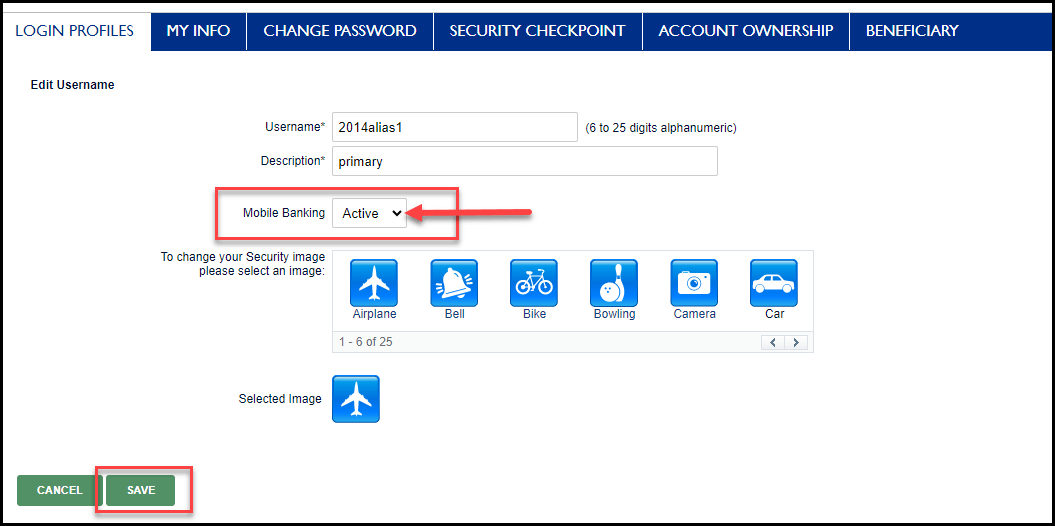
Activate Mobile Banking

×
1
- Log in to cuAnywhere® Online Banking
- Navigate to My Profile:
- Manage > My Profile

2
- Select the Login Profiles tab
- Under Existing Usernames, select the Edit pencil icon

3
- Locate Mobile Banking and select Active
- Select Save