Add a Non-Advancial Account

×
1
- Log in to cuAnywhere® Online Banking
- Navigate to Make a Transfer:
- Move Money > Make a Transfer

2
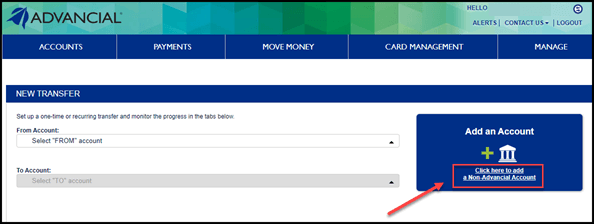
- Select Add a Non-Advancial Account
3
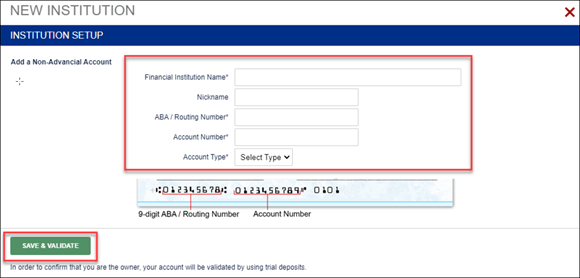
- Complete the required fields
- Select Save & Validate
4
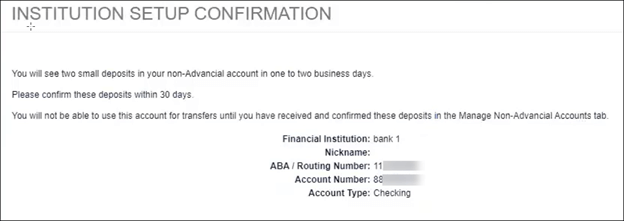
Two trial deposits will be sent to the non-Advancial account within 1-2 business days.
- The non-Advancial account will have 30 days to confirm the trial deposit amounts and be validated.
5
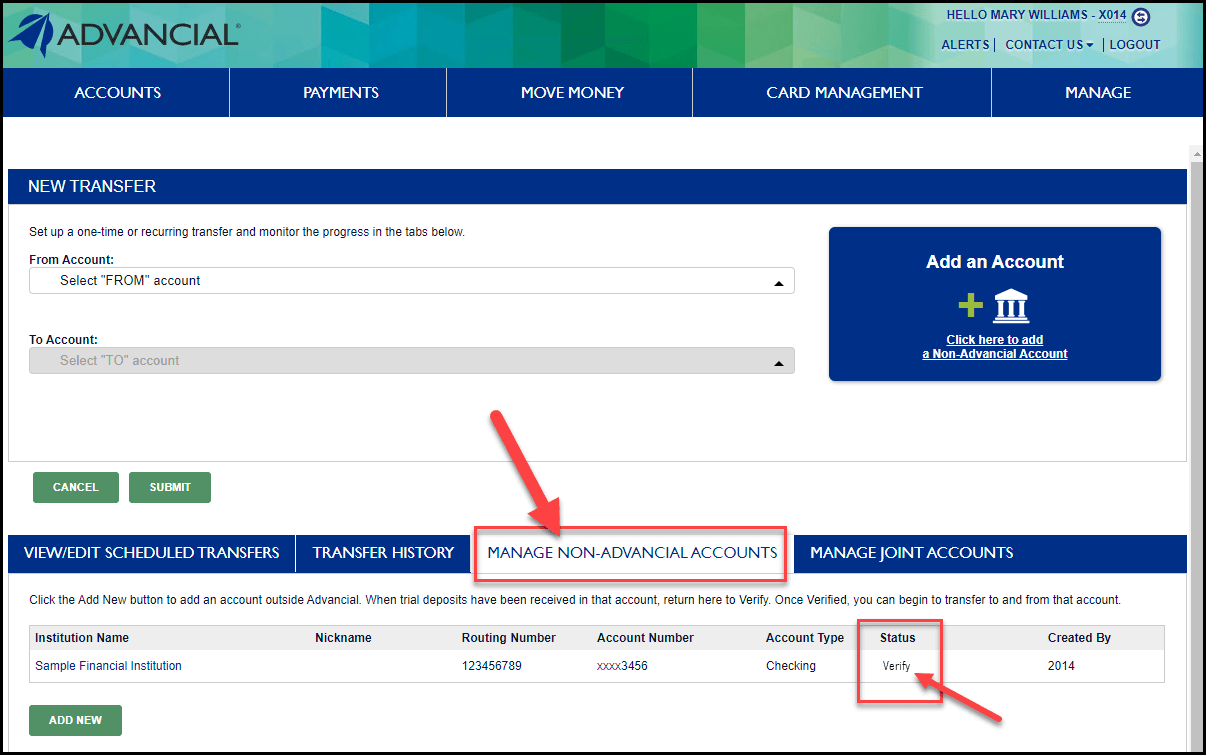
When trial deposits have been received in that non-Advancial account, they will need to be verified.
- Navigate to Make a Transfer:
- Move Money > Make a Transfer
6
- At the bottom of the New Transfer screen:
- Select the Manage Non-Advancial Accounts tab
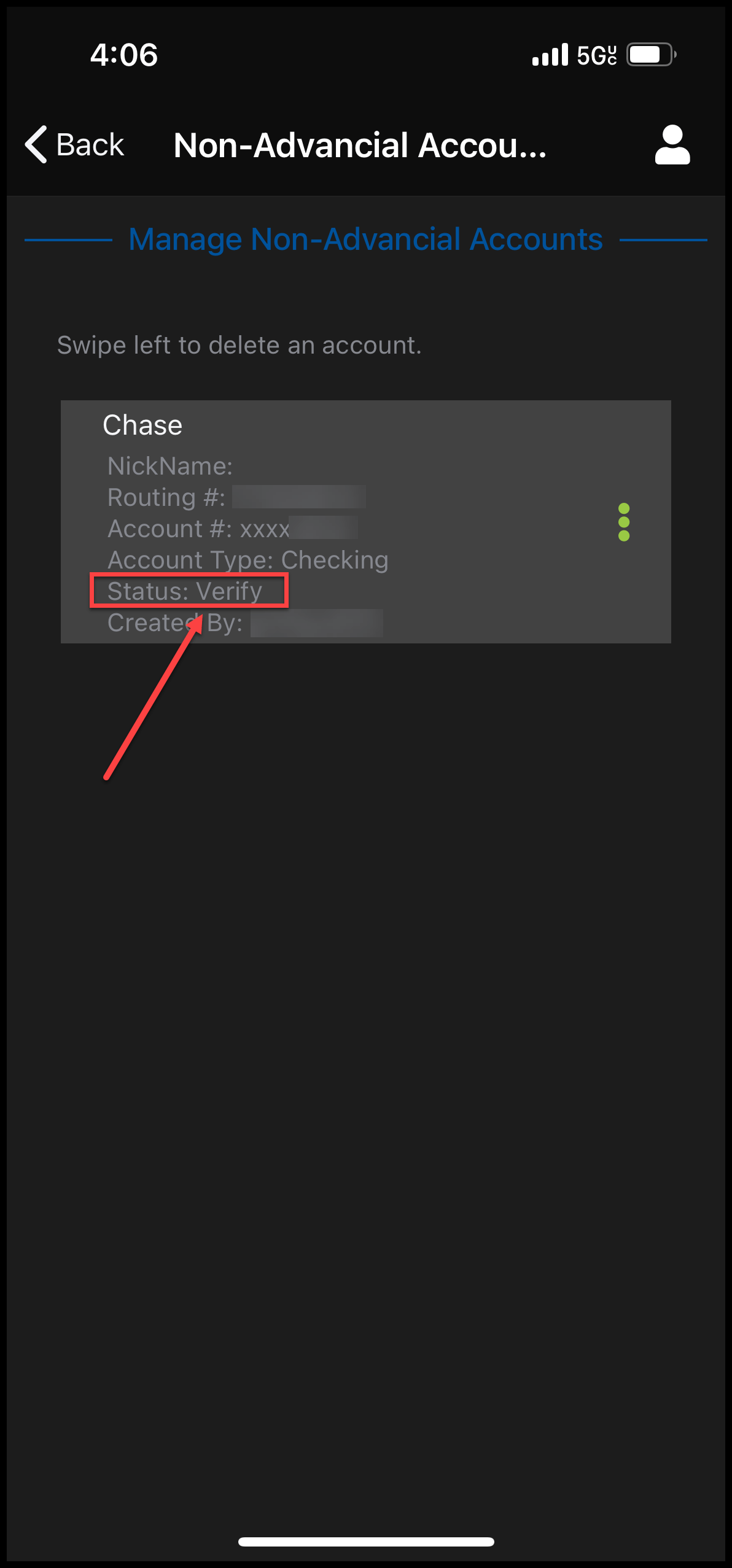
- Under Status, click Verify
- Input the two trial deposit amounts
1
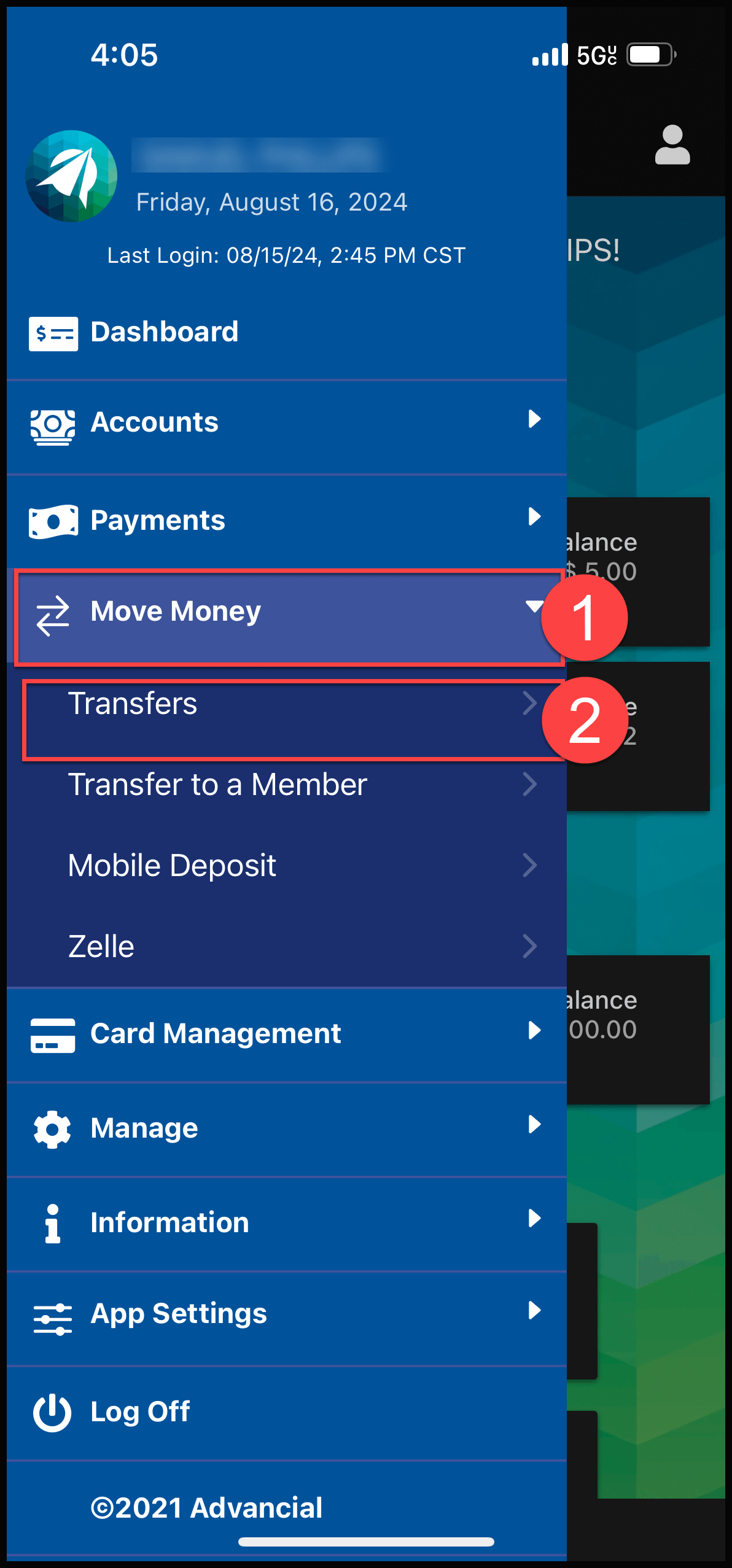
- Log in to the Advancial Mobile App
- Navigate to Transfers:
- Move Money > Transfers
2
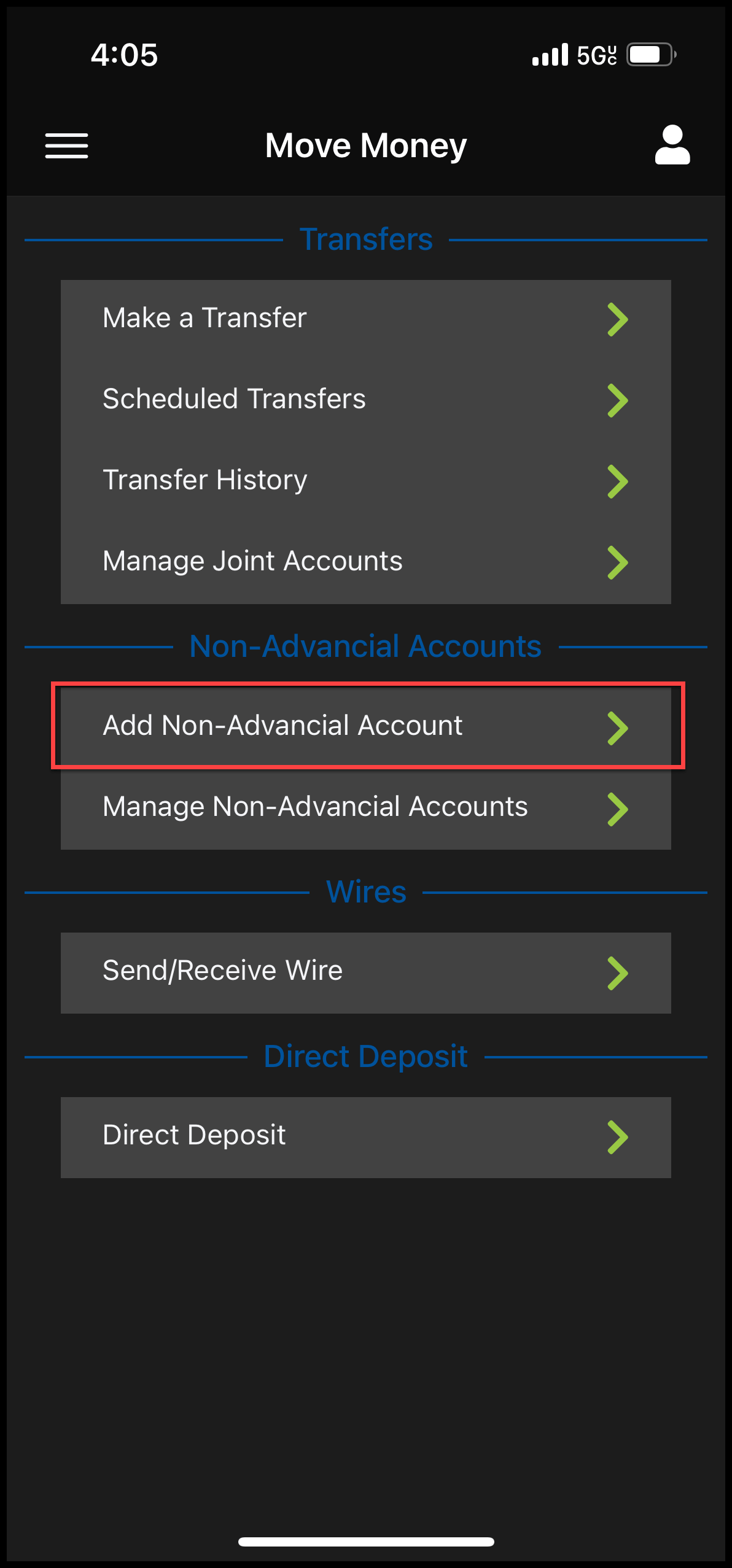
- Under Non-Advancial Accounts, select Add Non-Advancial Account
3
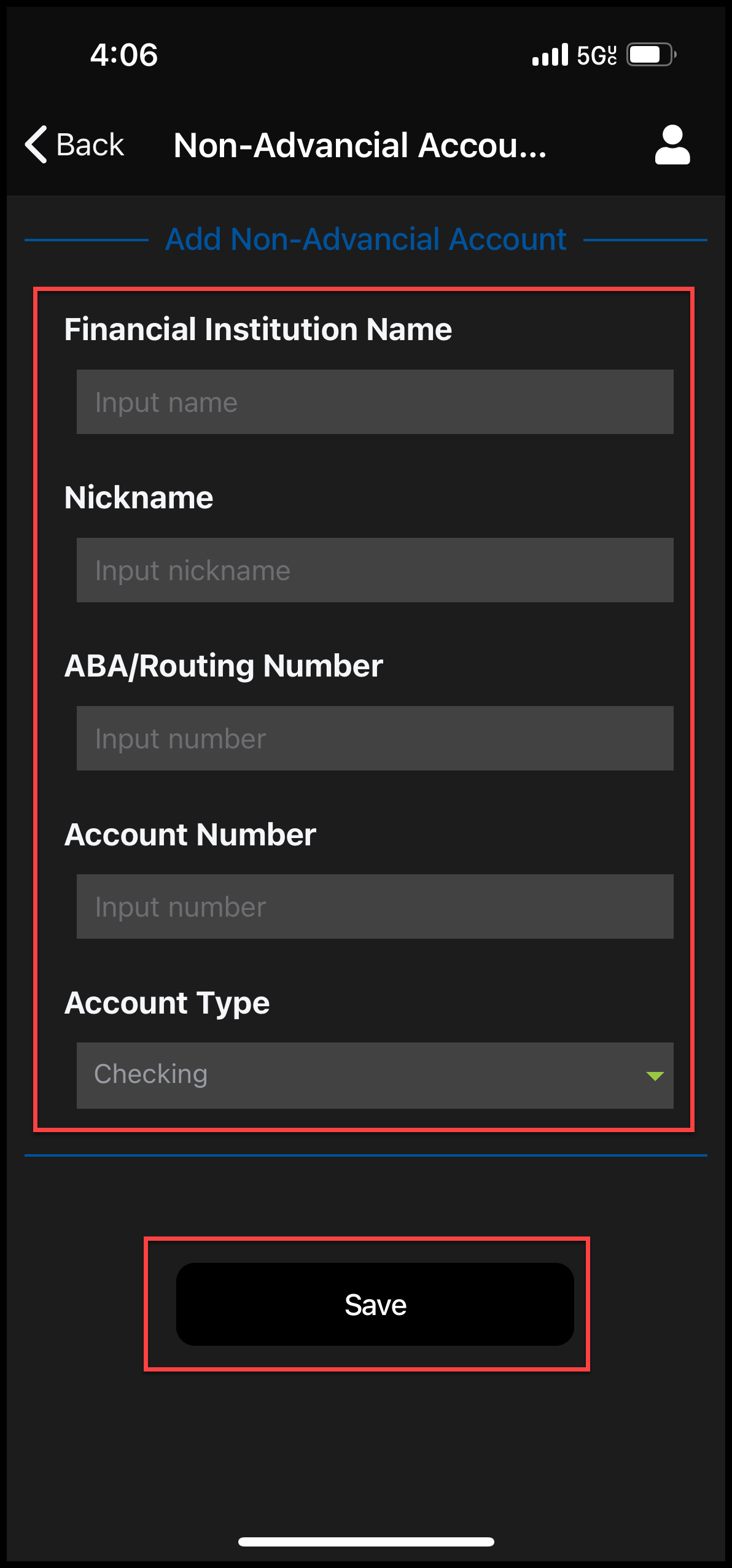
- Complete the required fields
- Select Save
4
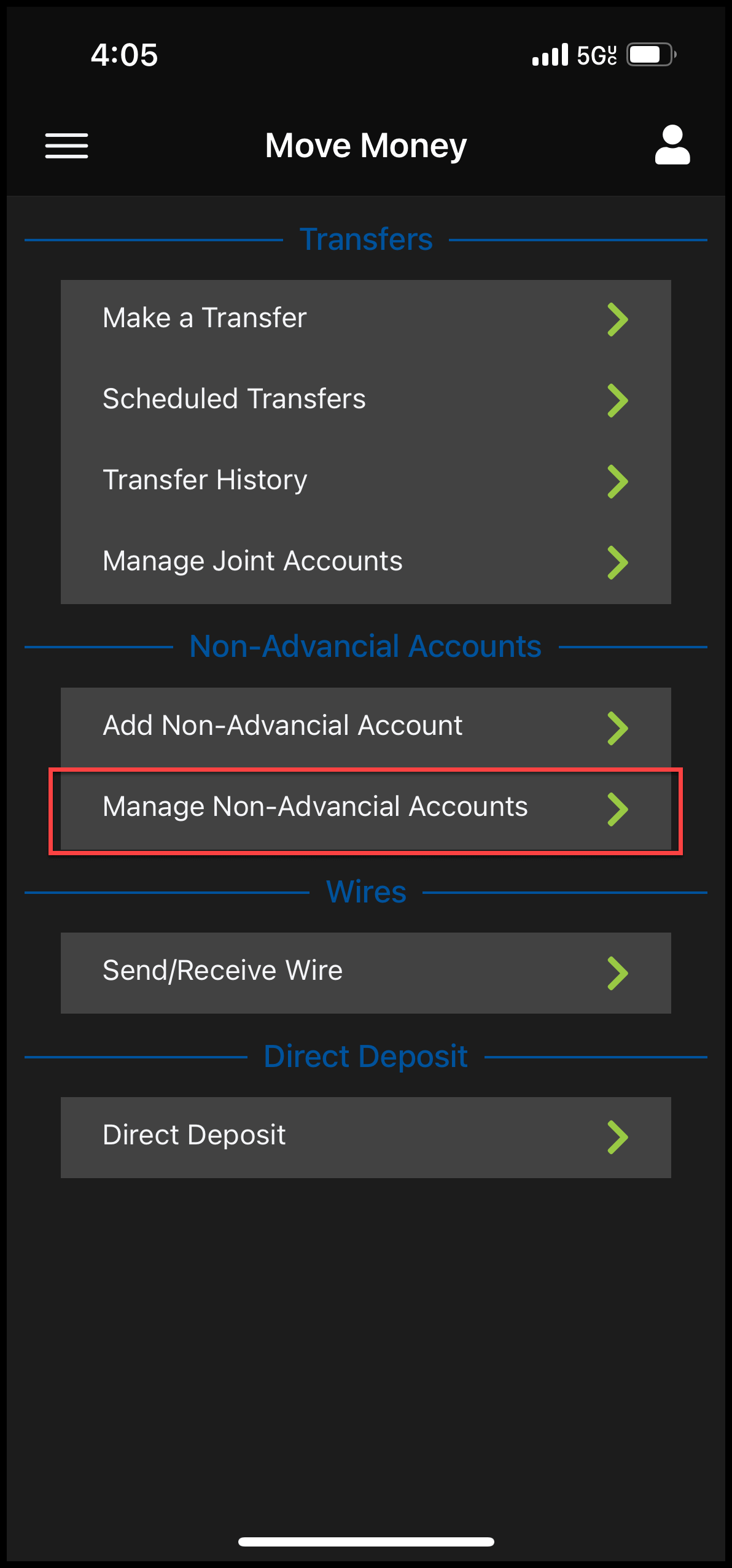
- Navigate to Transfers
- Move Money > Transfers
- Select Manage Non-Advancial Accounts
5
The non-Advancial account will be sent two trial deposits (typically under $1.00 and within 1-2 business days).
Add Trial Deposit Amounts:
- Select Verify and type in the trial deposit amounts in the correct format (there will be instructions on the top of the screen)