Add and Delete Beneficiaries

×
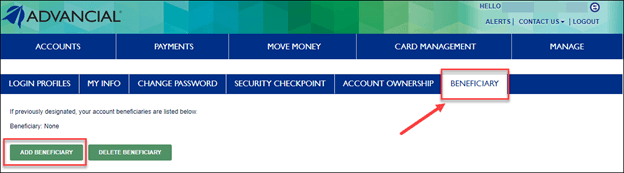
1
- Log in to cuAnywhere® Online Banking
- Navigate to My Profile:
- Manage > My Profile

2
- Select the Beneficiary tab
- Select Add Beneficiary or Delete Beneficiary
1
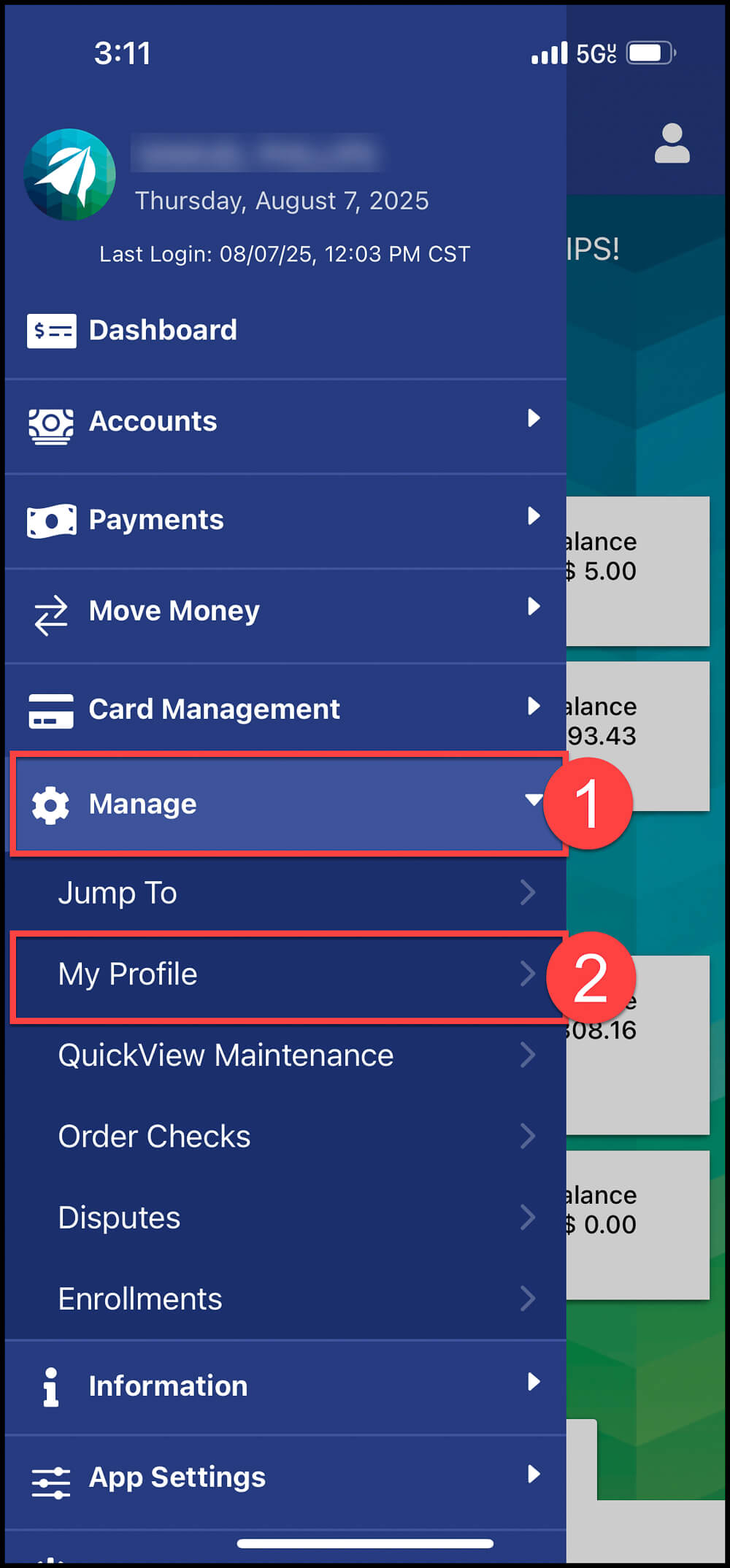
- Log in to the Advancial Mobile App
- Navigate to My Profile:
- Manage > My Profile
2
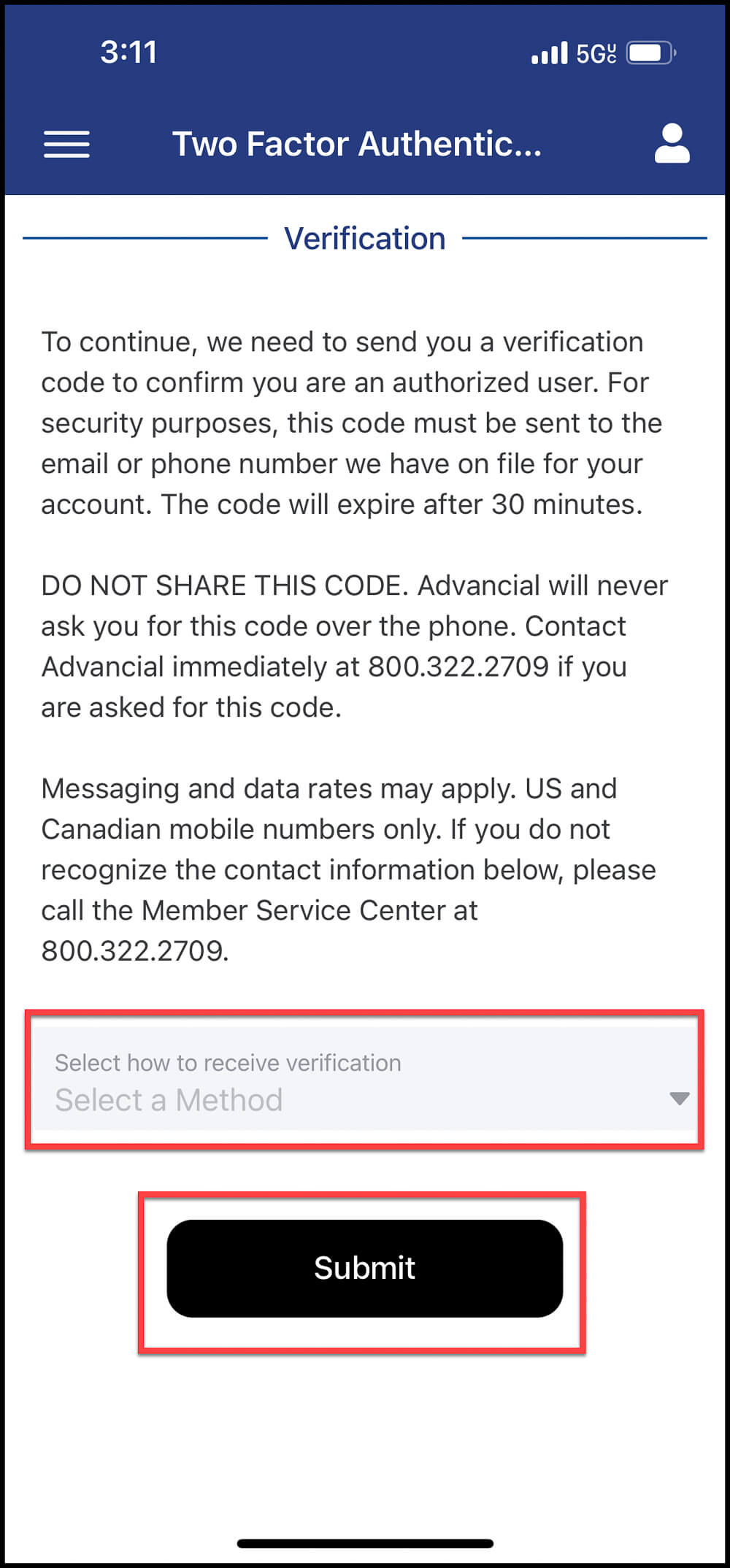
- Complete Two-Factor Authentication
- Select whether you want the verification code to be sent to your e-mail or phone number
- Select Submit
3
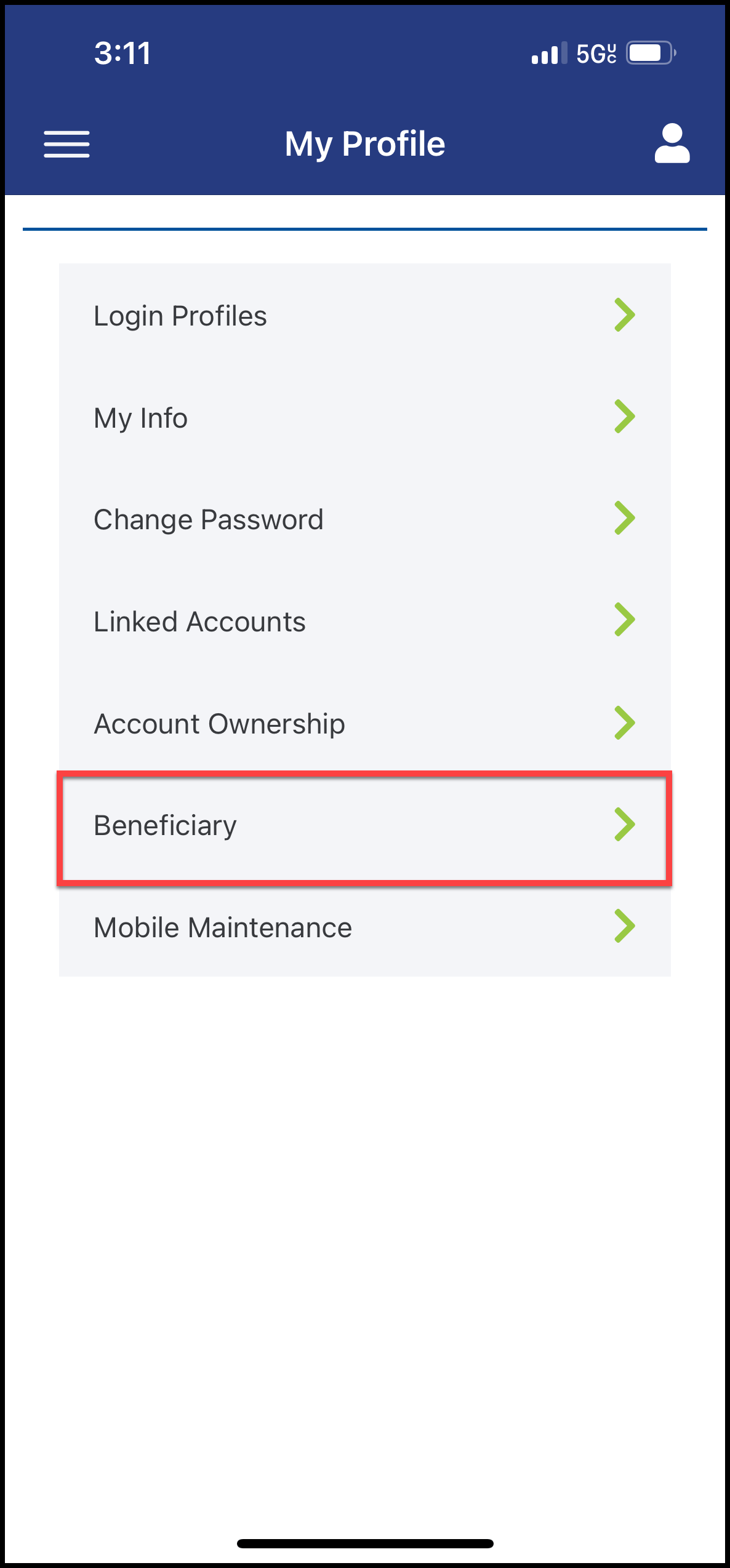
- Select Beneficiary
4
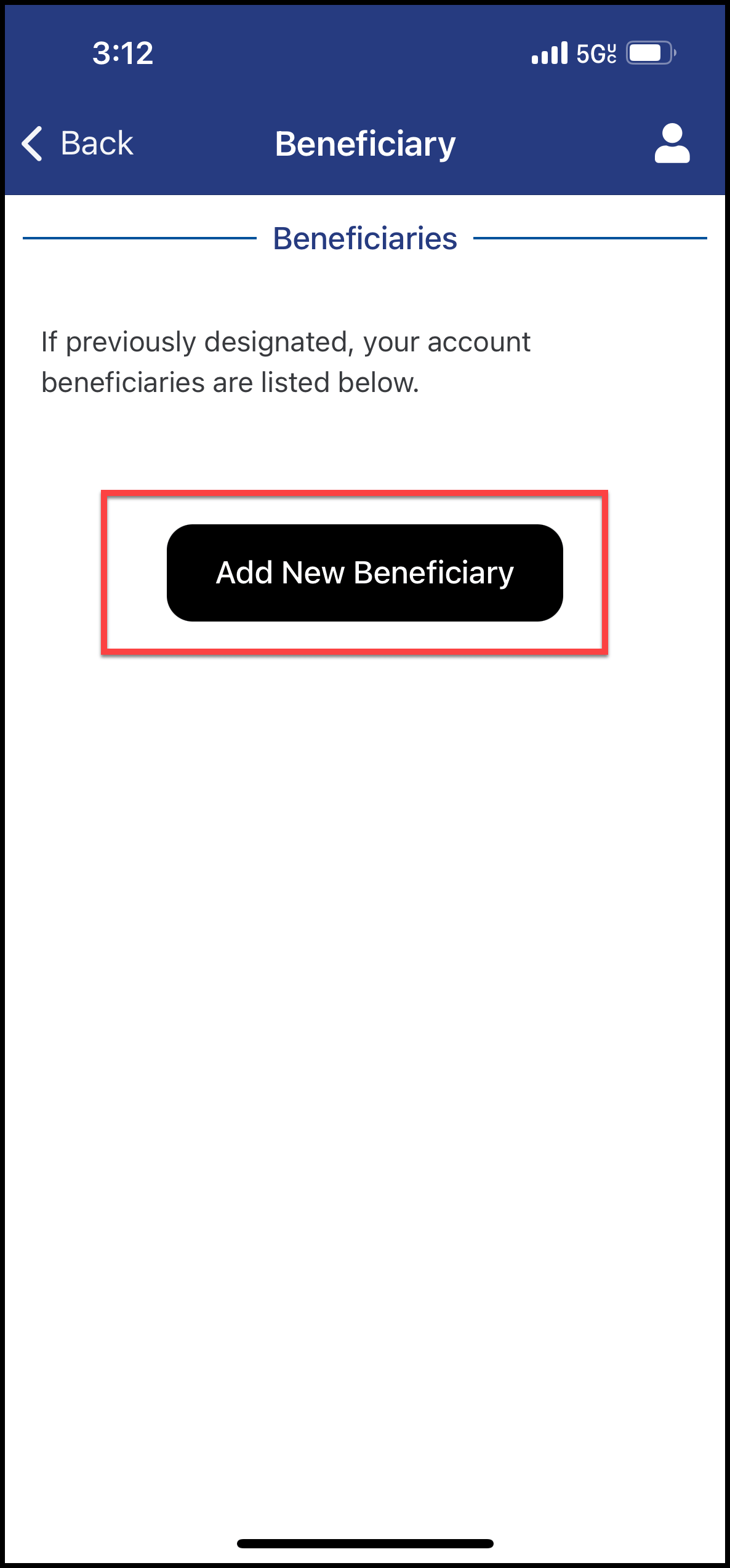
- Select Add New Beneficiary
5
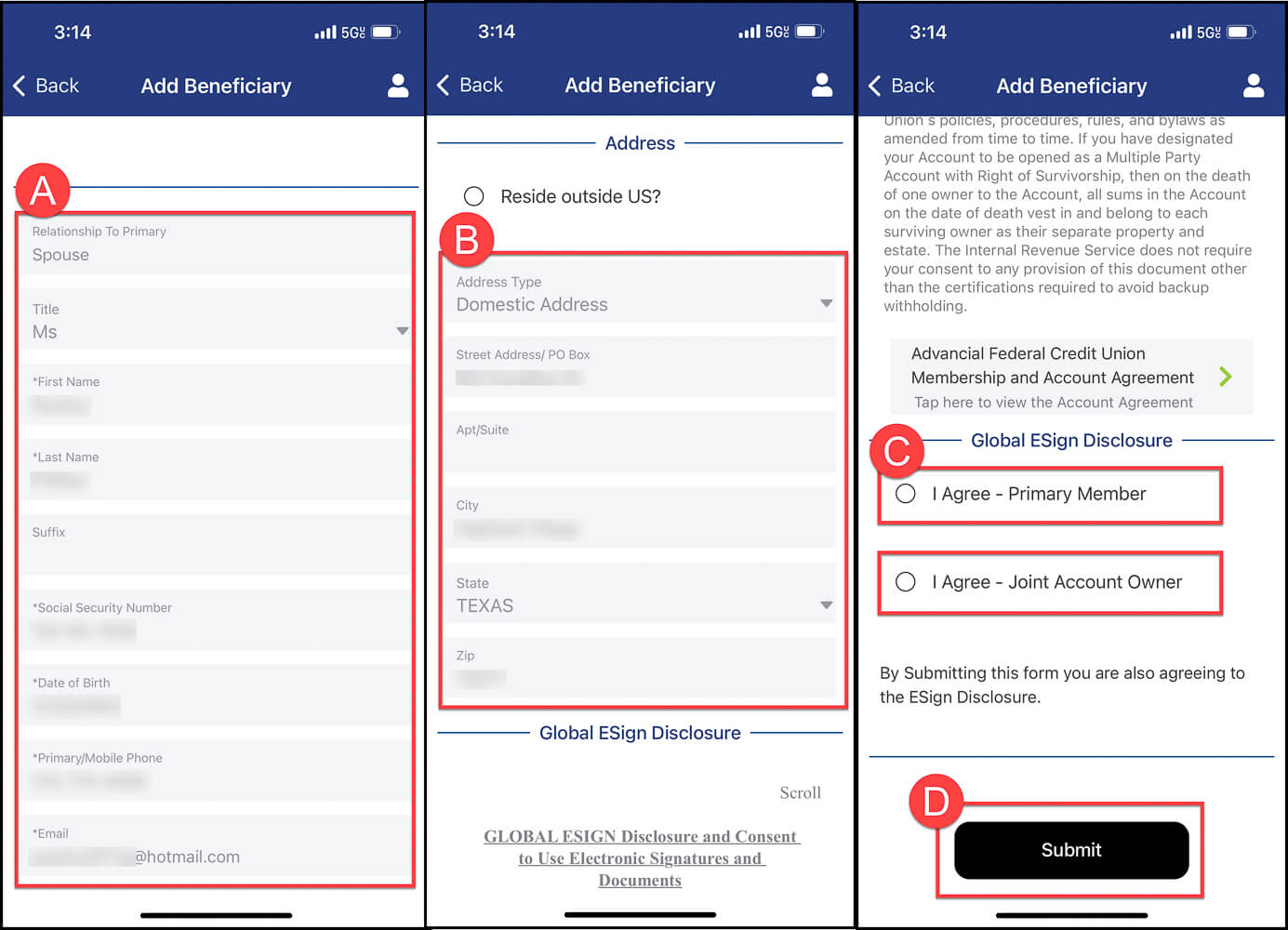
- Complete the required fields:
- A - Beneficiary Information
- B - Beneficiary Address
- C - Read through the Global ESign Disclosure and select I Agree
- D - Select Submit
6
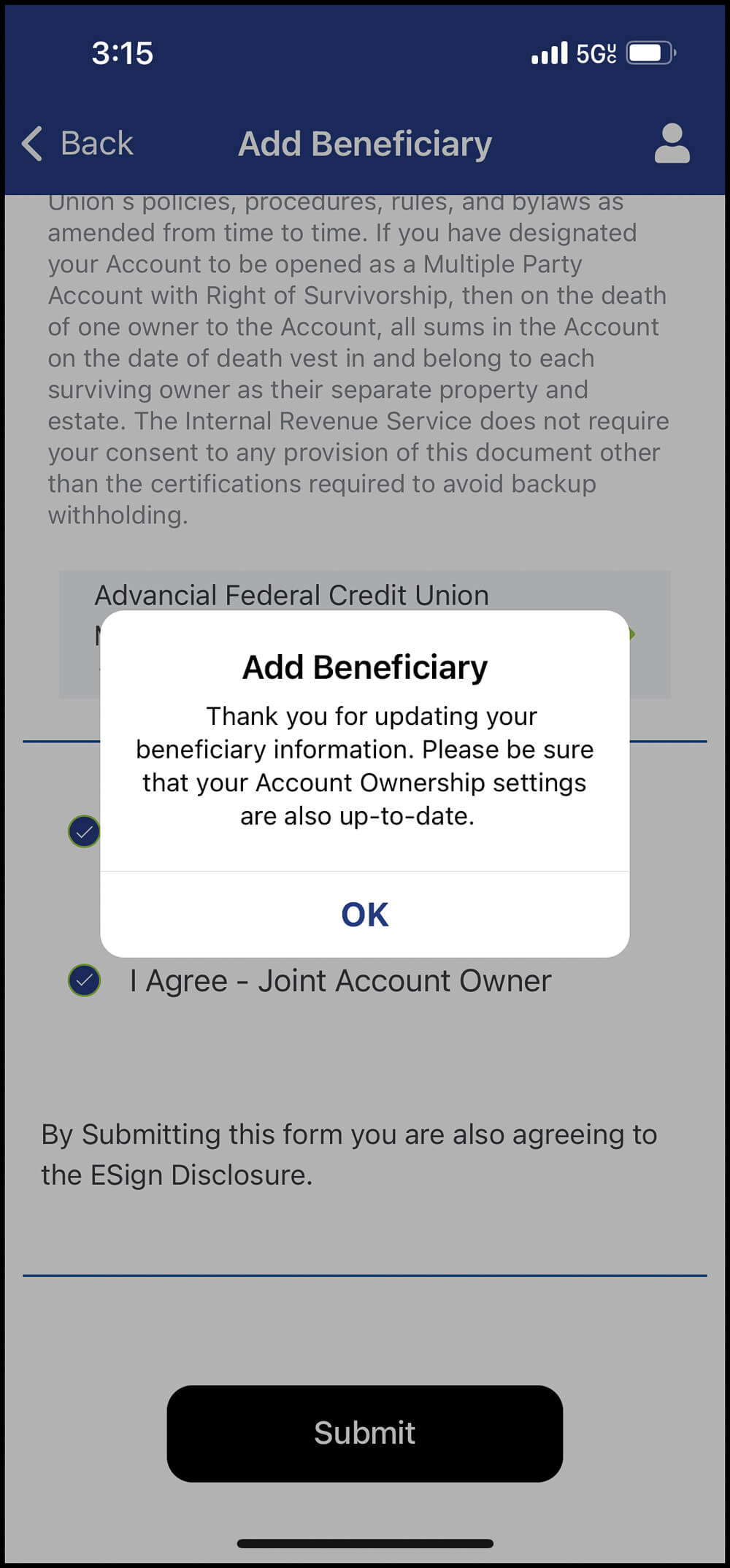
- The Add Beneficiary pop-up notification will confirm the beneficiary has been successfully added
7
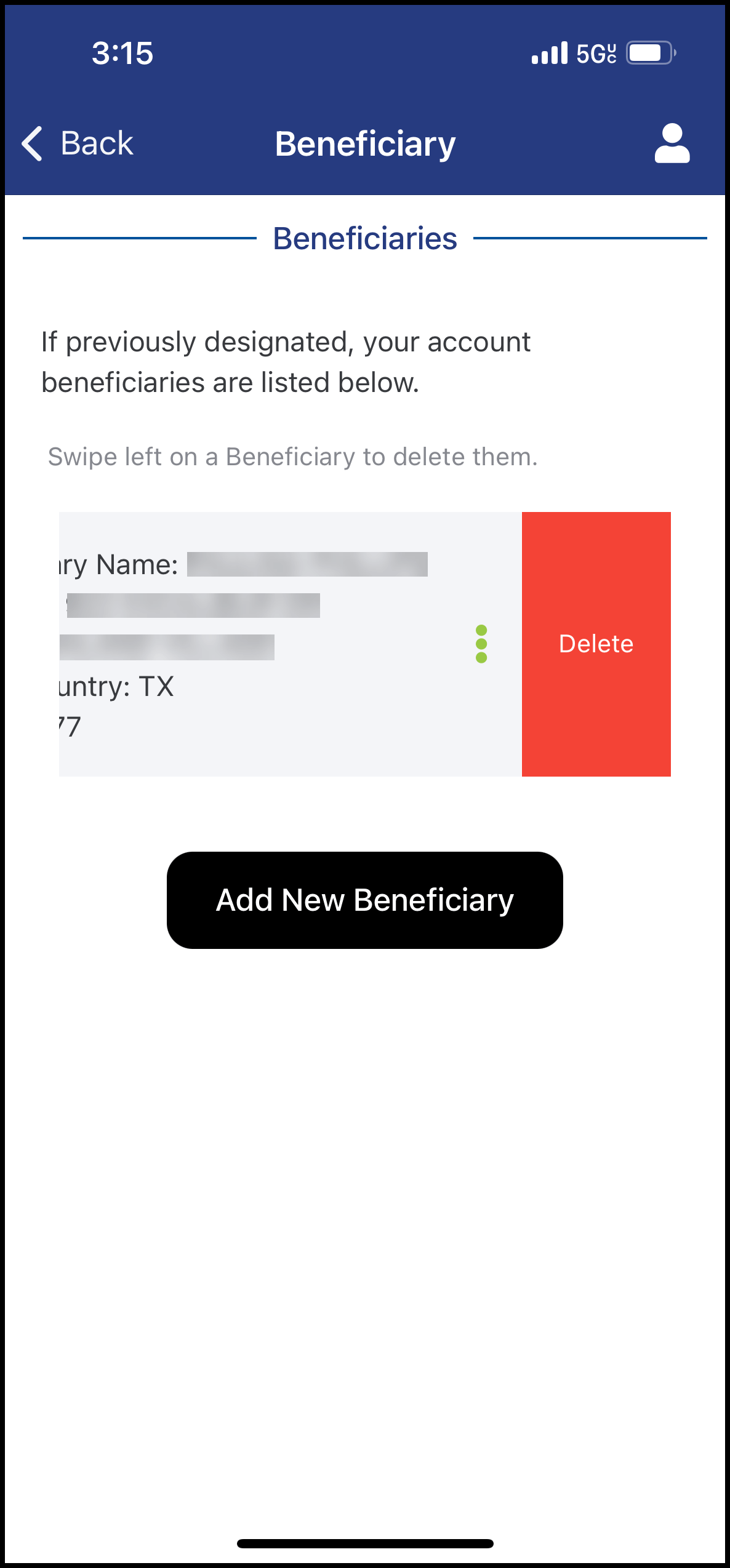
- To remove a beneficiary: Swipe left and select Delete
Note: To update a beneficiary's information, first delete the current beneficiary, then re-add them with the updated details.