Add Cards to Apple Wallet

×
1
Note: This feature is not yet available on Android devices
- Log in to the Advancial Mobile App
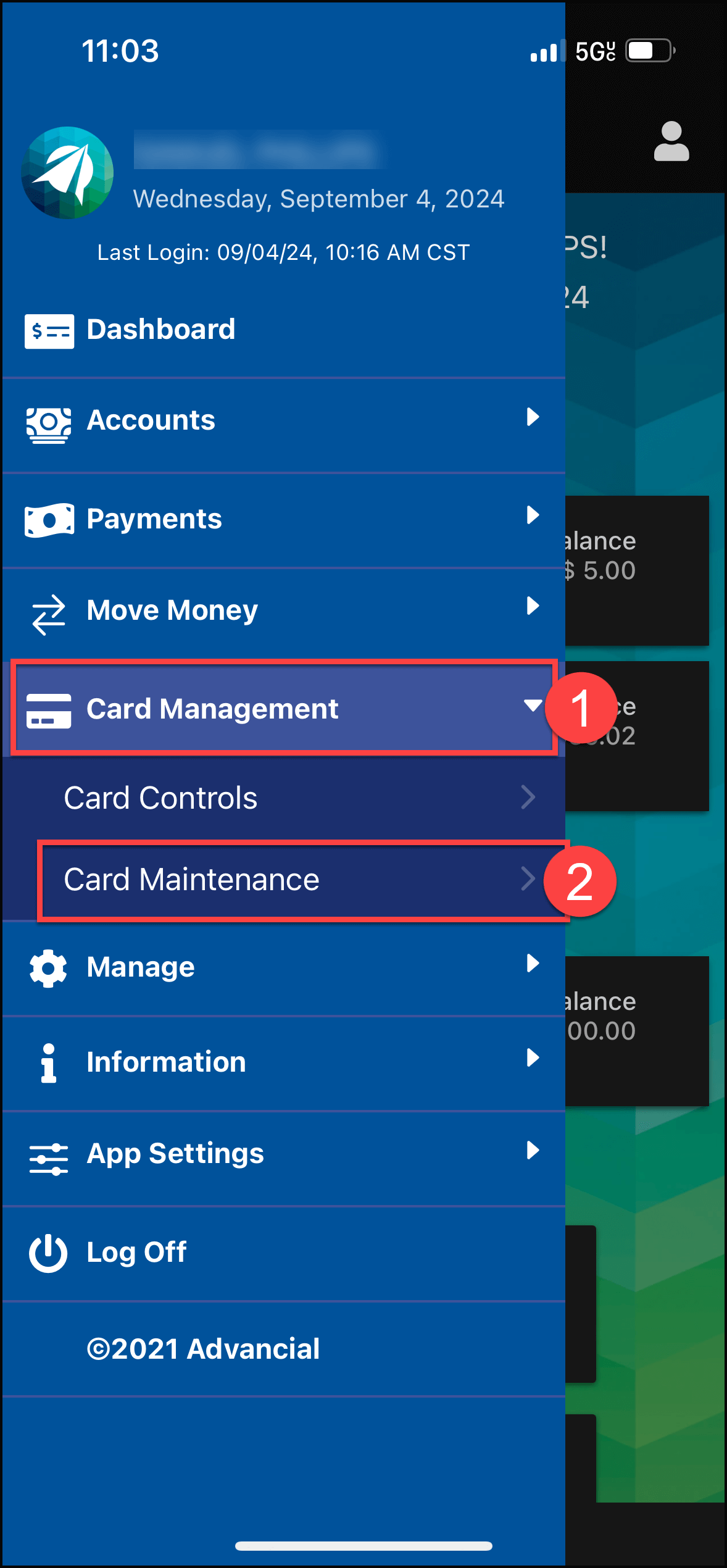
- Navigate to Card Maintenance:
- Card Management > Card Maintenance
2
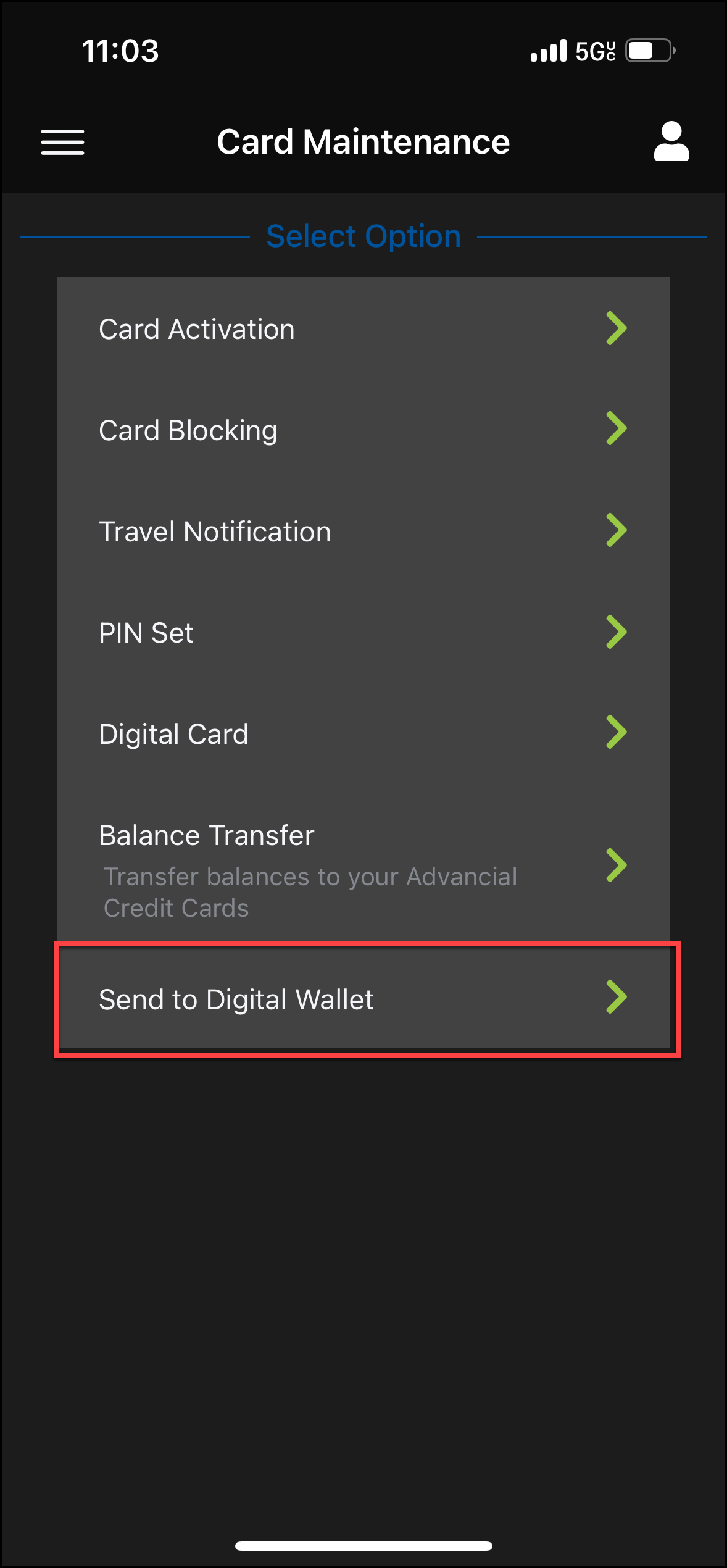
- Select Send to Digital Wallet
3
- Select a card

4
- Select Apple Pay

5
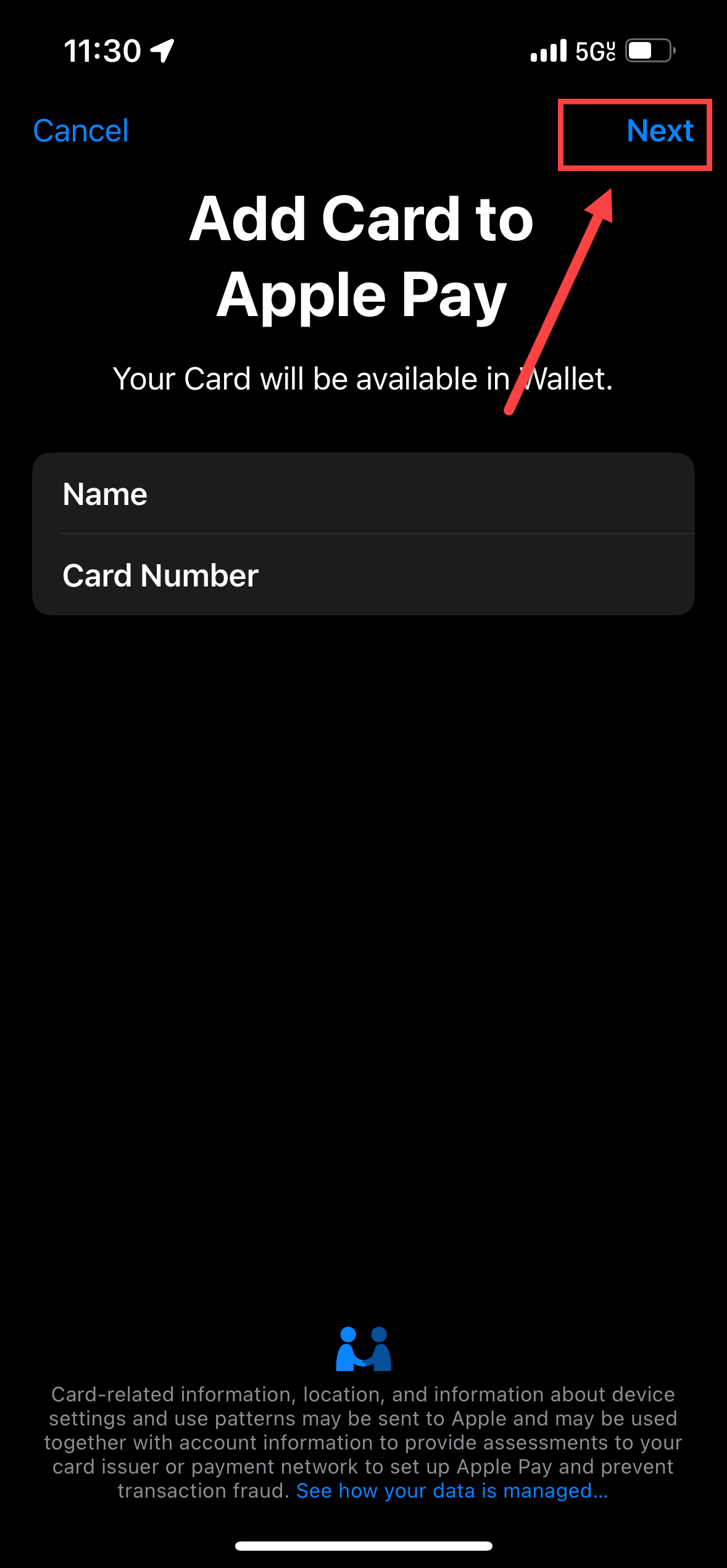
- Confirm the Card Name and Card Number are correct
- Select Next in the top right corner
6
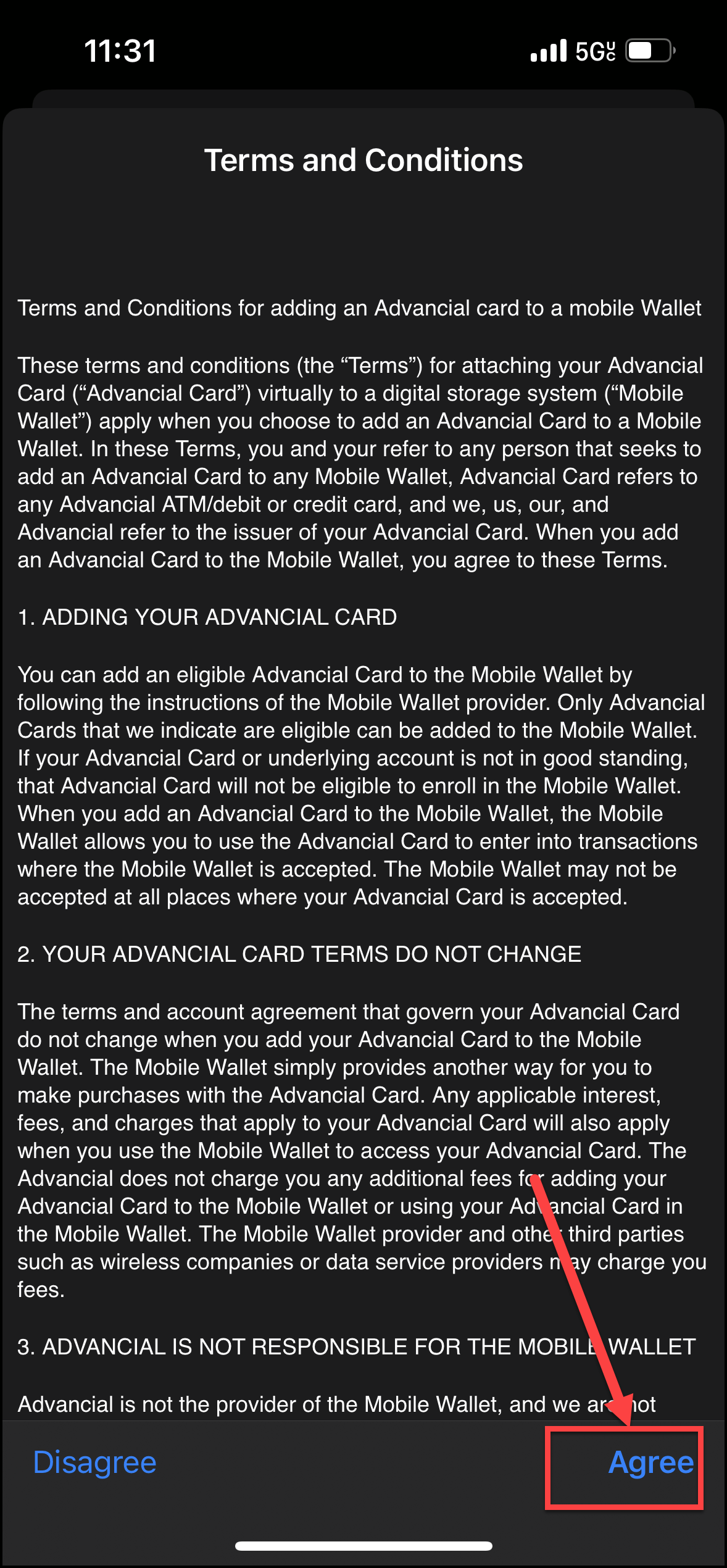
- Read the Terms and Conditions
- Select Agree at the bottom of the screen