Download and View eStatements

×
1
- Log in to cuAnywhere® Online Banking
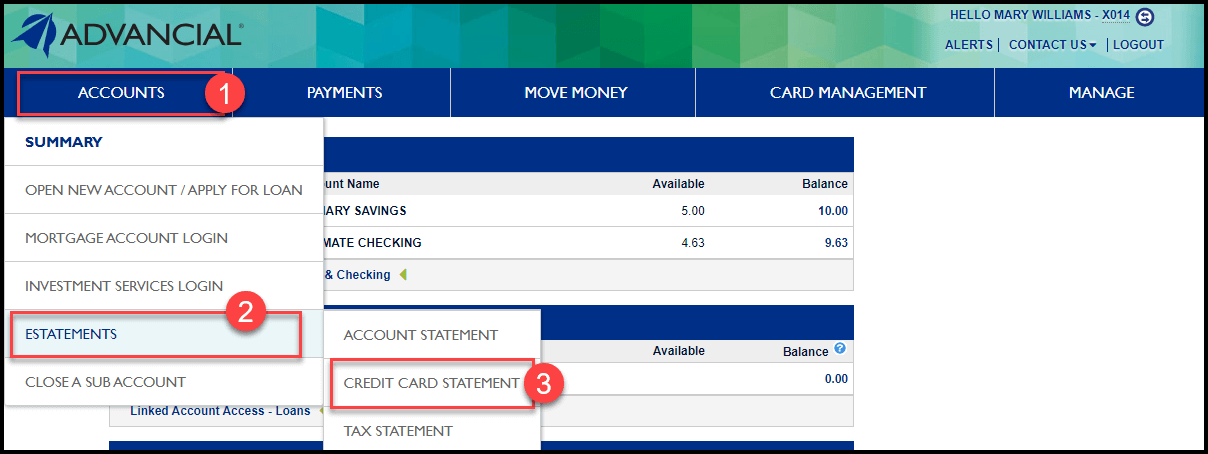
- Navigate to eStatements:
- Accounts > eStatements > Credit Card Statement
2
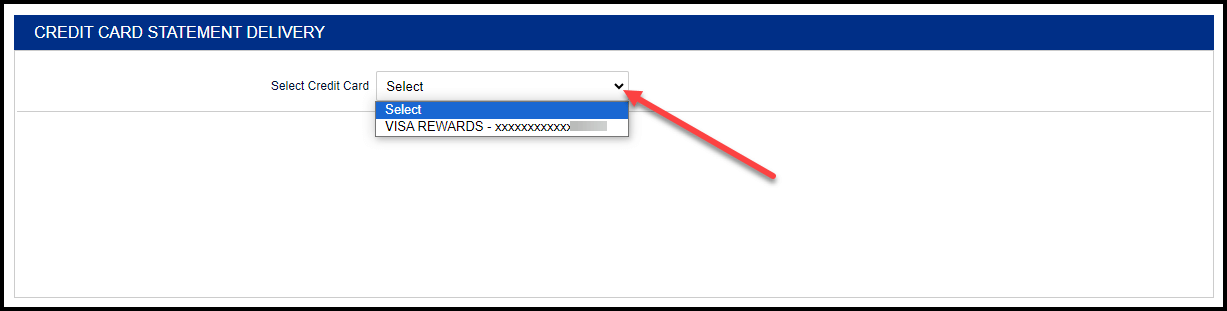
- Select a credit card using the down arrow
3
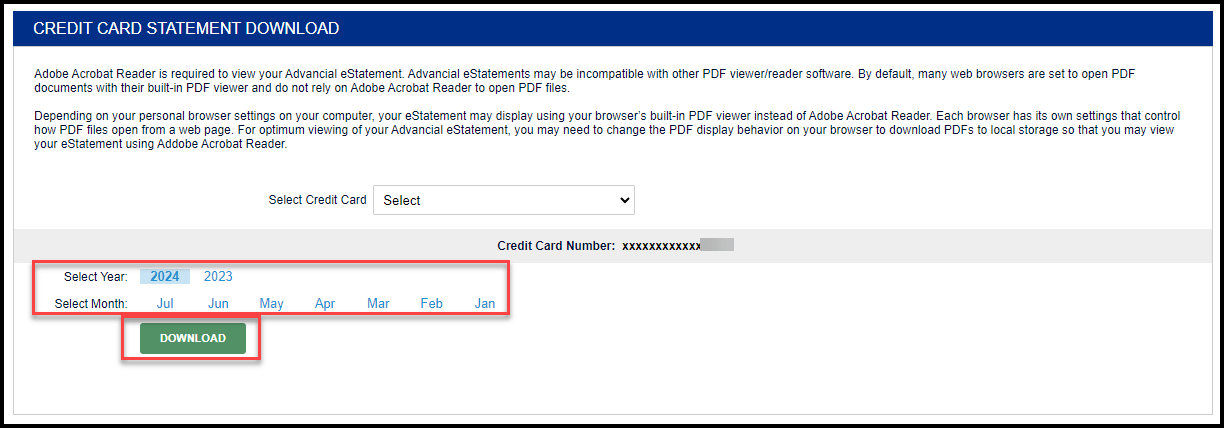
- Select the Year and Month of the statement you want to view
- Select Download
1
- Log in to the Advancial Mobile App
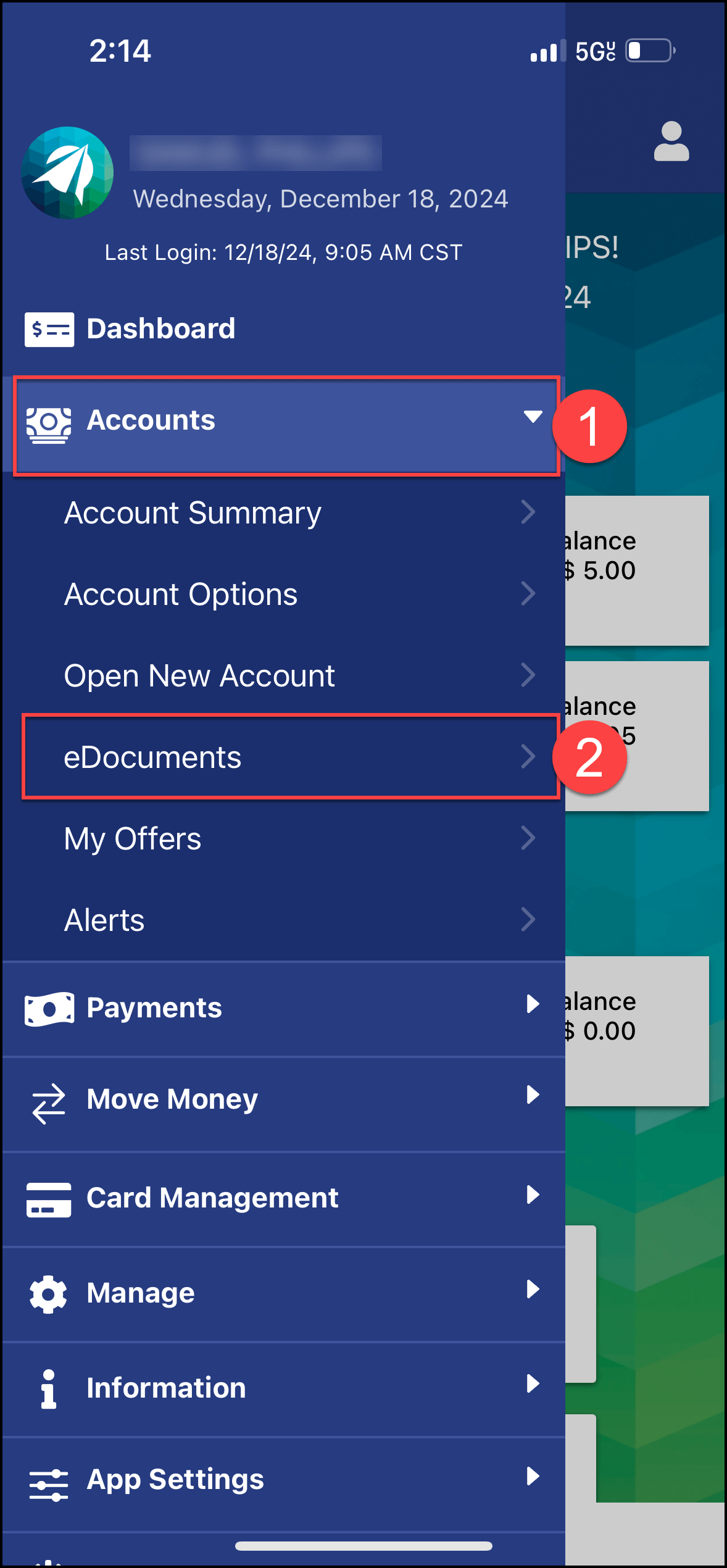
- Navigate to eDocuments:
- Accounts > eDocuments
2
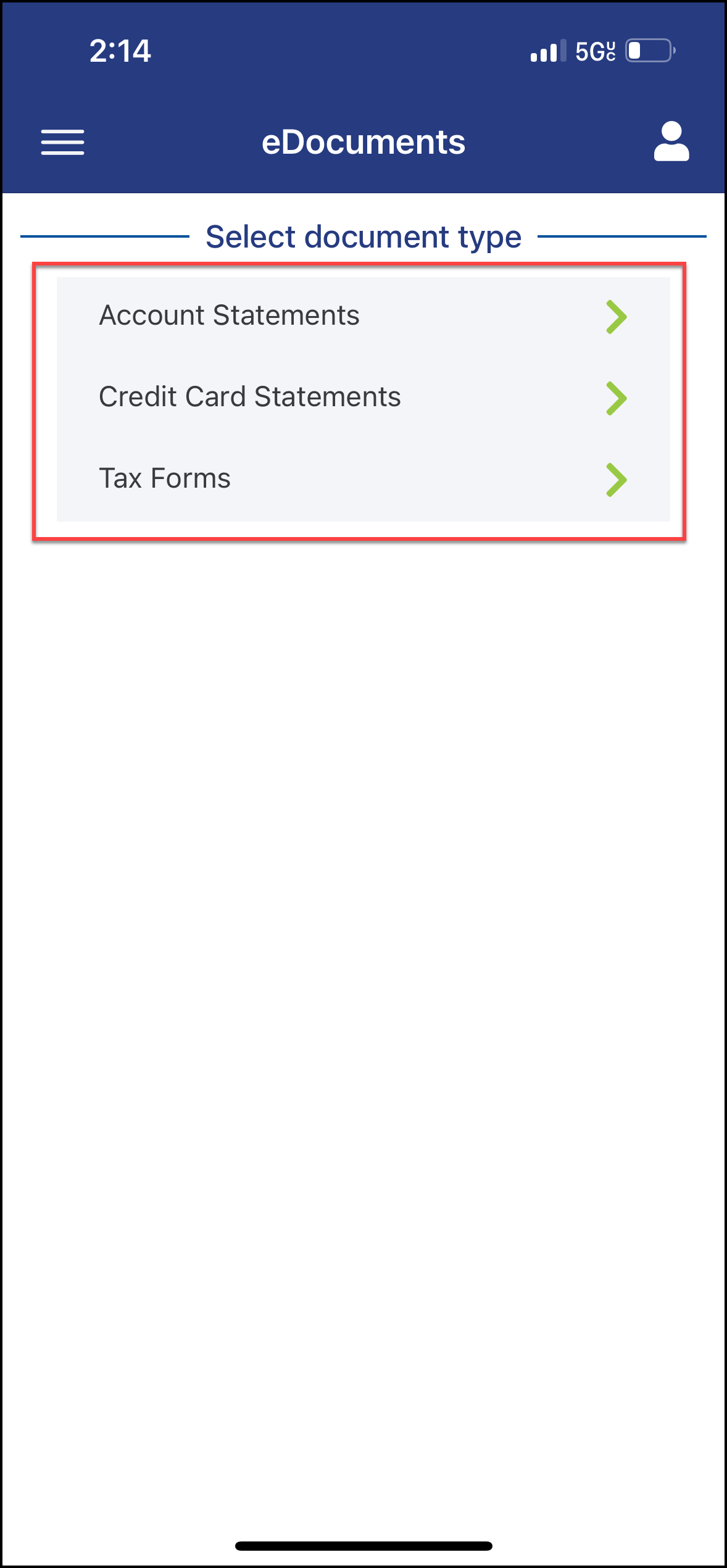
- Select the Document Type
3
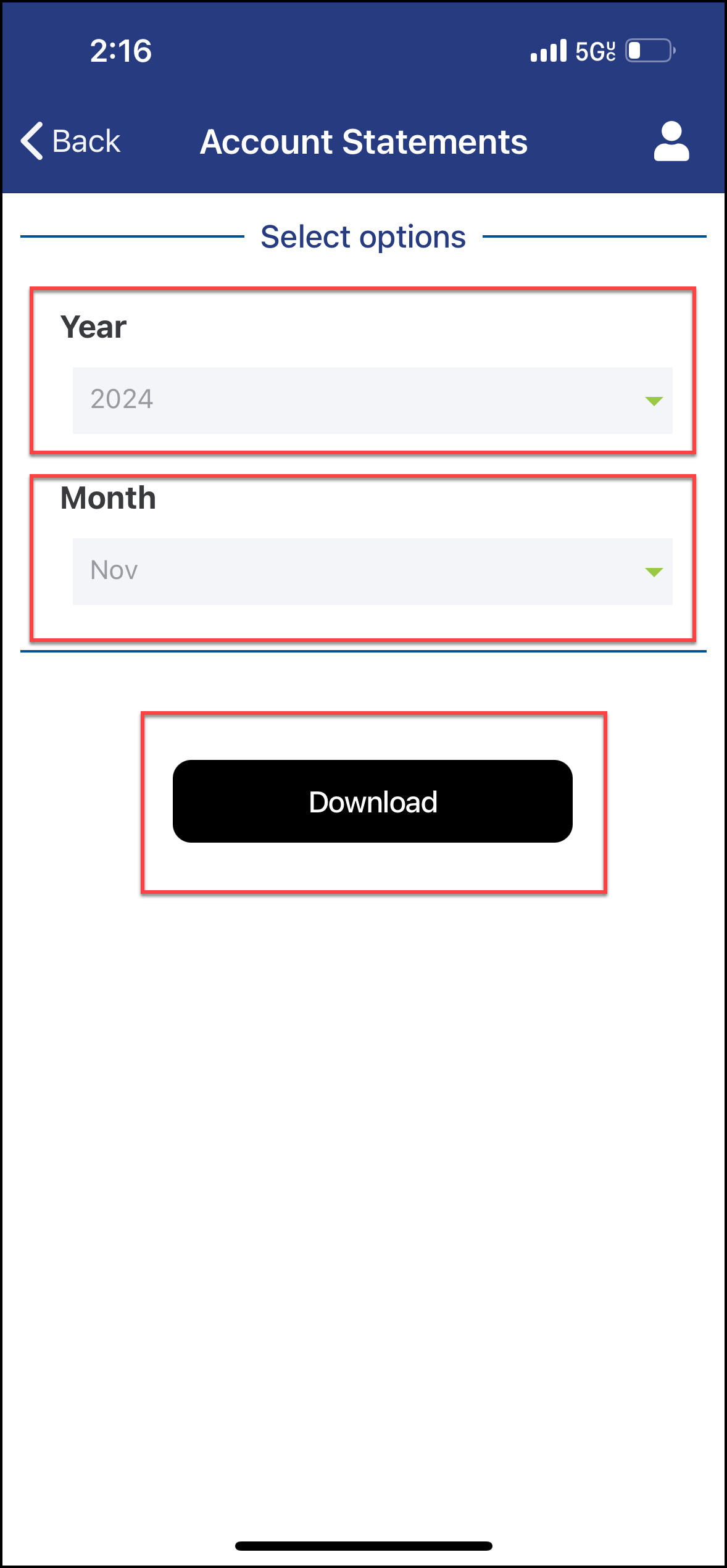
- Select the Year and Month of the statement you want to view
- Select Download