Enroll in eStatements

×
1
- Log in to cuAnywhere® Online Banking
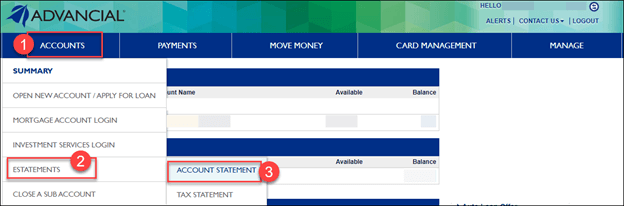
- Navigate to Accounts Statement:
- Accounts > eStatements > Account Statement
2
- Under the Delivery Options drop-down menu, select eStatements

1
- Log in to the Advancial Mobile App
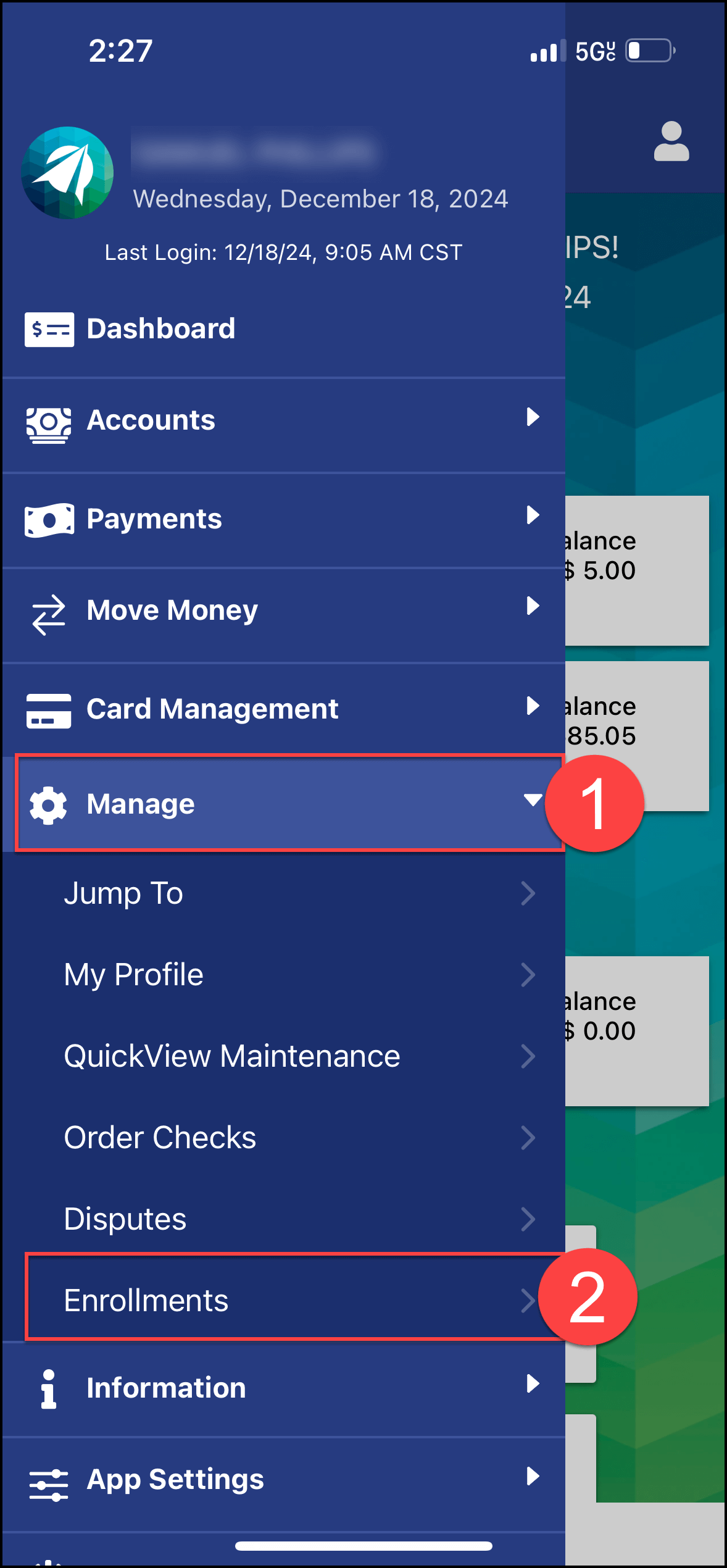
- Navigate to Enrollments:
- Manage > Enrollments
2
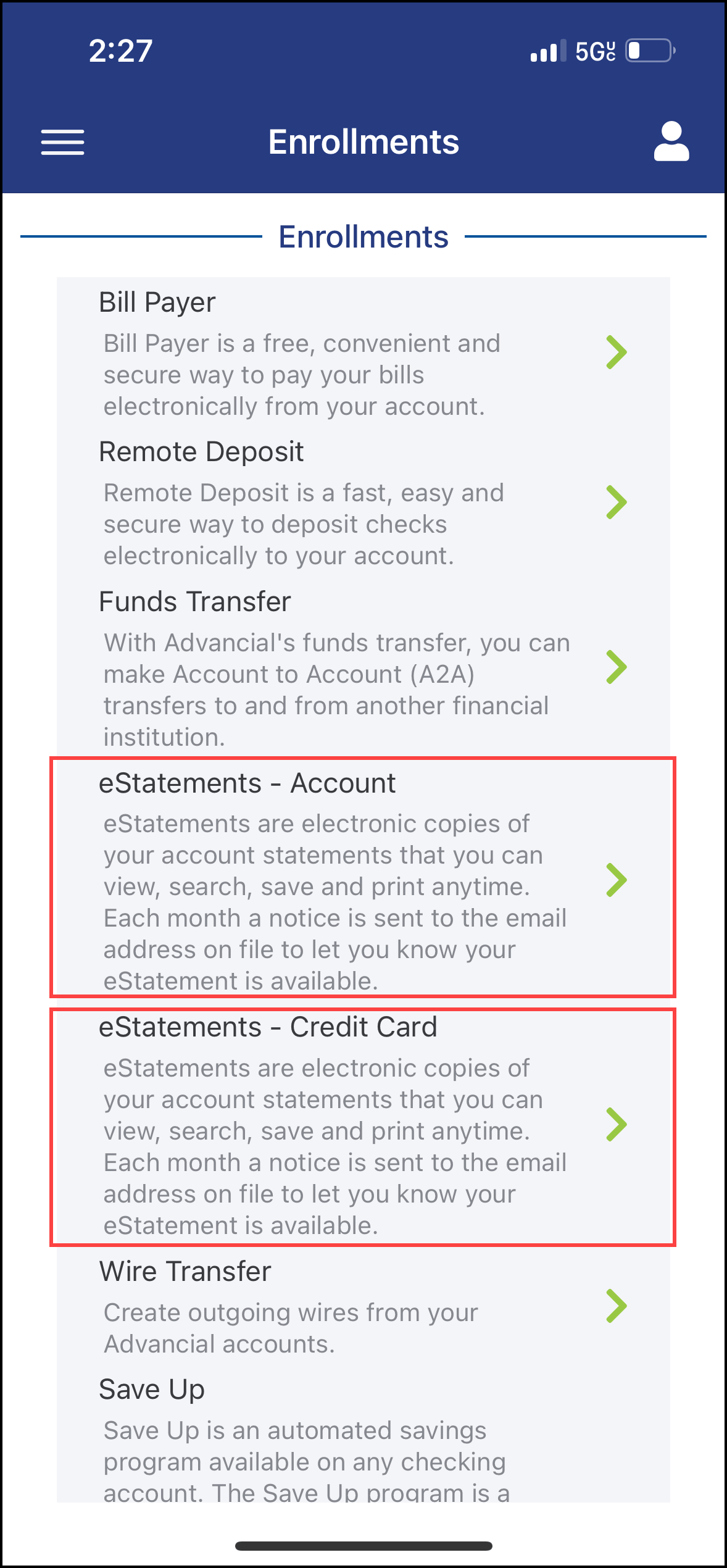
- Select to enroll in Account or Credit Card eStatements
3
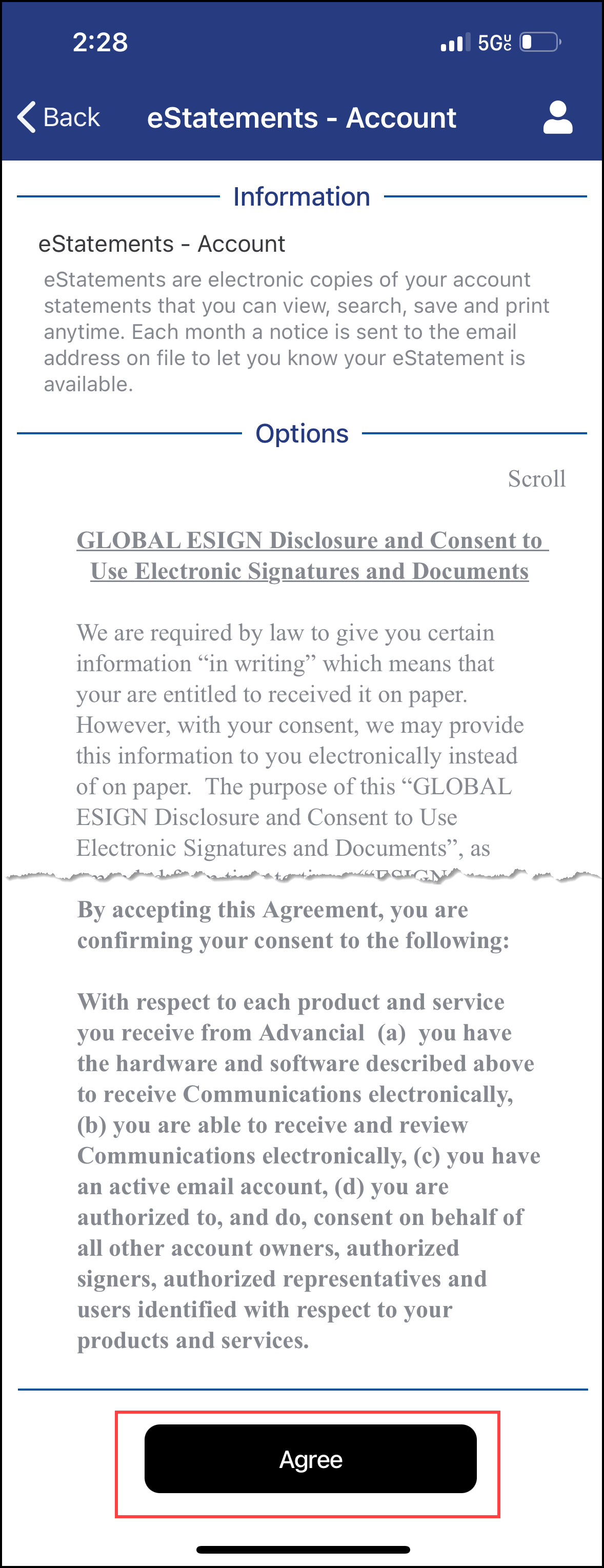
- Read the Disclosure Agreement
- At the bottom of the page, select Agree