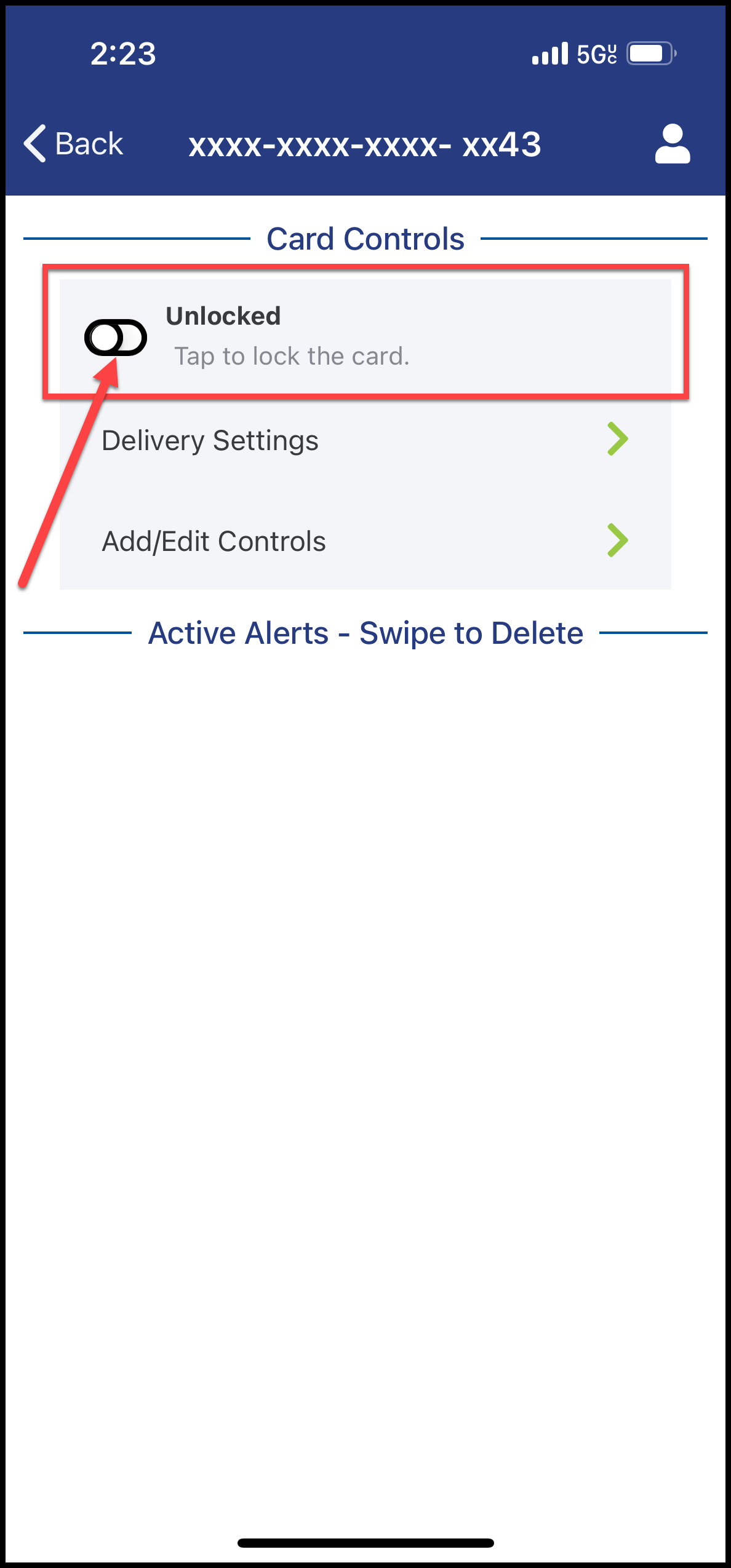
Lock and Unlock My Card

×
1
- Log in to cuAnywhere® Online Banking
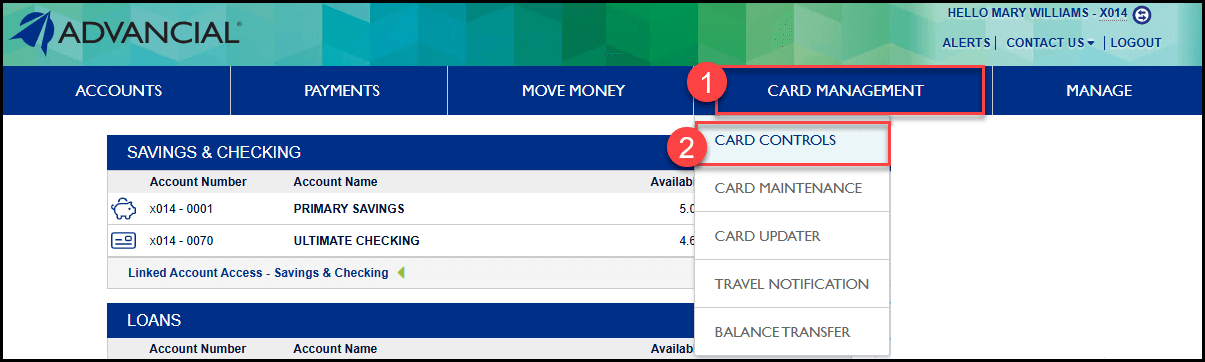
- Navigate to Card Controls:
- Card Management > Card Controls
2
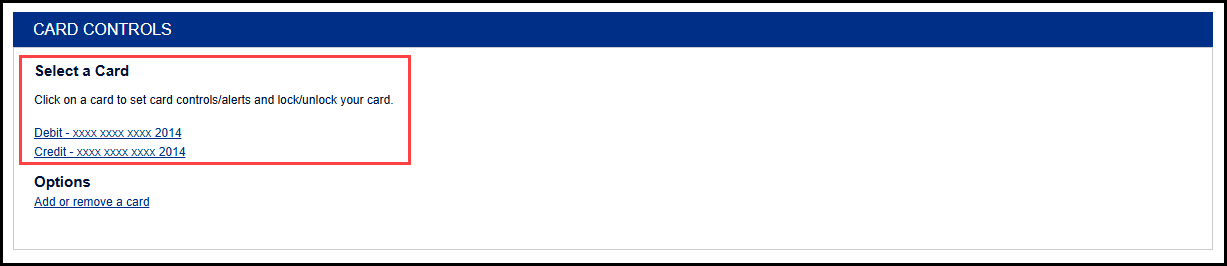
- Select a card
3
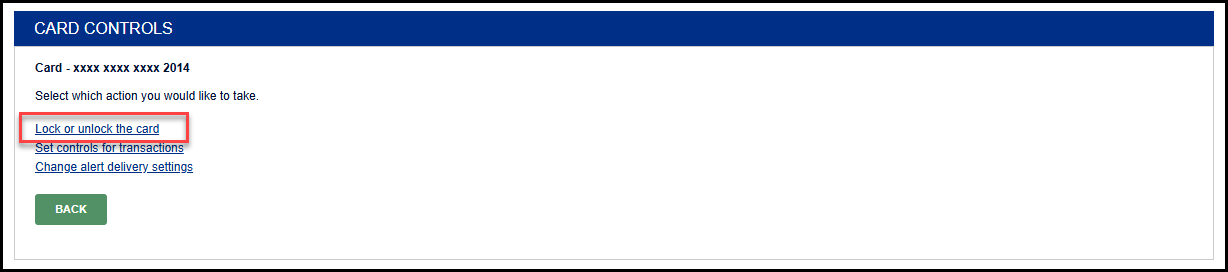
- Select Lock or unlock the card
4
- Click the icon to toggle between Locked or Unlocked

1
- Log in to the Advancial Mobile App
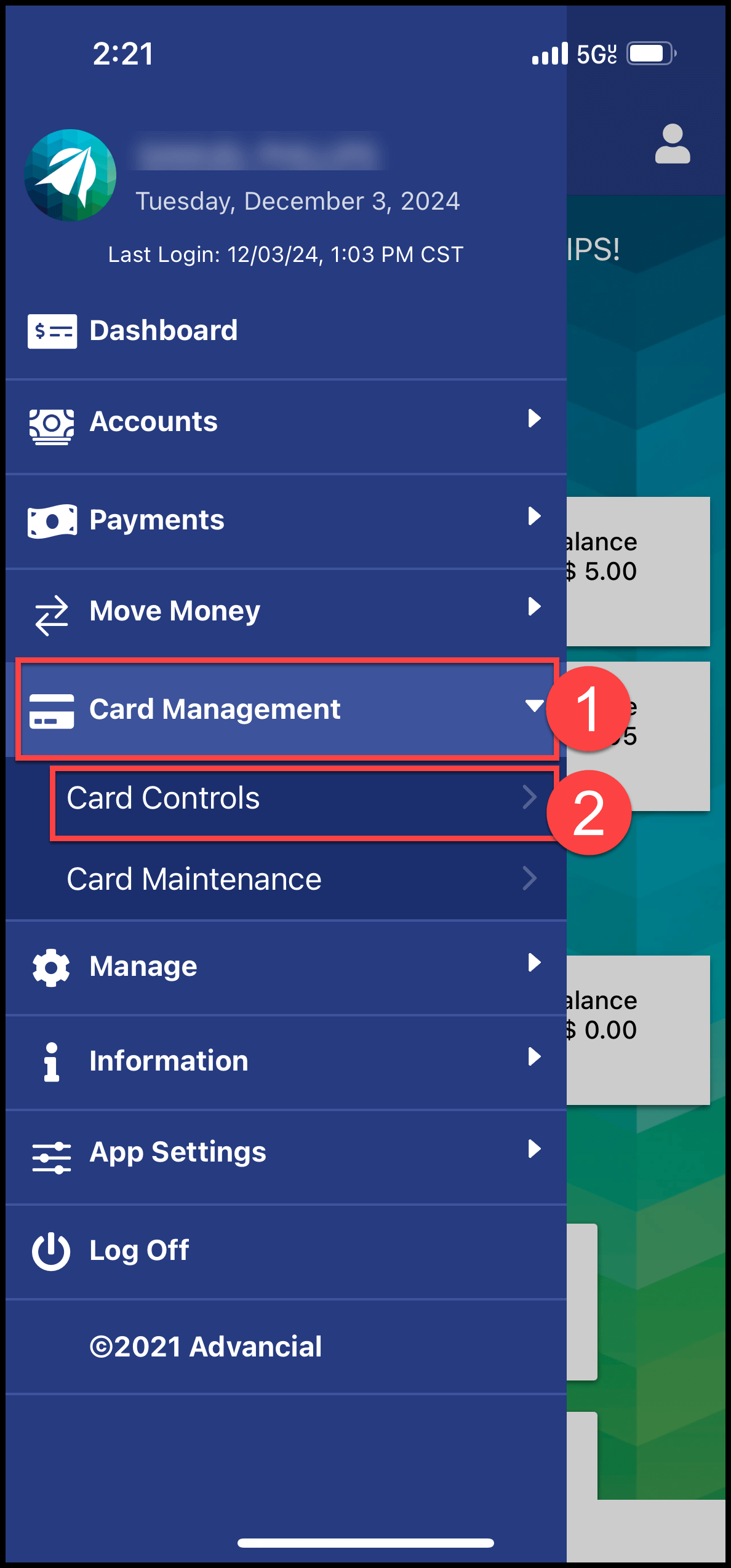
- Navigate to Card Controls:
- Card Management > Card Controls
2
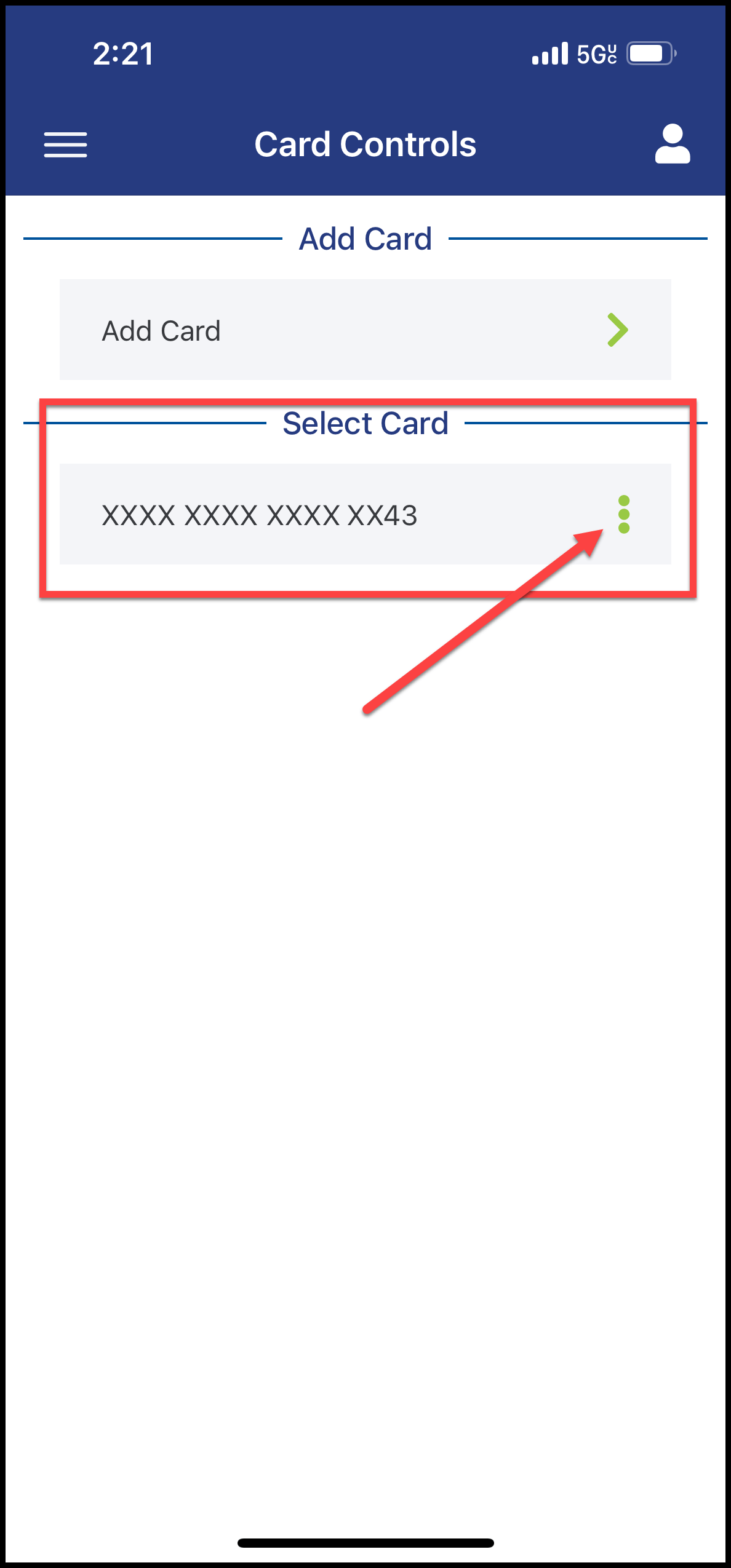
- Select a card
3
- Click the icon to toggle between Unlocked or Locked