Make a Principal Only Payment

×
1
- Log in to cuAnywhere® Online Banking
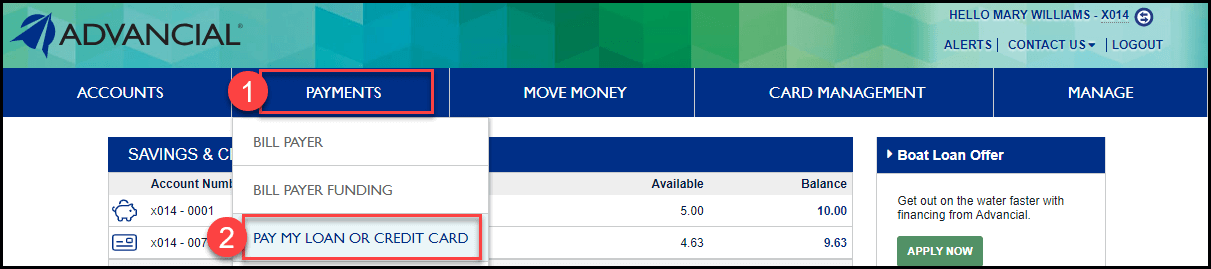
- Navigate to Pay My Loan or Credit Card:
- Payments > Pay My Loan or Credit Card
2
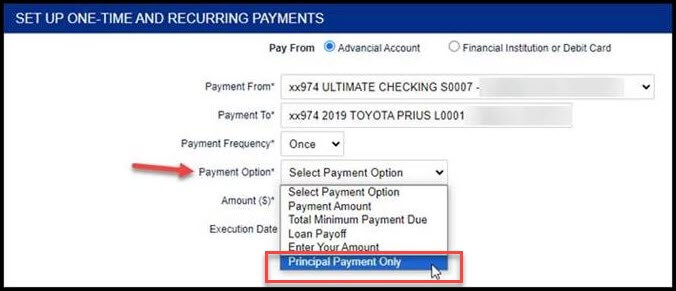
- Complete the Loan Payment form
Note: Principal payments must be funded from an Advancial account, not an external financial institution
Note: Principal payments may only be completed as a “one-time payment,” you will not be able to set up recurring principal payments - For Payment Option, select Principal Payment Only
- Select Submit
3
You will receive a message informing you that a principal only payment will not advance your loan due date.
- Select OK to process the transaction

1
- Log in to the Advancial Mobile App
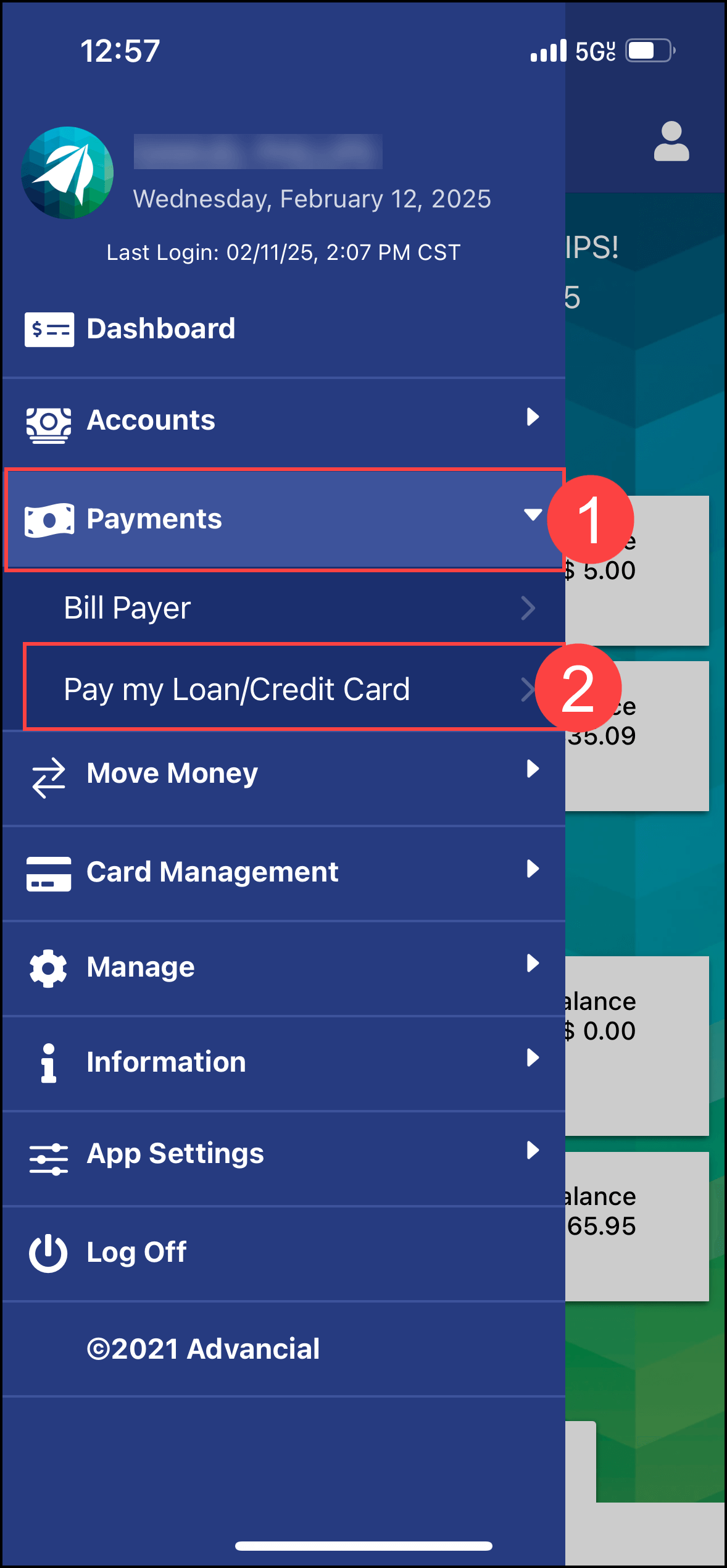
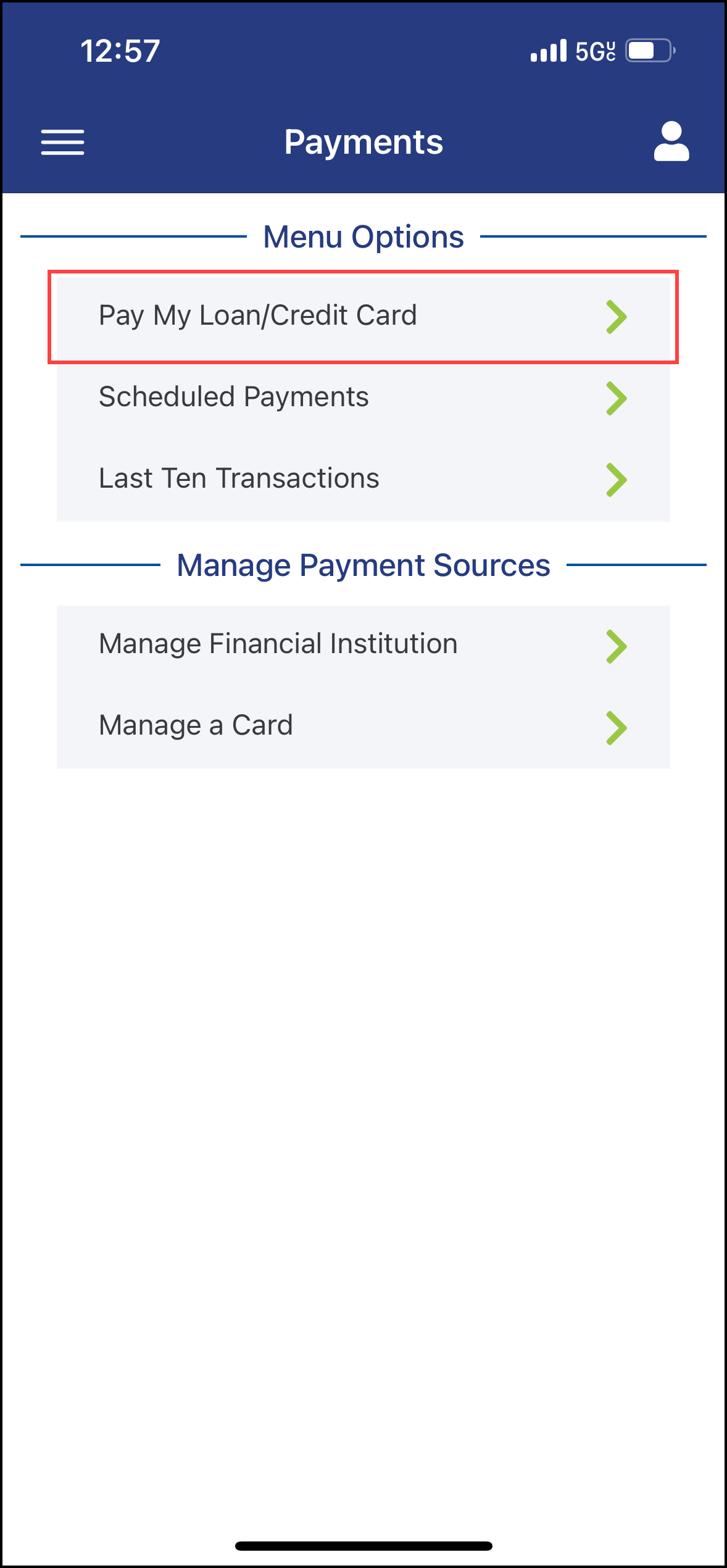
- Navigate to Pay my Loan/Credit Card:
- Payments > Pay my Loan/Credit Card
2
- Select Pay my Loan/Credit Card
3
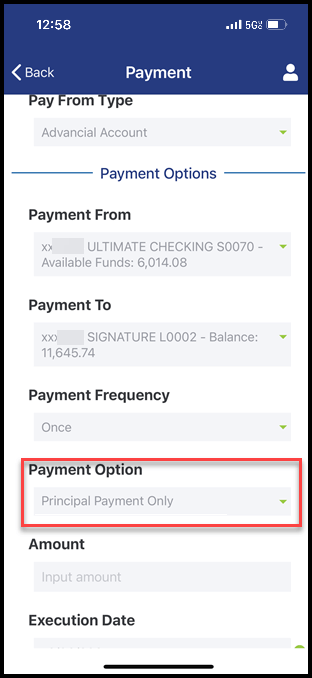
- Complete the Loan Payment form
Note: Principal payments must be funded from an Advancial account, not an external financial institution
Note: Principal payments may only be completed as a "one-time payment," you will not be able to set up recurring principal payments - Under Payment Option, select Principal Payment Only
- Select Submit