Set Up Account or Transaction Alerts

×
1
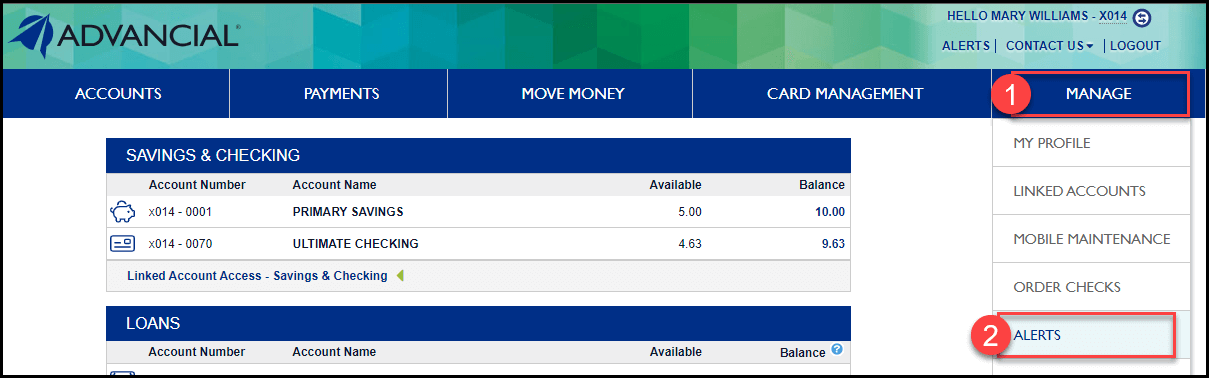
- Log in to cuAnywhere® Online Banking
- Navigate to Alerts:
- Manage > Alerts
2
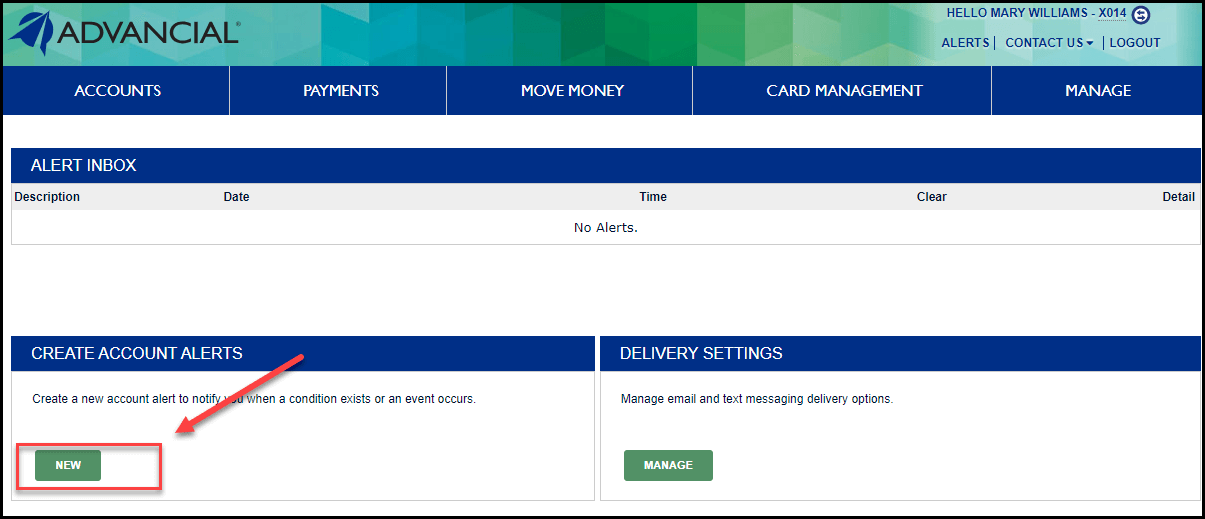
- Locate Create Account Alerts
- Select New
3
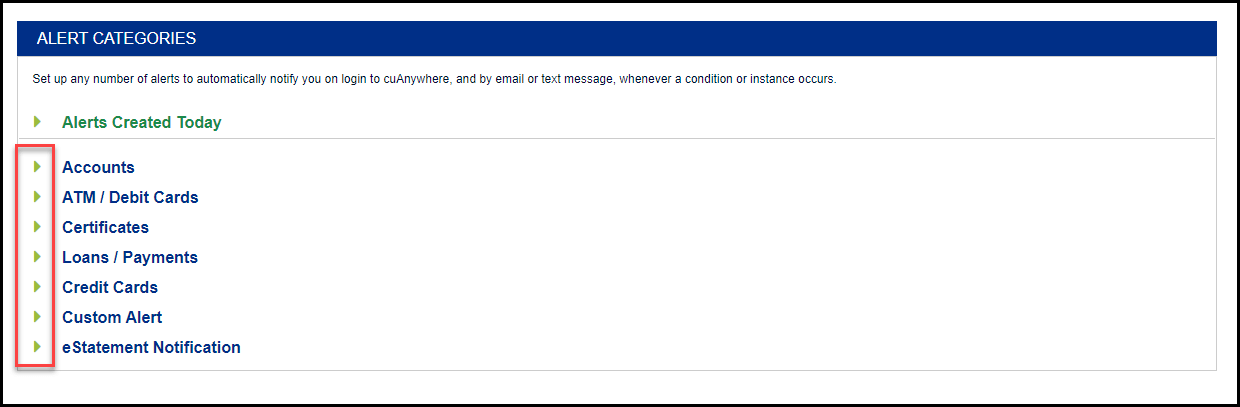
- Expand an Alert Category by clicking on the green triangle
4
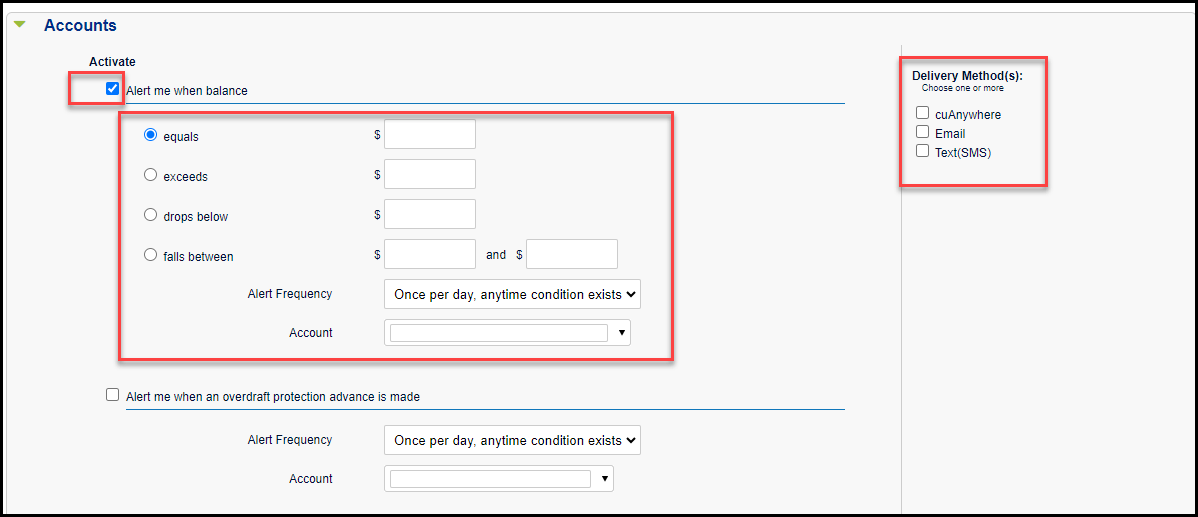
- Checkmark the type of alert you want to receive
- Complete the necessary fields
- Alert Frequency
- Account
- Delivery Method(s)
5
- Scroll down the page and select Save

1
- Log in to the Advancial Mobile App
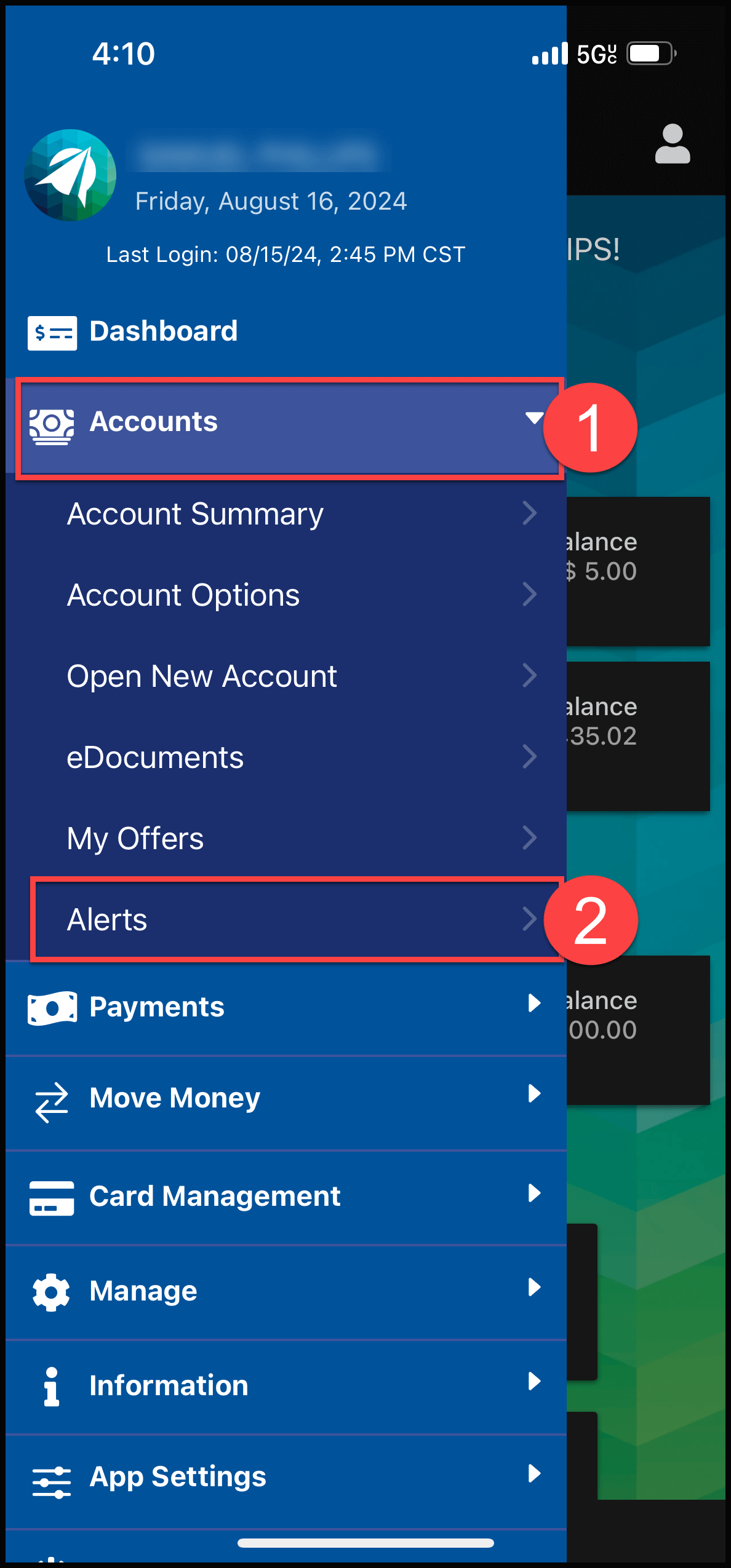
- Navigate to Alerts:
- Accounts > Alerts
2
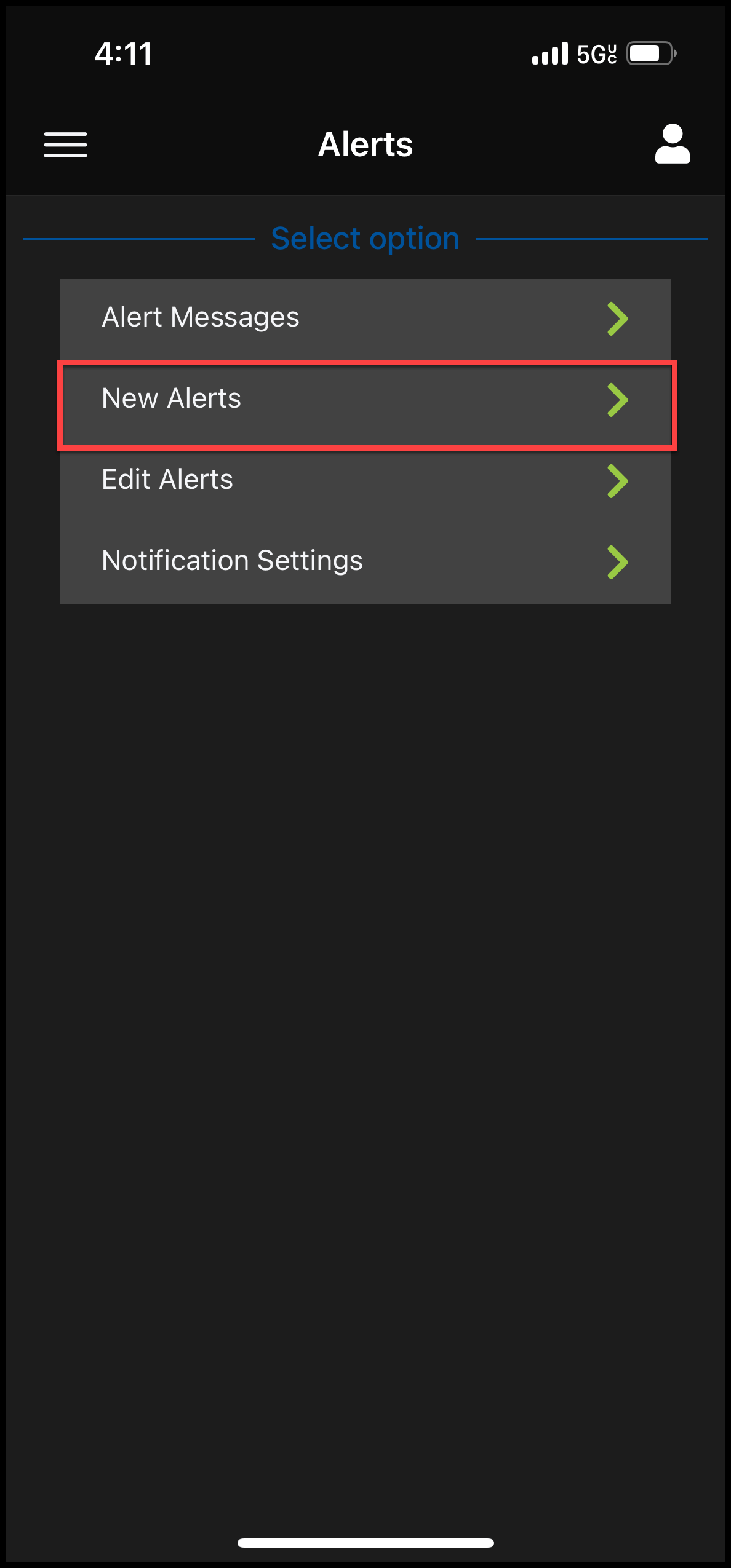
- Select New Alerts
3
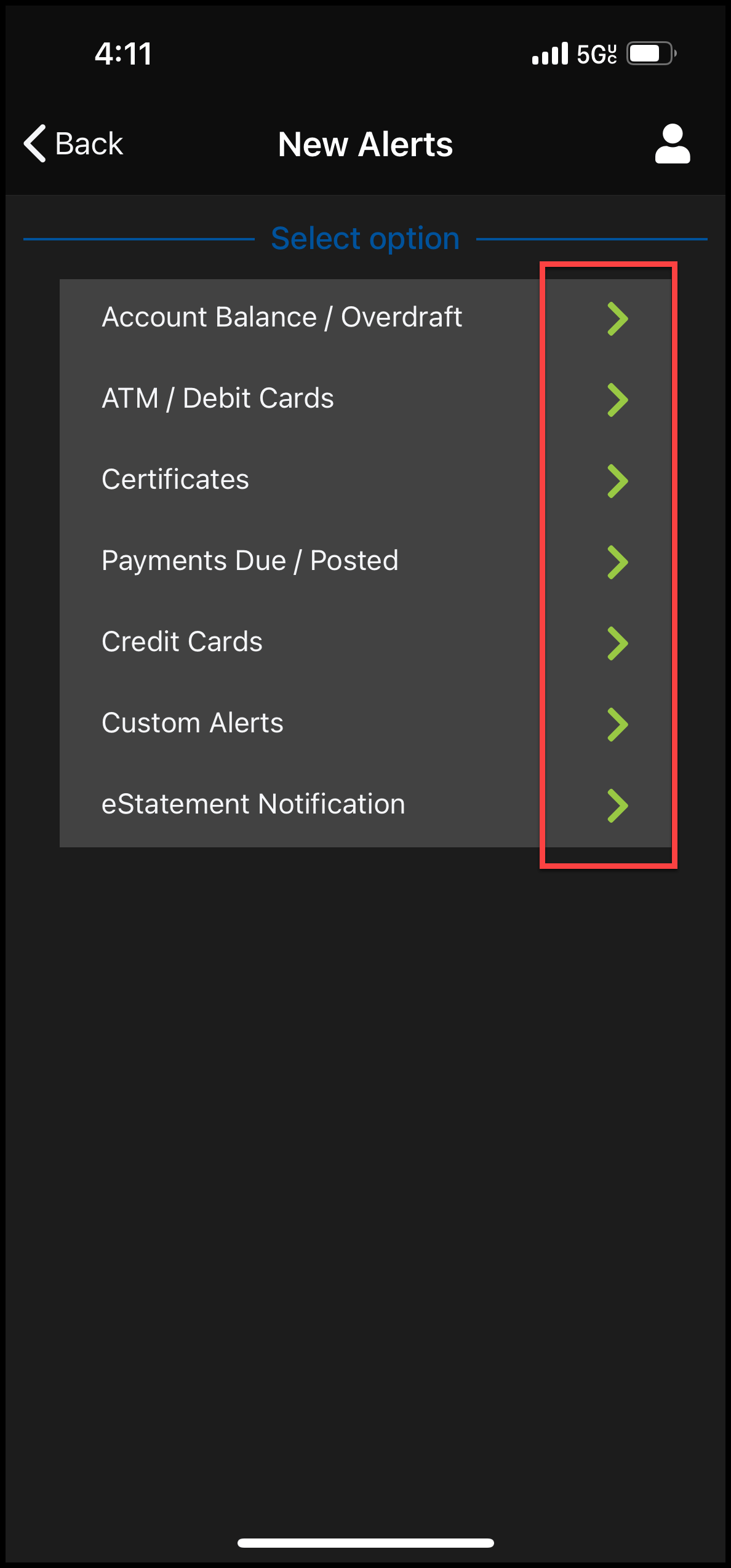
- Select an alert category by clicking on the green arrow
4
- Select which alert(s) you want to activate and complete the required fields
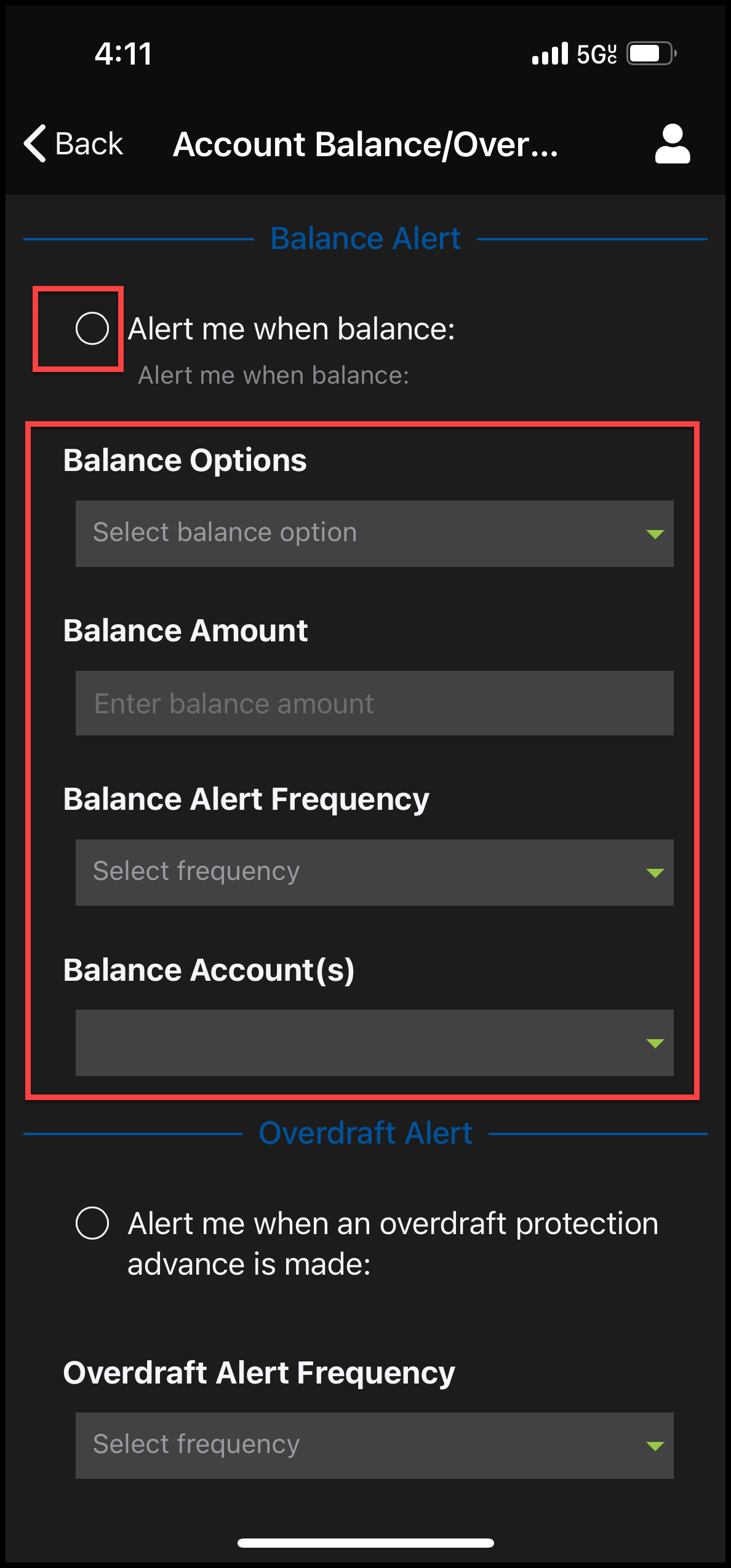
5
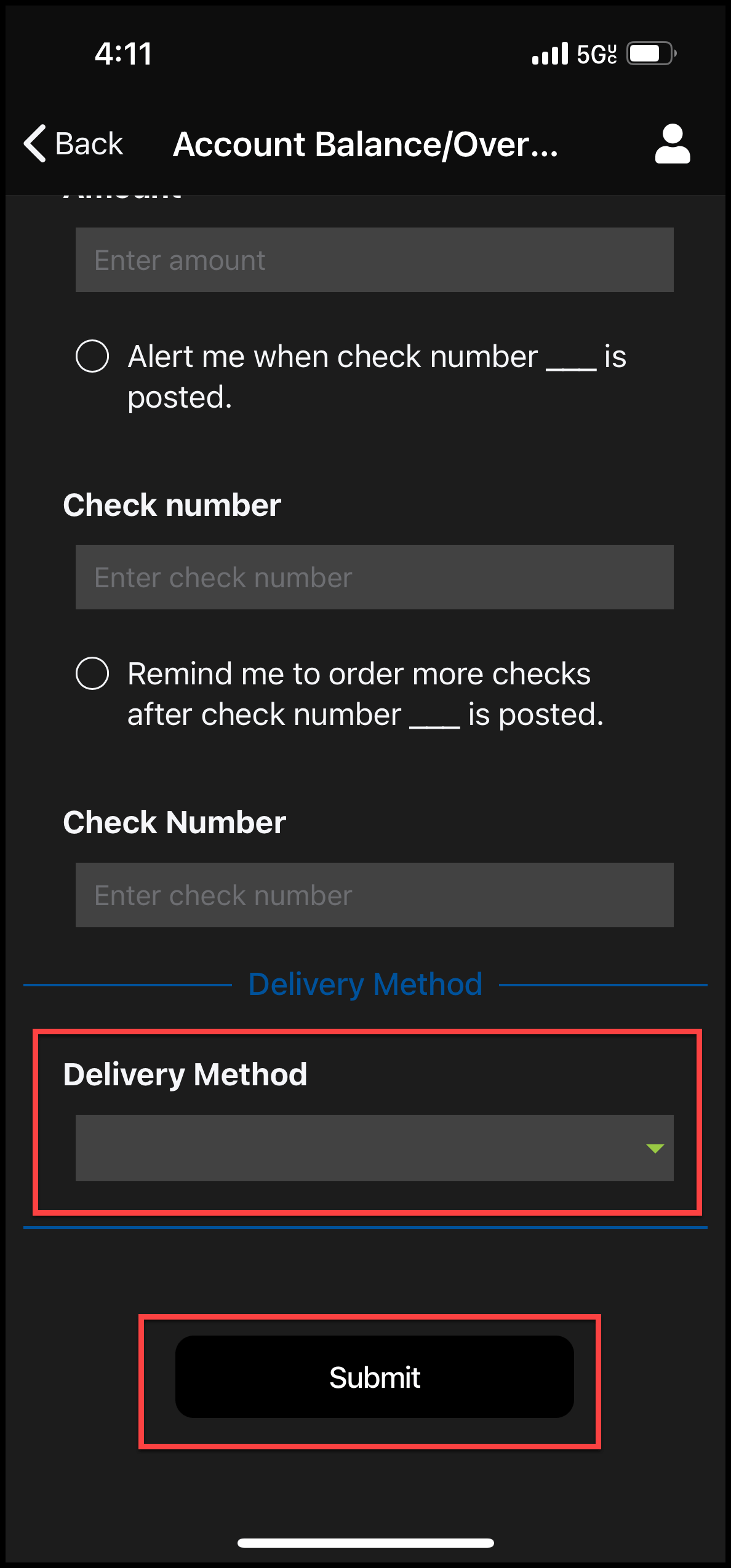
- Scroll down the page and choose the Delivery Method of the alert(s)
- Select Submit