Set Up Goal Setter

×
1
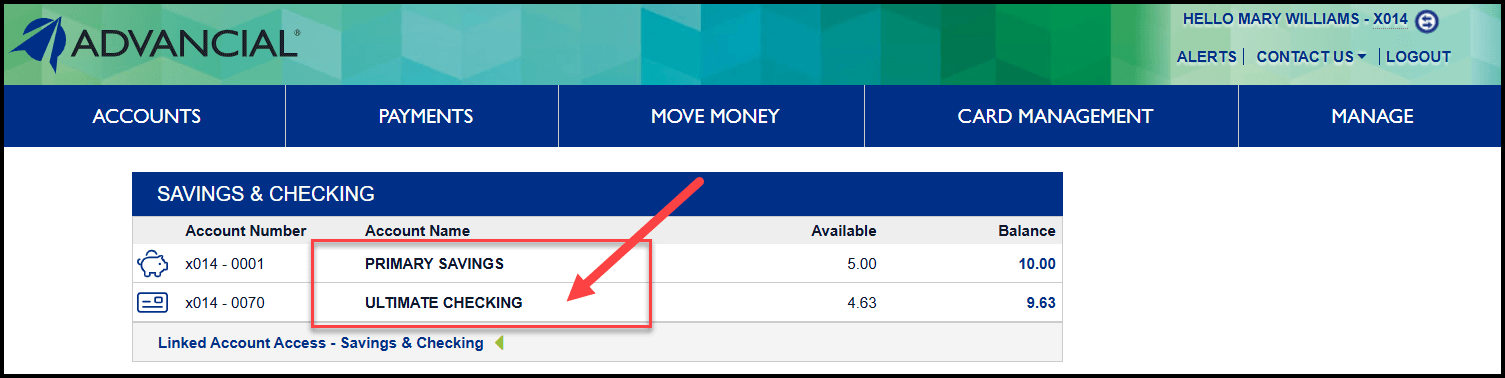
- Log in to cuAnywhere® Online Banking
- Select a share account on your dashboard
2
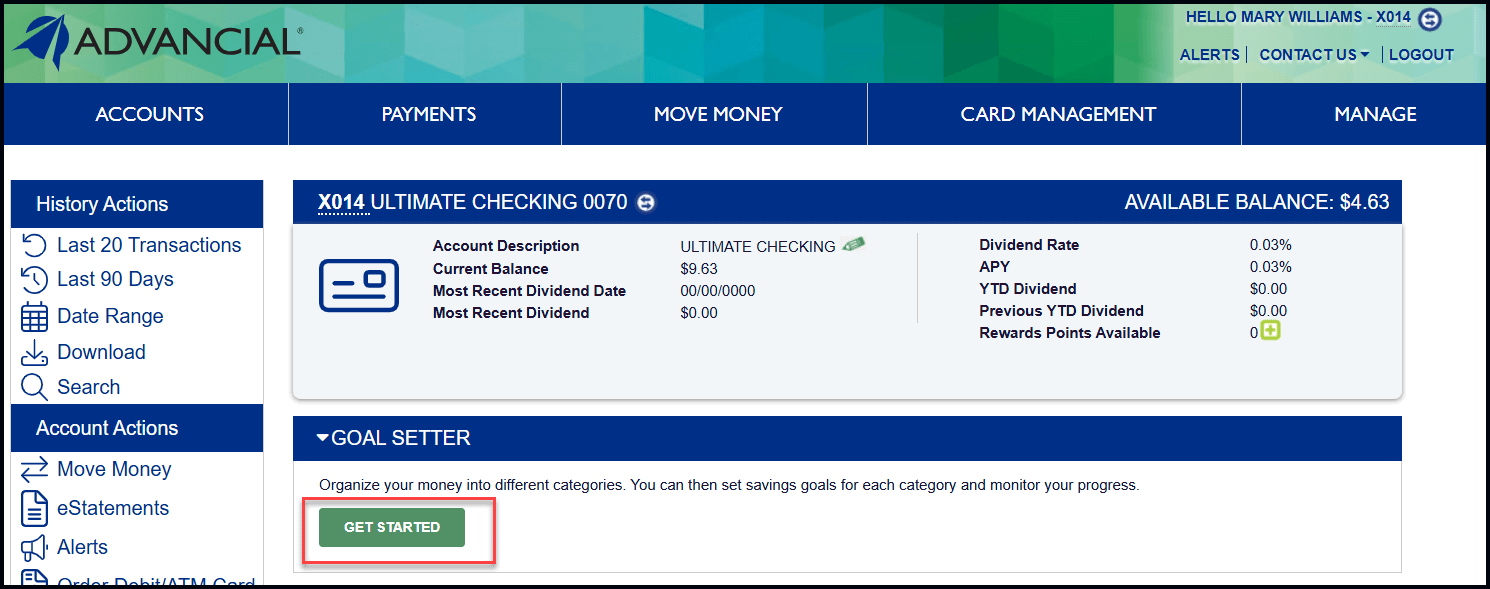
- Select Get Started under Goal Setter
3
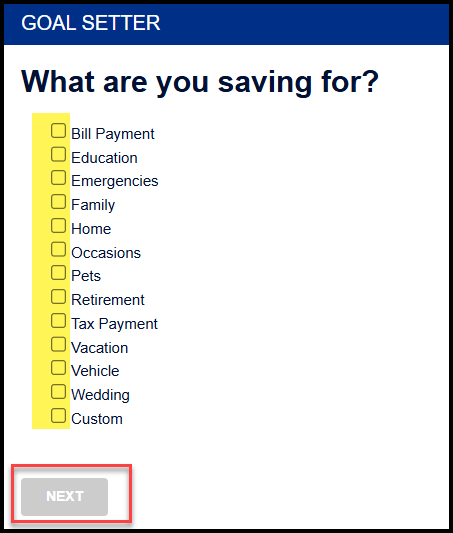
- Checkmark the categories you want to save for (maximum 8 categories)
- Select Next
4
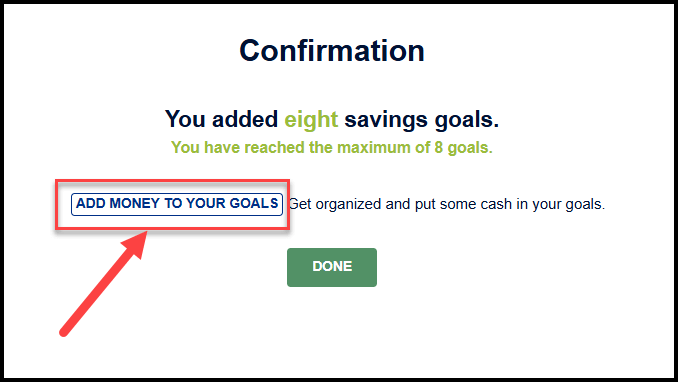
- Select Add Money To Your Goals
5
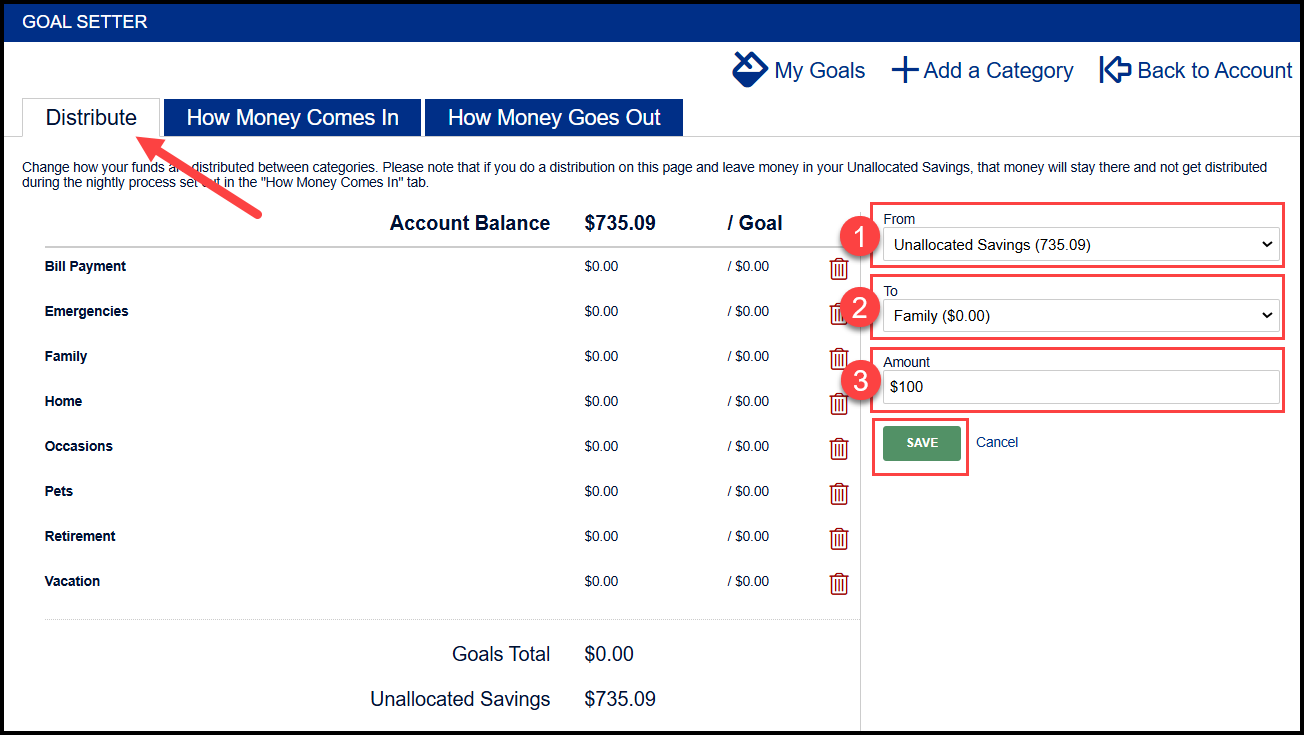
- To distribute money to the different categories, complete steps 1-3 under the Distribute tab
- Select Save
6
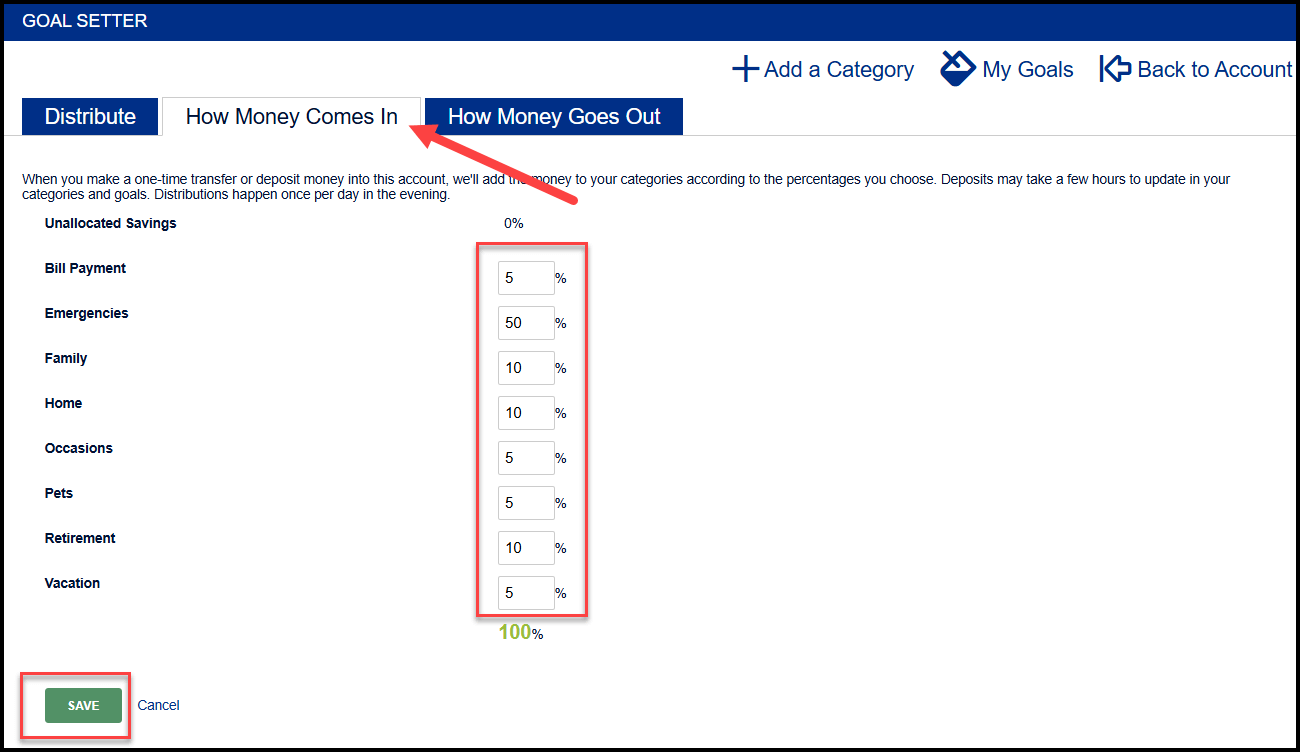
- To choose how additional funds should be distributed to the different categories when there is a deposit, allocate the percentages under the How Money Comes In tab
- Select Save
7
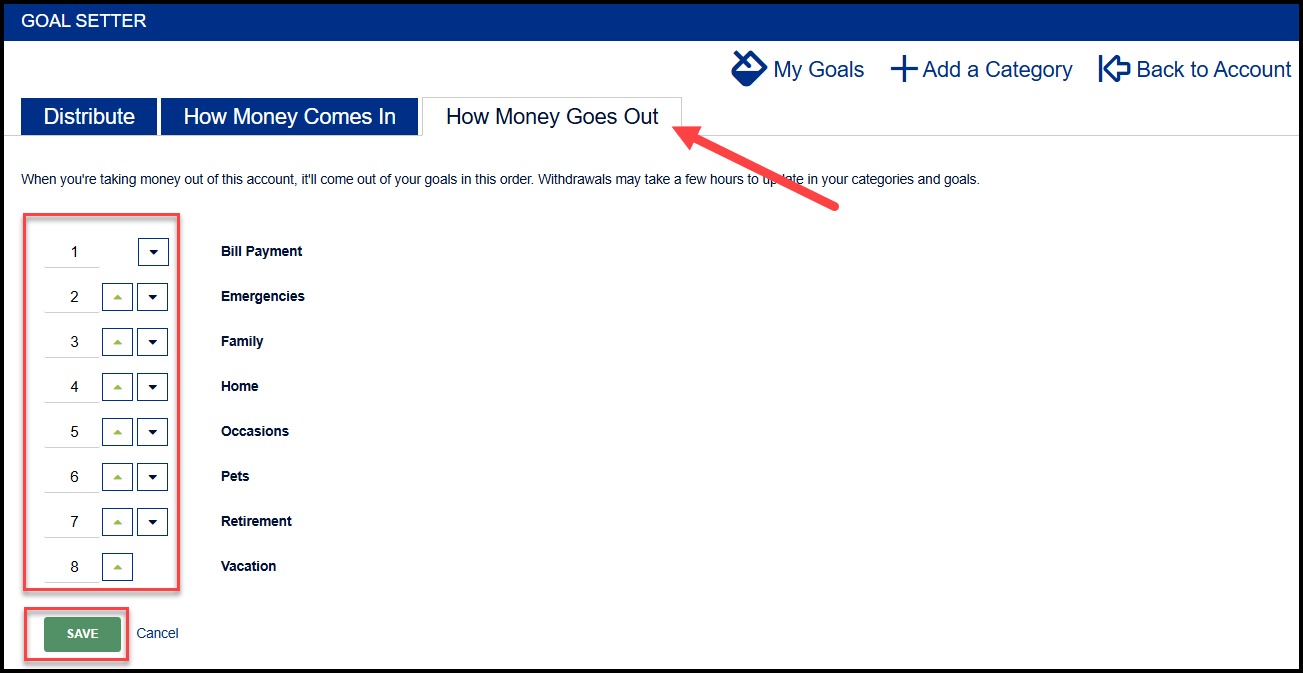
- To choose what order money will come out of the categories when withdrawals are made, arrange the categories using the up/down arrows under the How Money Goes Out tab
- Select Save
8
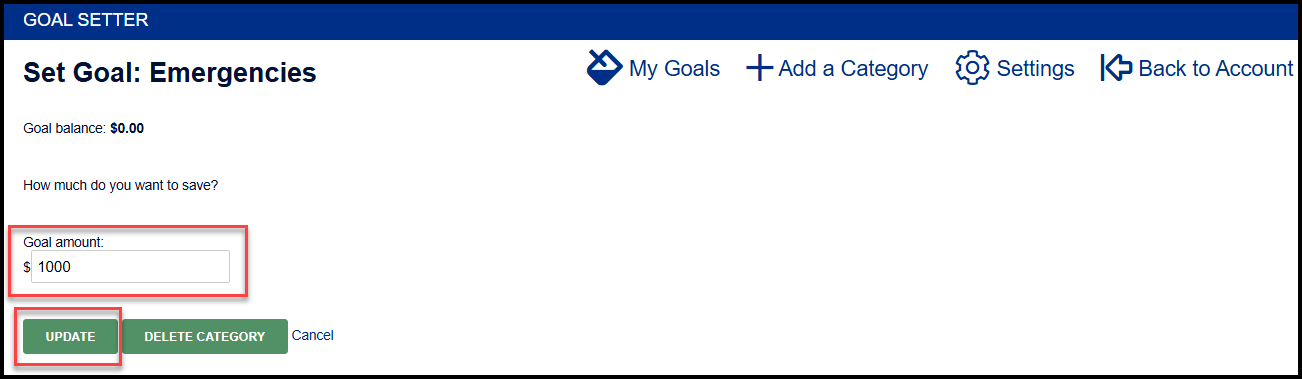
- To set a goal for the categories, select Set a goal
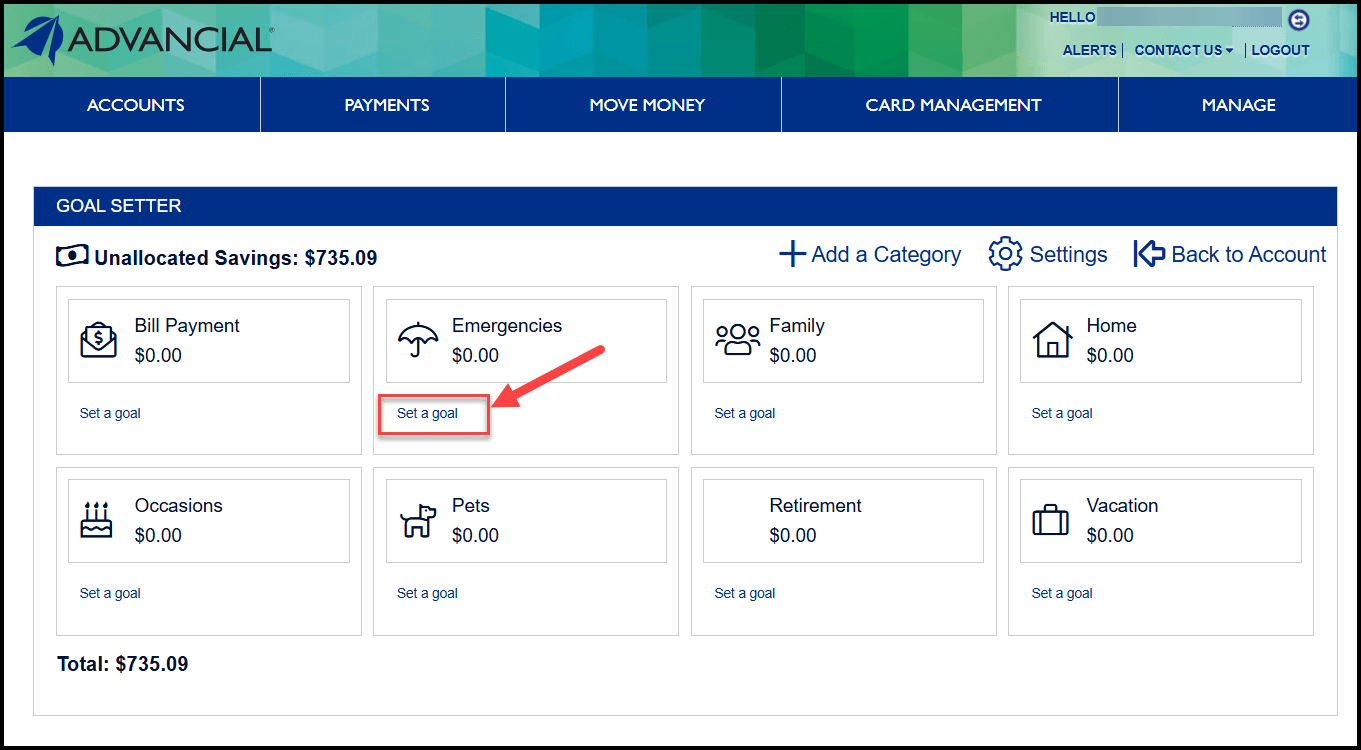
9
- Input the goal amount
- Select Update