
Set Up Online Banking

×
1
- On Advancial's home page, at the top right-hand corner, select Log In

2
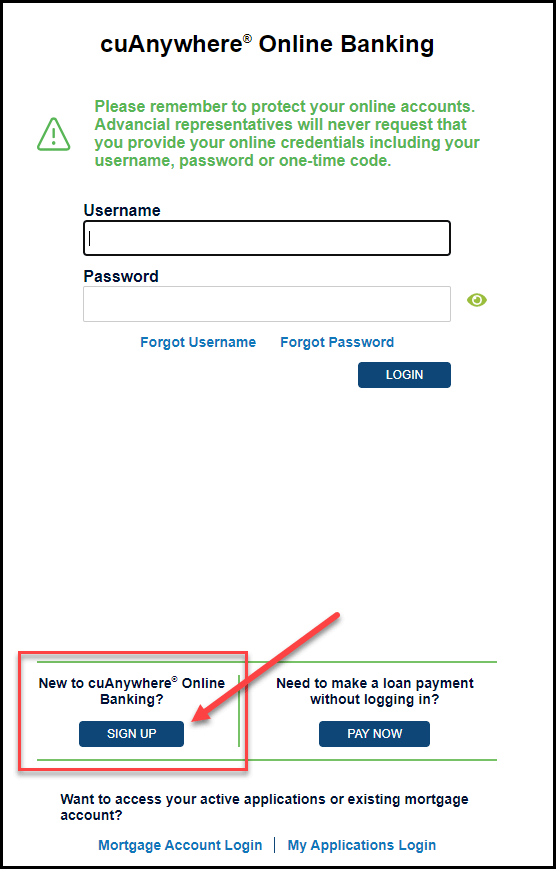
- At the bottom of the screen, locate New to cuAnywhere® Online Banking and select Sign Up
3
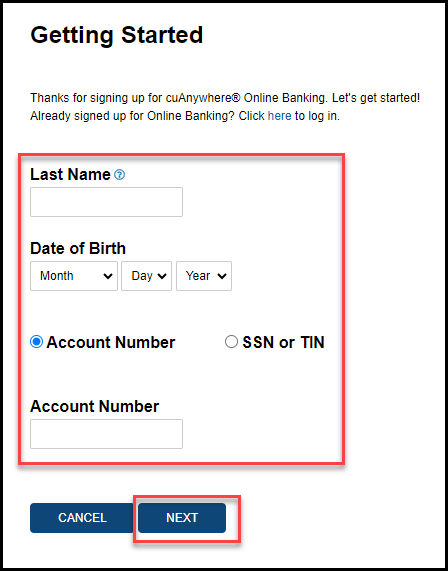
- Complete the required fields
- Last Name
- Date of Birth
- Account Number or SSN/TIN
- Select Next
4
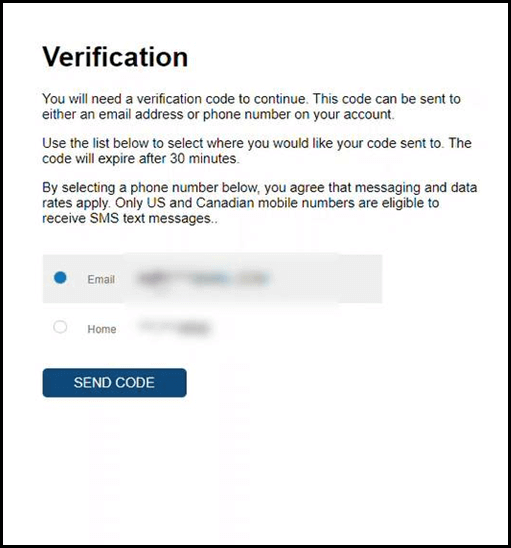
- Select whether you want the verification code sent to your email address or phone number
- Select Send Code
5
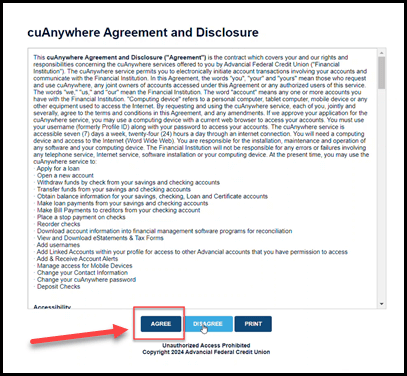
- Read the cuAnywhere Agreement and Disclosure
- Select Agree
6
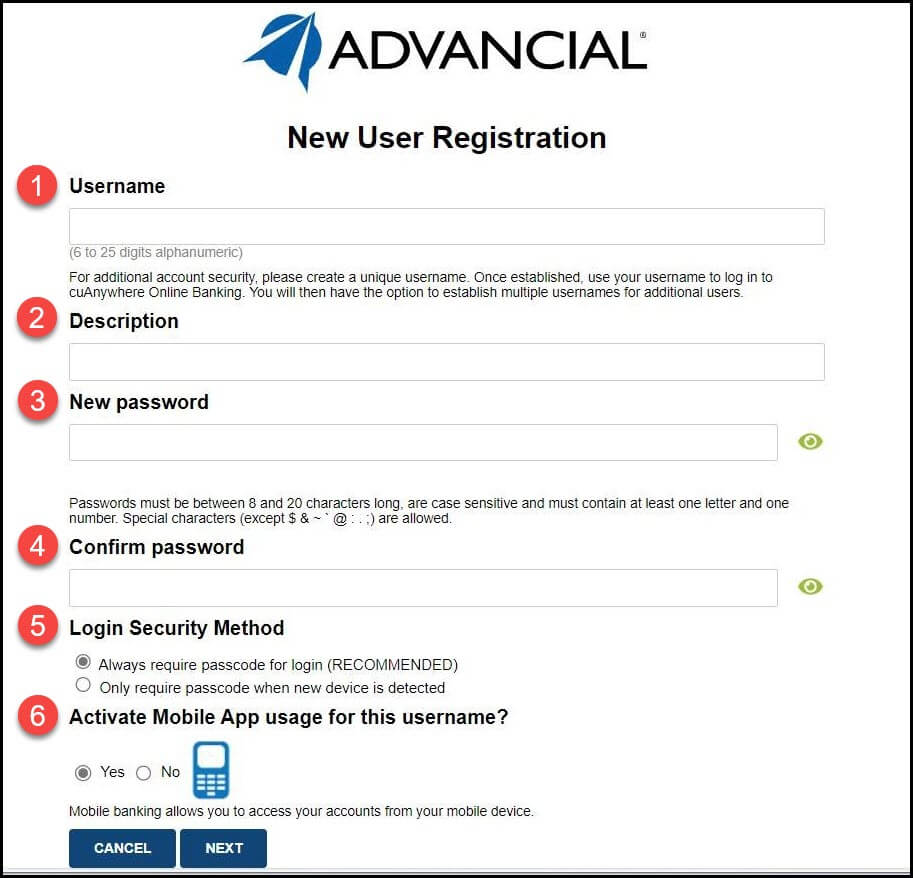
- Complete the New User Registration (steps 1-6)
- Select Next
7
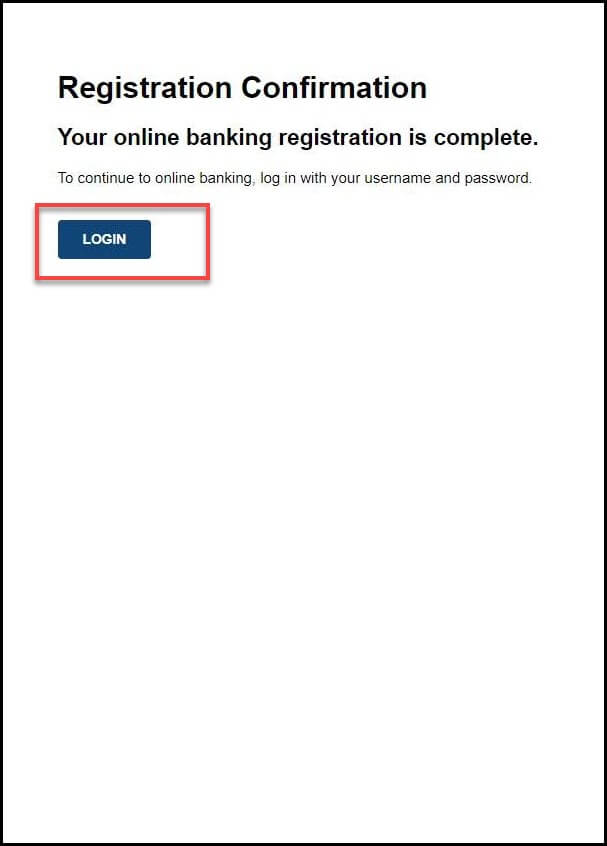
- Your online banking registration is complete
- Select Login to sign into cuAnywhere® Online Banking
cuAnywhere® | Setup Online Banking
How-To Guide Video
cuAnywhere® | Setup Online Banking
