Turn On Face Recognition

×
1
- Log in to the Advancial Mobile App
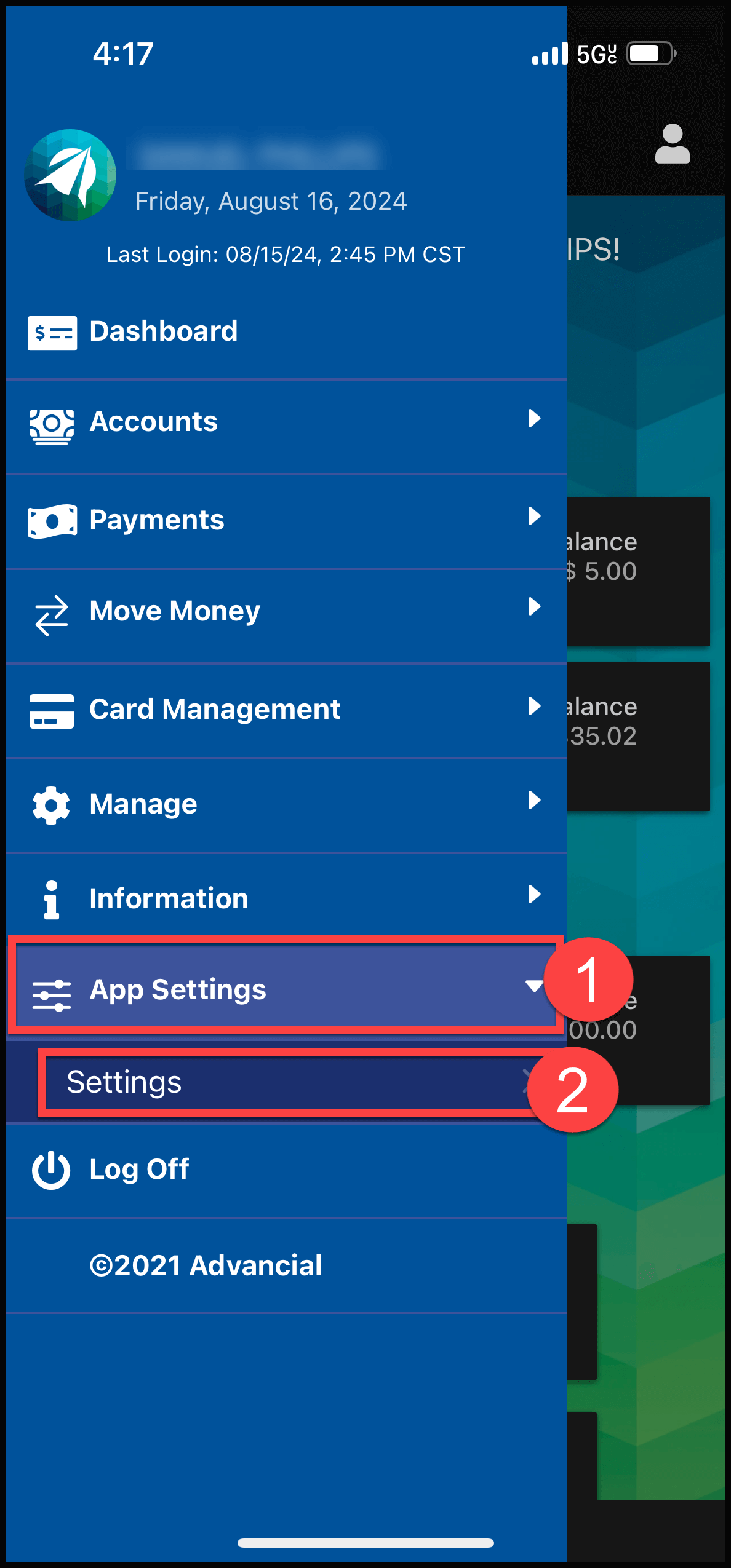
- Navigate to Settings:
- App Settings > Settings
2
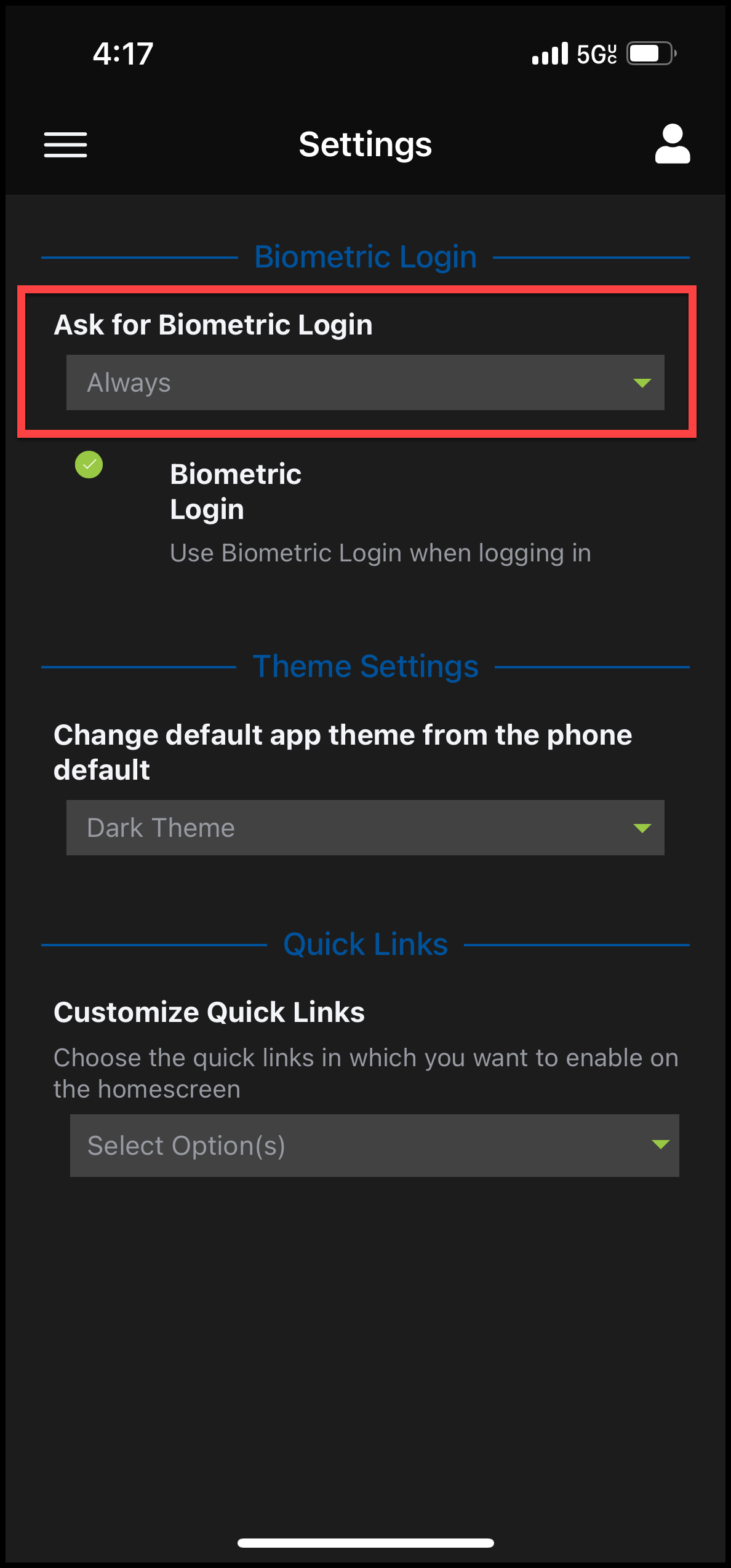
- Under Ask for Biometric Login, select Always
3
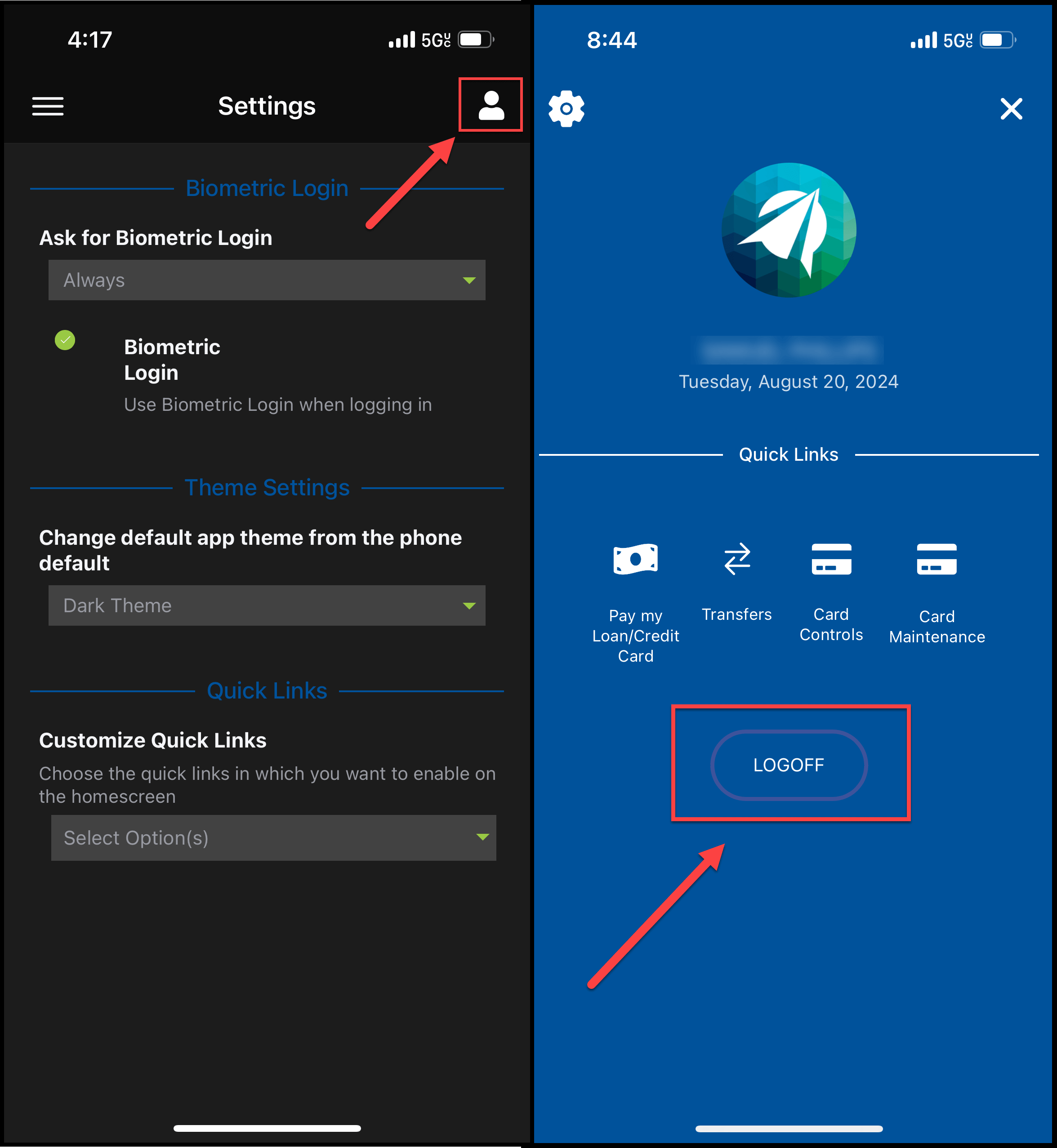
- Log out of the mobile app by clicking on the person icon in the top right corner
- Select LOGOFF
4
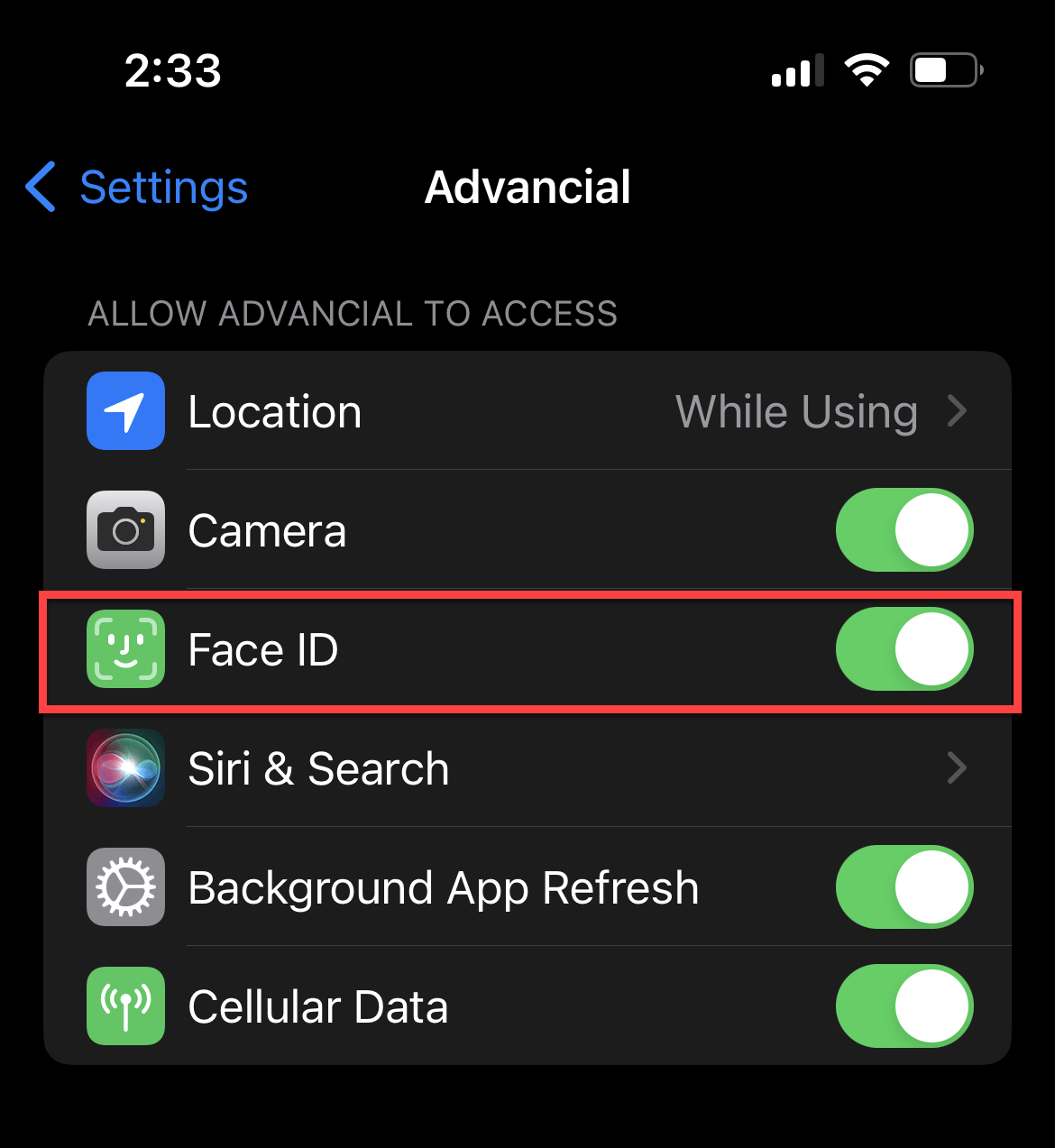
- Go to your phone's settings
- Under the Advancial app, turn the Face ID feature ON
5
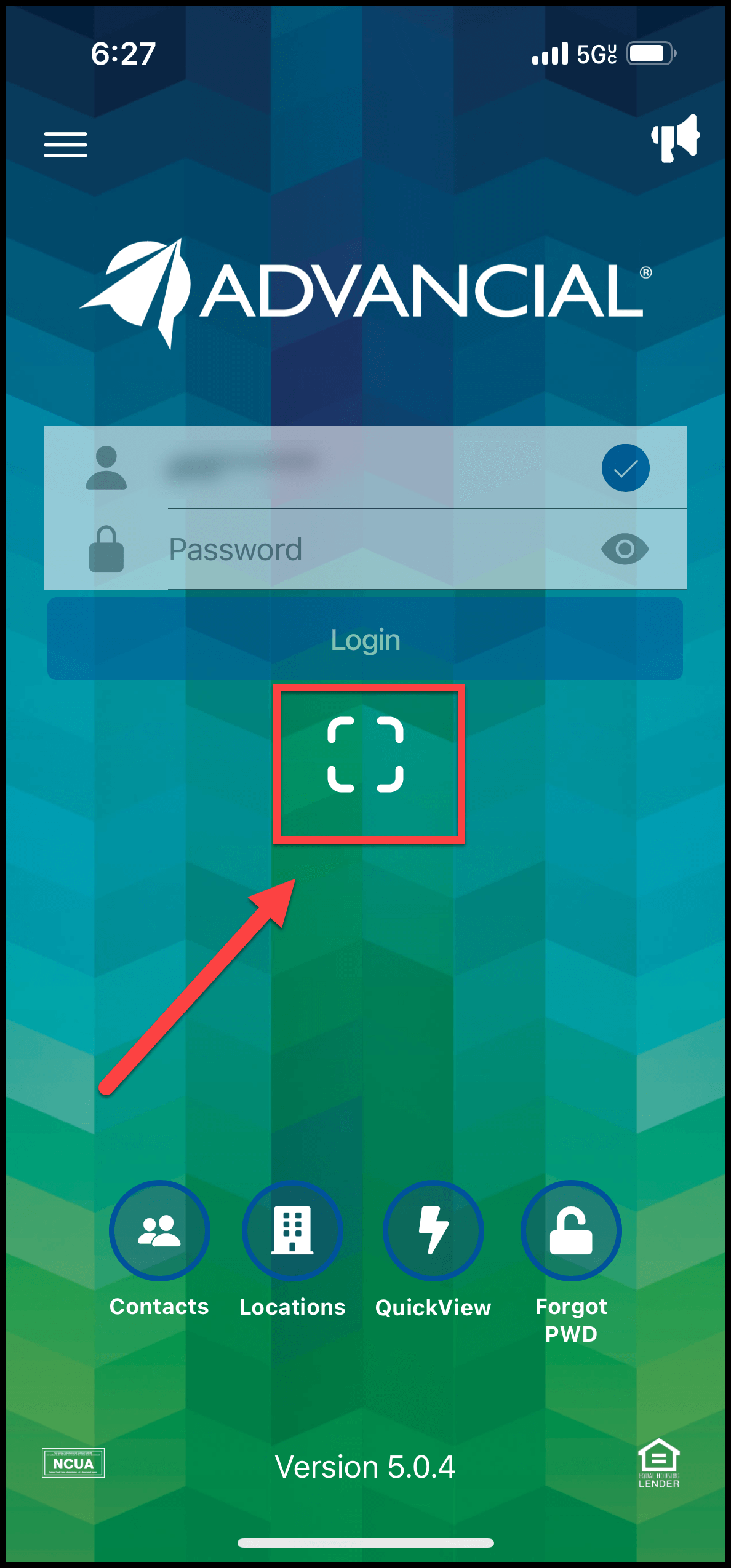
- Re-open the Advancial Mobile App and click on the circle/square icon right below the Login button - that is the Face Recognition (Biometrics) icon