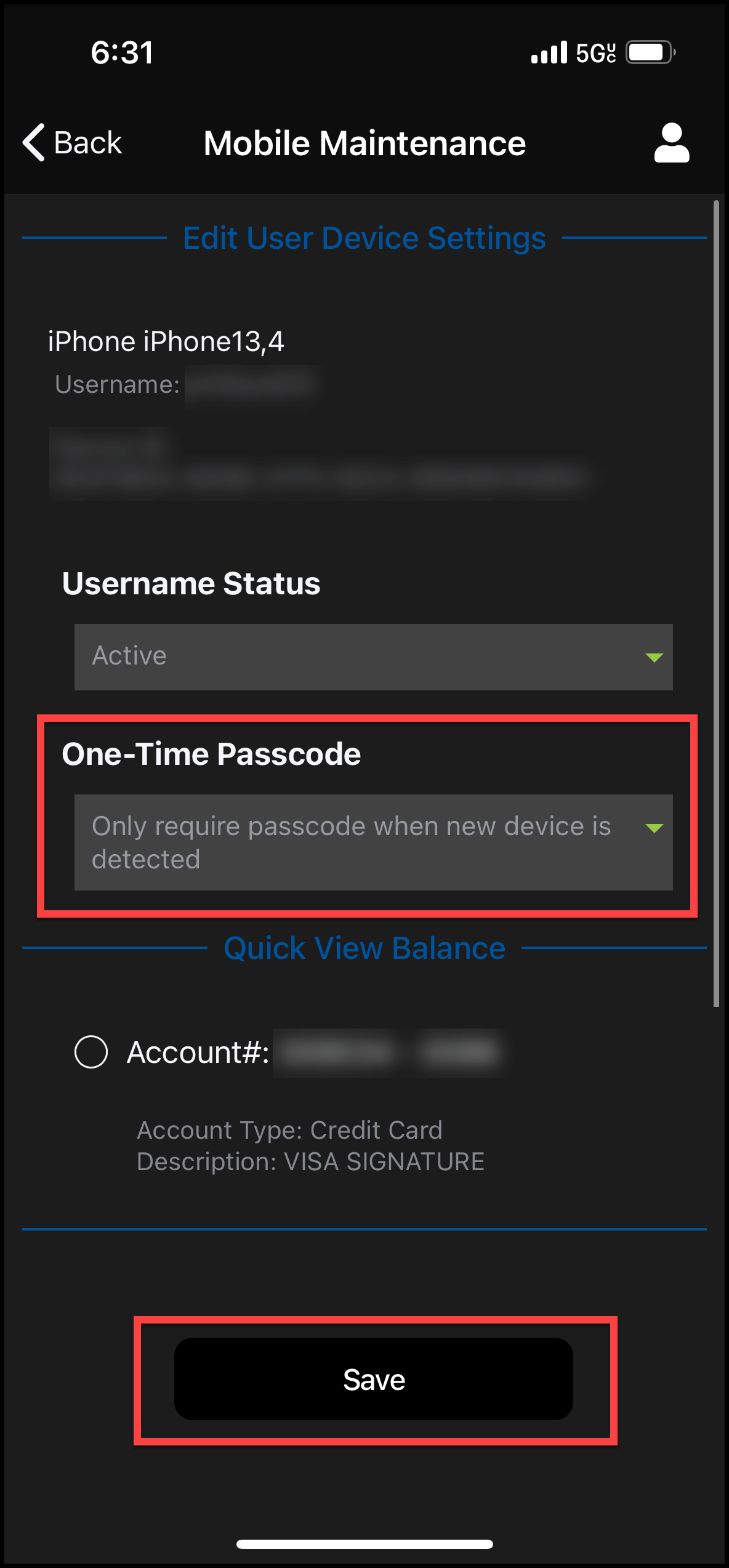
Update One-Time Passcode Preference

×
1
- Log in to cuAnywhere® Online Banking
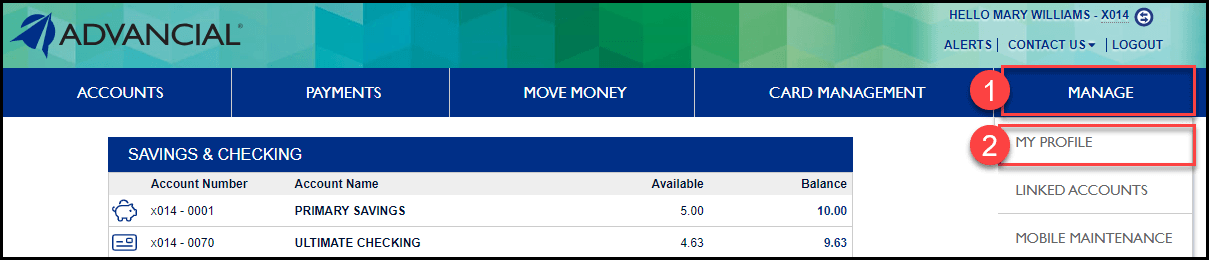
- Navigate to My Profile:
- Manage > My Profile
2
- Complete the Two-Factor Authentication security process
- Select whether you want the verification code to be sent to your e-mail or phone number
- Select Send Code

3
- Select the Login Profiles tab
- Under Existing Usernames, click on the Edit pencil icon

4
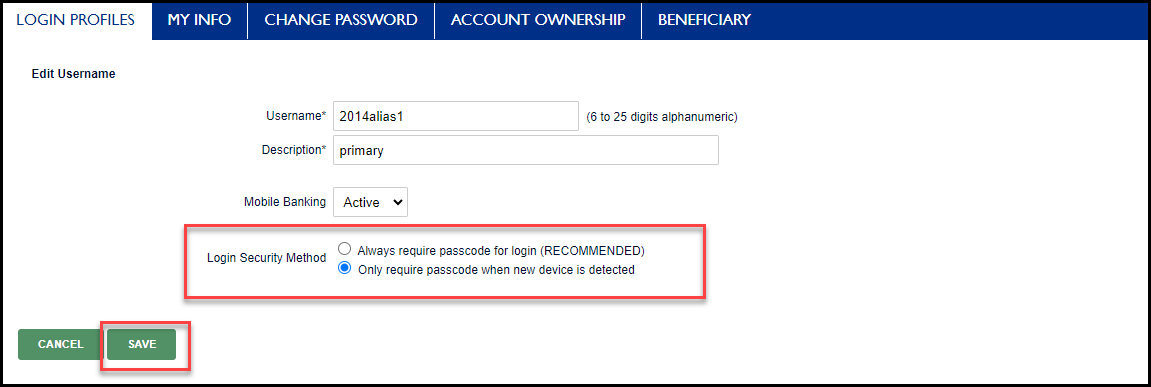
- Update the Login Security Method to your preference
- Select Save
1
- Log in to the Advancial Mobile App
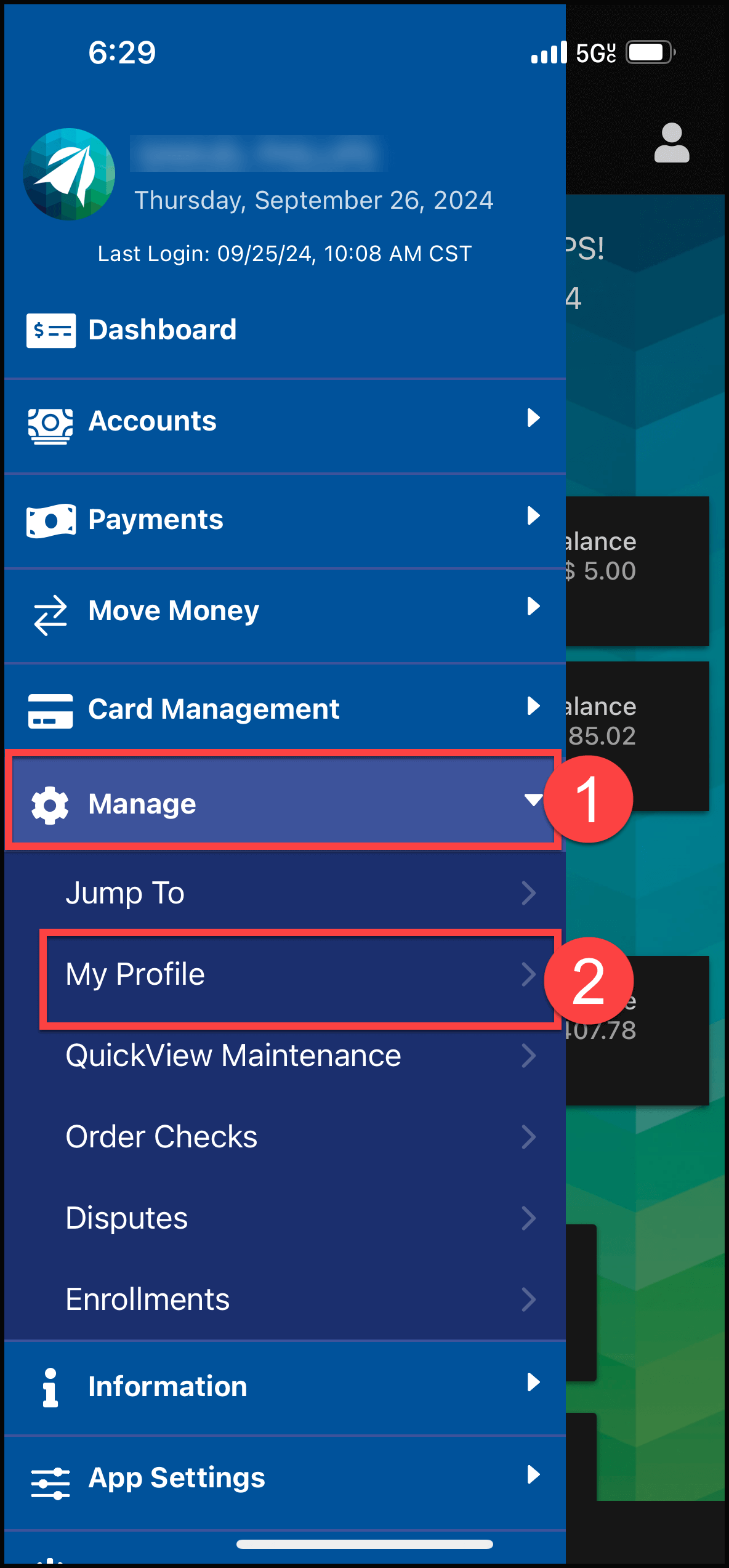
- Navigate to My Profile:
- Manage > My Profile
2
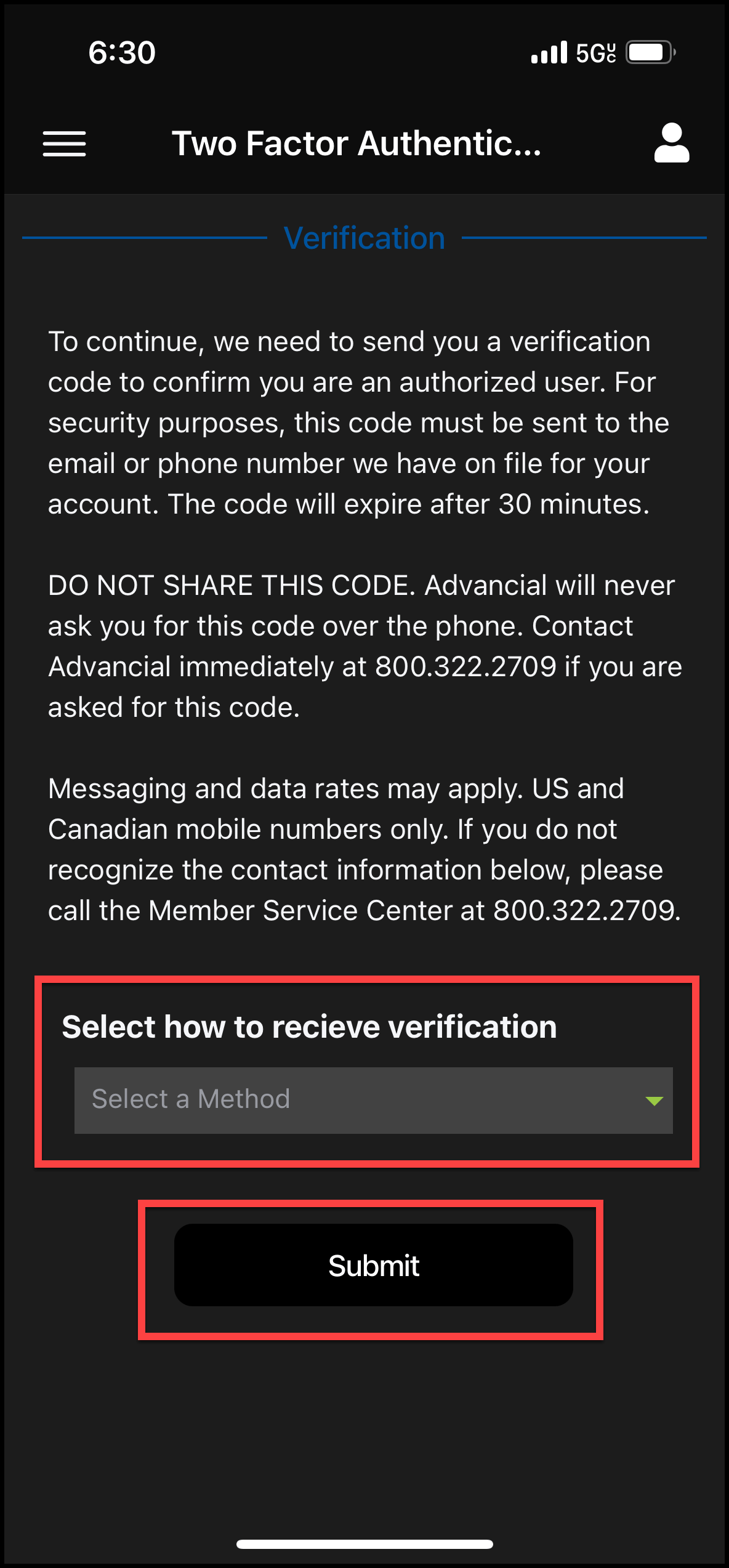
- Complete the Two-Factor Authentication security process
- Select whether you want the verification code to be sent to your e-mail or phone number
- Select Submit
3
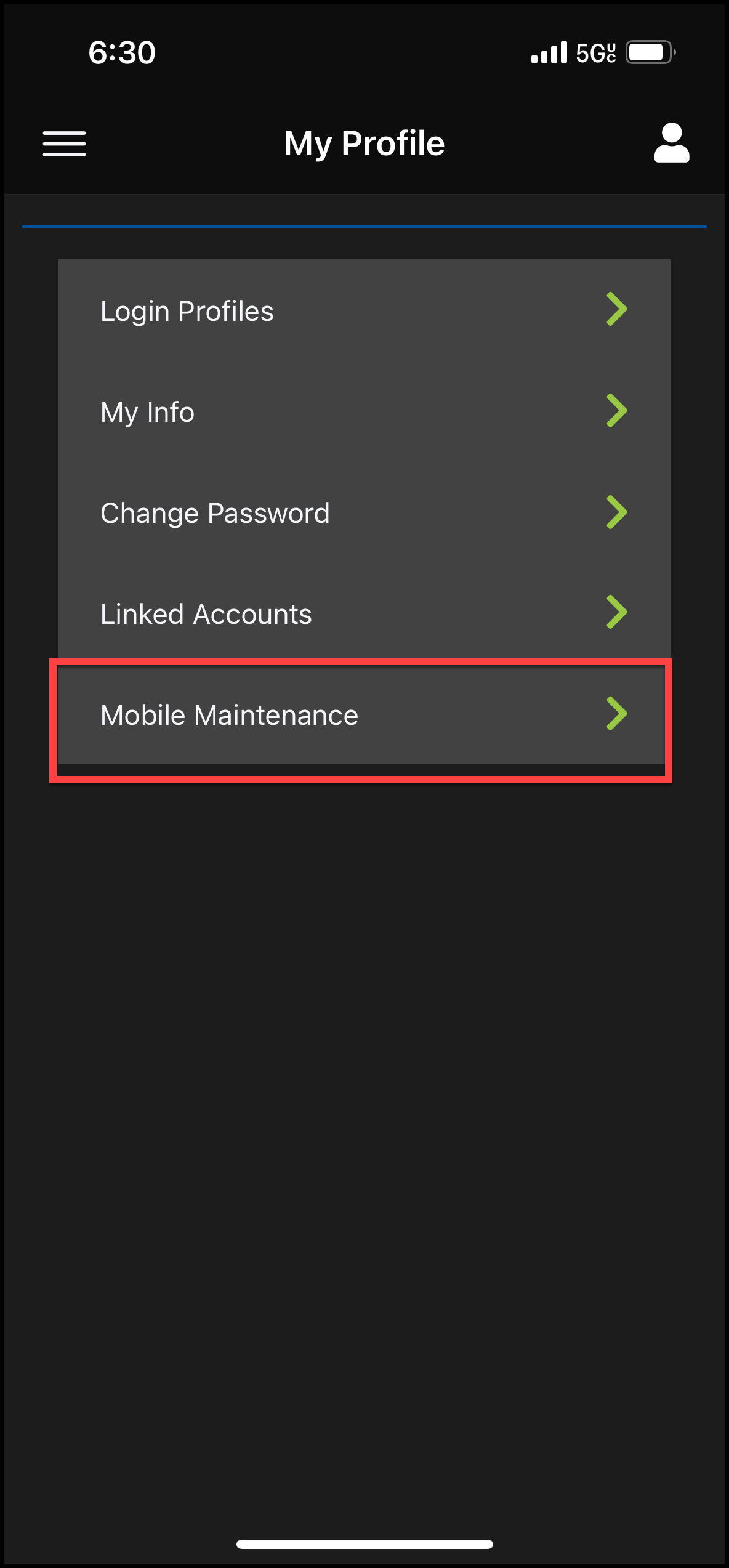
- Select Mobile Maintenance
4
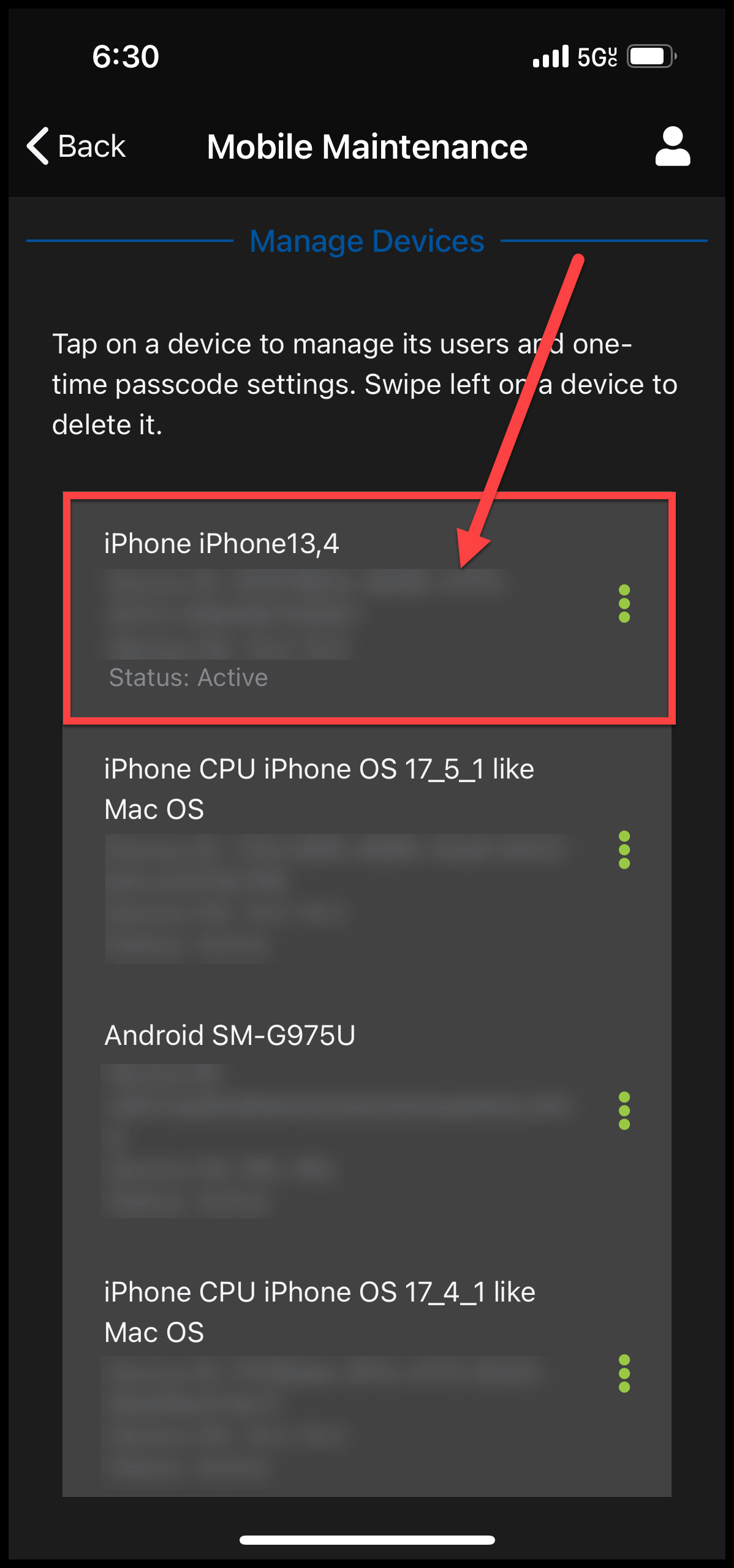
- Select your device by tapping on the device name
5
- Swipe left on a user and select Edit

6
- Update your One-Time Passcode preference
- Select Save