
Advancial Rewards
Redeem your points for cash back, gift cards or almost anything else!


The Rewards are Virtually Endless
Explore exclusive offers from local and national dining and retail merchants, earn points while booking travel, and score discounts on your favorite brands.
Combine Your Points
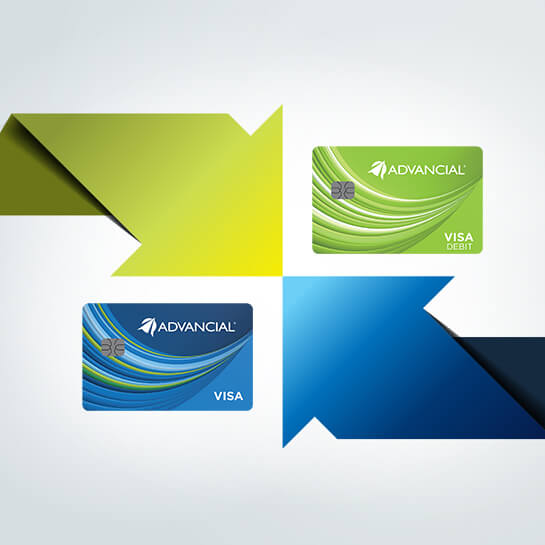
What’s better than earning reward points from one card? Earning reward points from multiple cards! Shop with our Visa debit and credit cards, and your reward points will be automatically combined so you can redeem them for more!

Shop & Earn
With Shop & Earn card-linked offers, thousands of online and in-store bonus point offers are linked directly to your card. Use your Advancial debit or credit card at participating retailers, and you’ll automatically earn even more points!
Step ONE: Sign in to your Advancial Rewards account and browse all available offers by selecting Shop & Earn. Find offers from local retailers by inputting your zip code and selecting the mile range in the search bar.
Step TWO: Shop. Simply use your card at one of the participating merchants in your area. You don't need to activate anything, just use your card like normal!
Step THREE: Earn! When you use your card at a participating merchant, you automatically earn any bonus points they offer!
Step ONE: Sign in to your Advancial Rewards account and browse all available offers by selecting Shop & Earn. Find offers from local retailers by inputting your zip code and selecting the mile range in the search bar.
Step TWO: Shop. Simply use your card at one of the participating merchants in your area. You don't need to activate anything, just use your card like normal!
Step THREE: Earn! When you use your card at a participating merchant, you automatically earn any bonus points they offer!

Redeem Your Points
You can access your Advancial Rewards account through cuAnywhere® Online Banking or the Advancial mobile app by clicking on the account name to open the Accounts Details section. Visit Advancial Rewards to see how far your points will take you.
Frequently Asked Questions
👤 My Account
Your current available points balance is listed in the top right corner of every page.
Points expiration rules are available within the Program Terms and Conditions and additional details can be found within the My Account Statement page on the rewards website.
Please review the Program Terms and Conditions provided by your financial institution for more information.
Points are awarded for qualifying purchases using your financial institution issued rewards card. Please view the Program Terms and Conditions for more details.
Each card needs to have its own unique user name and password.
The value of your Advancial Rewards points depends on the redemption option you choose. Point values may vary for merchandise, gift cards, travel, cash back, and other rewards. To view available redemption options and their current point values, log in to your account at AdvancialRewards.org.
🛒 Placing Orders
There are multiple ways you can order your reward; by phone or via the rewards website.
- To place your order over the phone, please call our customer service number. When speaking to a representative, please be as specific as possible regarding the brand and name of the reward you want, the color and size (if this applies) and the item number (if you know it) to ensure the desired reward is ordered correctly.
- Select the reward you want.
- Select "Add to cart" to place your order and click on the cart icon in the top header at any point to "Check out". You can also change quantities of items directly from the cart or remove items from the cart.
- Review items in cart and click ‘Proceed to Checkout’.
- Confirm redemption information and enter your phone number and email address. Then, click on ‘Continue to Shipping Address’ to move to the next step.
- If the address for the shipping address can be modified on the screen, you can either enter the shipping address or select the check box ‘Same as Redemption Information”. In most instances, the redemption will be sent to the address on file. Click on ‘Continue to Review’.
- Select "Place Order" to complete your order. You will receive an order confirmation with the option to print the confirmation for your records, and an email confirmation will be sent to the email address you provided.
If you already placed the order but the item is no longer available, we will contact you at the phone number you provided. We will make every effort to substitute a similar item of equal or higher value. If a substitute is not available, you will be notified and your points will be credited back to your account so you may browse for another reward.
We will send you a redemption confirmation for your order(s) via email at the email address you provided to us so that you can easily maintain the information for your records.
Occasionally the delivery service may need to contact you in order to complete the delivery, especially if you have ordered a larger item that will be delivered by truck. If your reward request was mailed, we may need to contact you regarding the request to ensure that the desired reward is ordered correctly.
📦 Shipping
Yes, gift cards that are valued under $1,700.00 can be delivered to a P.O. Box because they are shipped via First Class US Mail. Prepaid Visa and Mastercard can be shipped to a P.O. Box. Gift cards that are over $1,700.00 cannot be shipped to a P.O. Box because they are shipped via FedEx 2nd day. Merchandise is also shipped through UPS or FedEx and requires a valid street address to ensure proper delivery.
In most cases, the shipping address cannot be changed. When submitting your order, your item will ship to the address on record unless the screen shows that you can make a change to the shipping address. Please be aware that there are fees associated with shipping outside of the contiguous US and that not all redemptions may be shipped outside of the contiguous US. If you have any further questions, please call customer service for more information regarding shipping policies.
No, you may only ship within the United States and its territories. Please be aware that there are fees associated with shipping outside of the contiguous US (i.e. Alaska, Hawaii, Puerto Rico, Guam and the US Virgin Islands). If you have any further questions, please call customer service for more information regarding shipping policies.
UPS usually delivers small packages, but larger items will be shipped by common carrier. Although we are unable to pre-arrange delivery for a specific day or time, we will notify the common carrier to contact you prior to delivery. Common carrier shipments are curbside deliveries. Please make arrangements to be available and assist with unloading at the time of delivery.
Merchandise shippable by UPS or UPS Surepost will be available to all US territories at no additional cost. Items being shipped to Alaska, Hawaii, Puerto Rico, Guam and the US Virgin Islands may have additional freight charges. We will contact you to confirm any additional points redeemed to cover additional freight charges.
📍 Order Status
Once an order is placed, it cannot be altered or canceled.
You can check the status of your order online by going to the ‘Order History’ section within your Account menu or by calling customer service to speak directly to a representative.
Merchandise rewards may take two to four (2-4) weeks to be shipped from the time of order. Specialty or custom orders may take six to eight (6-8) weeks to be shipped. Multiple rewards may arrive at different times because they may be provided by different vendors. Delivery times may increase during peak holiday periods. Please allow 5-10 days for gift card orders to be shipped. Please note if you do not receive your order within the recommended time frame, you should contact us to file a claim. Any claim must be filed within 120 days of the ship date.
🚚 Delivery
If you ordered two or more items, do not be concerned if the first shipment contains only part of your order. Our merchandise is shipped directly from our vendors and therefore it may arrive at different times. In the case of an unusual delay, a customer service representative will contact you at the phone number you have provided.
If your order is delivered by common carrier or freight line:
- Open the box and inspect the item for damage. If damaged, refuse the shipment. For deliveries without apparent damage, please sign the bill of lading "Subject to inspection". If concealed damage is found, contact customer service by phone within 24 hours of receipt for further instructions. Please retain all boxes and packaging associated with damaged items as we will request photos to file any claim.
- Inspect the order immediately. For damaged items, refuse the package. If the package was dropped off, please keep all packaging and call customer service for further instructions.
📭 Post-delivery
Most orders are not returnable. In the event that we are able to accommodate a request for a return, the merchandise must be unopened and in its original packaging. Electronics must have any manufacturer’s seal still intact. Customized merchandise is not returnable. All returns must be completed within 30 days of receipt and at the recipient’s expense. A 30% restocking fee may also apply. Other restrictions may apply. In the event that an incorrect, damaged or defective item is received, contact customer service for further instructions.
Most manufacturers will accept your order confirmation as proof of purchase. If you need a hard copy of the receipt, contact customer service and they will submit a request for a copy of your receipt. You should receive it within 5-7 business days.
All items come with the warranty provided by the manufacturer; those warranties may vary by manufacturer. Please review the manufacturer’s warranty carefully. The materials you received with your purchase may also give information regarding authorized repair centers and are covered for up to 30 days from purchase. If you have a problem with an item, please contact the manufacturer at the toll-free number located in the owner’s manual for service. All electronics must be handled through the manufacturer’s warranty. The card issuer does not provide any product or service warranty.
💳 Gift Cards
Gift cards should be treated as cash. Once they are received, if lost, stolen or damaged, they cannot be replaced.
For your convenience, we generally have gift cards with smaller denominations in stock and readily available for shipment.
Gift cards do not expire. However, the expiration date on the prepaid Visa® is 24 months from the date of issuance.
✈️ Travel Redemption
There may be some additional fees in order to fulfill a travel reward. The online reservations portal or travel service representative will notify you prior to charging your rewards credit card.
Please view the Program terms and conditions of the program in order to view all travel rules and restrictions.
Some reservations may be canceled online. Please check the details in the My Trips section of the website. Terms and Conditions will apply. Please call customer service for more information regarding our travel reservation cancellation policy.
All airline ticket and hotel reservation redemptions can be made by clicking on the "Book Your Travel" link under the Travel category.
- To book a flight, fill out the criteria for your reservation. Once you have found the flight you would like to book, select "Choose this flight". Fill in the passenger information carefully, and select "Continue". Then, enter the billing and contact information and select "Continue". Review the information on the "Confirm booking details" page and if this information is correct, confirm the reservation. Please be patient while the website completes your reservation. Once your reservation has been processed, an order confirmation will appear for your records.
- To book a hotel reservation, fill out the criteria for your reservation. Once you have found the hotel room you would like to reserve, select "Select". Then, enter the guest information and select "Continue". Next, fill in the billing and contact information and select "Continue". Review the information on the "Confirm booking details" page and if this information is correct, confirm the reservation. Please be patient while the website completes your reservation. Once your reservation has been processed, an order confirmation will appear for your records.
