

×
1
- Log in to the Advancial Mobile App
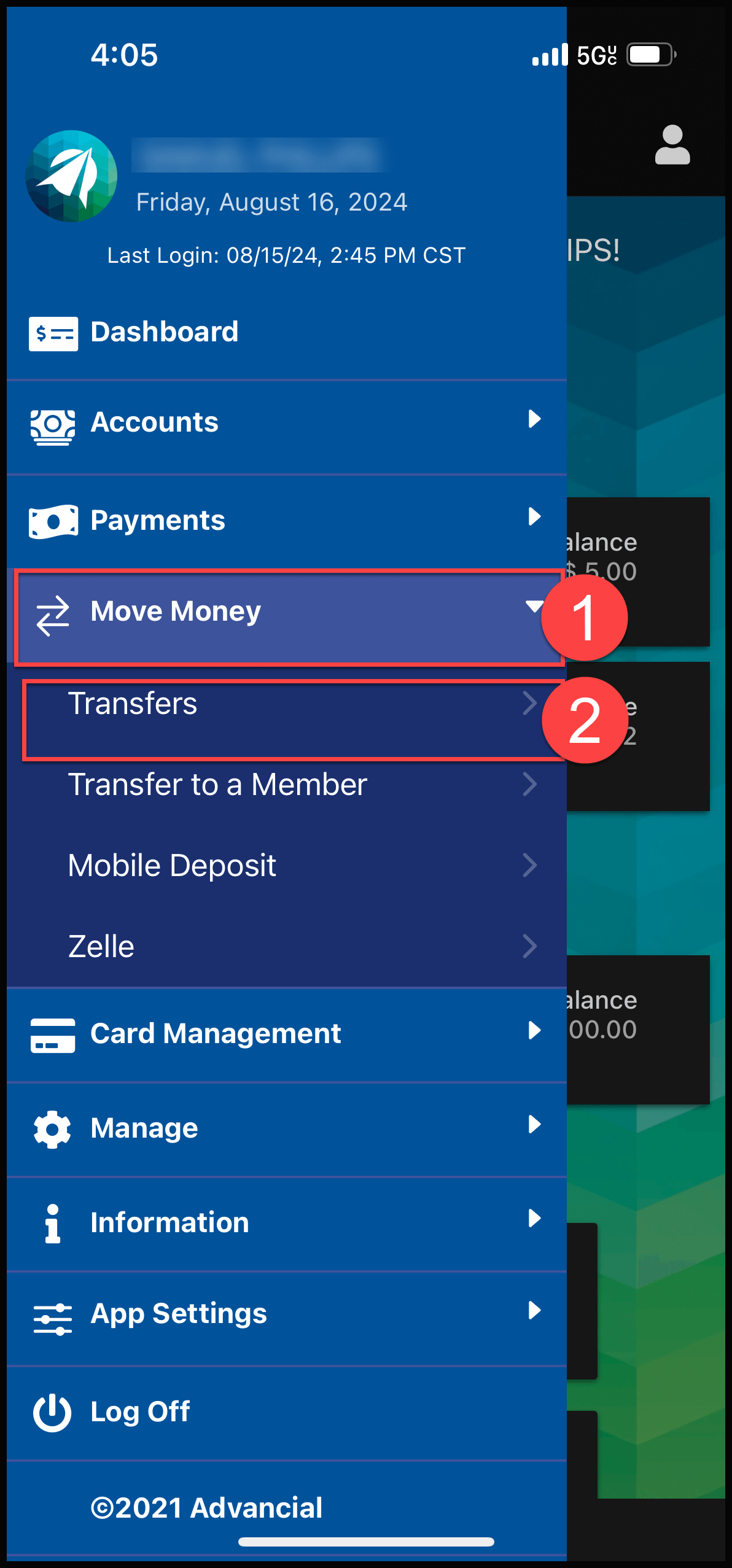
- Navigate to Transfers:
- Move Money > Transfers
2
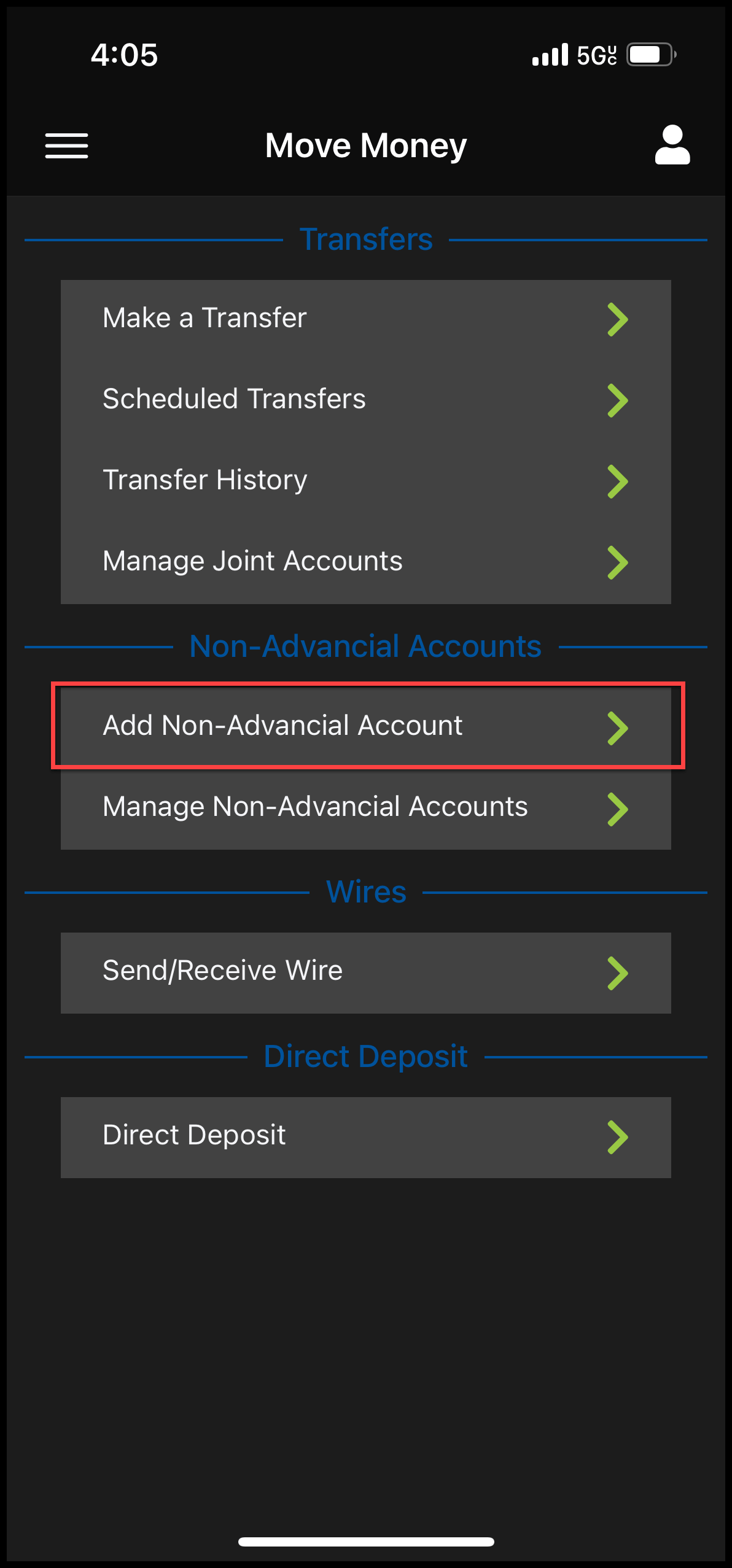
Under Non-Advancial Accounts, select "Add Non-Advancial Account"
3
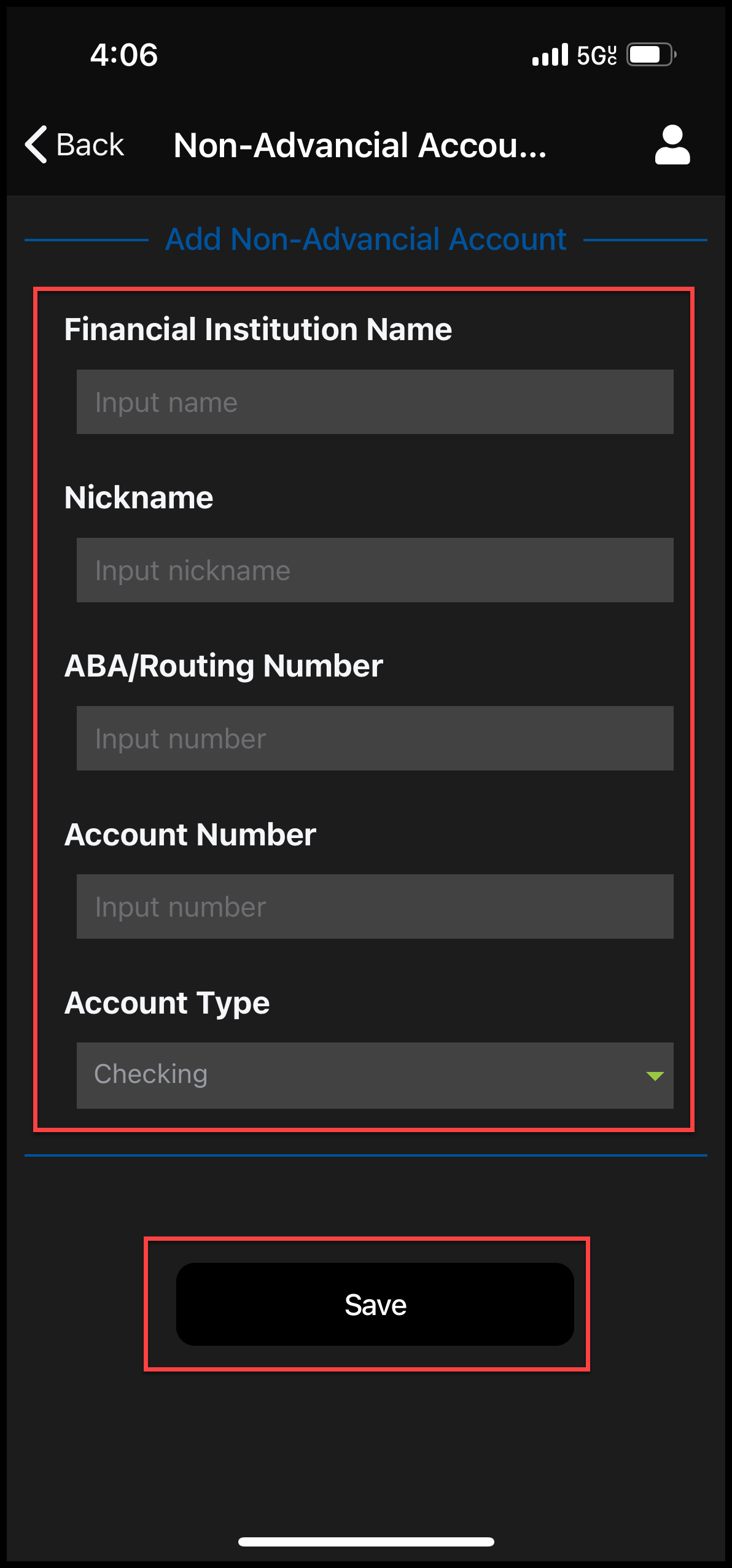
- Complete the required fields
- Select "Save"
4
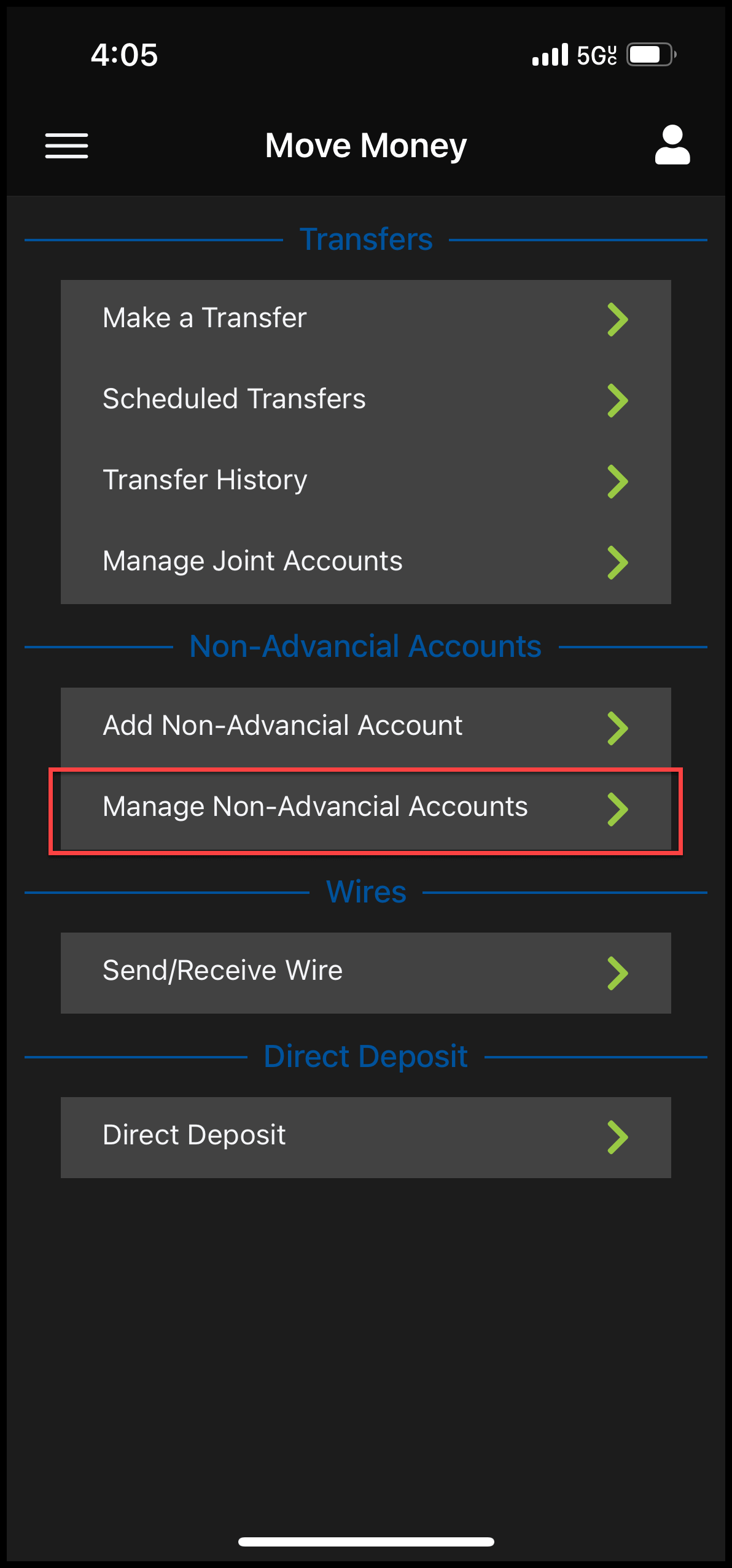
- Navigate back to the Transfers screen and select "Manage Non-Advancial Accounts"
5
You will be sent two trial deposits (usually under $1.00 and within 1-2 business days) to the Non-Advancial account in order to confirm that you are the owner of that account.
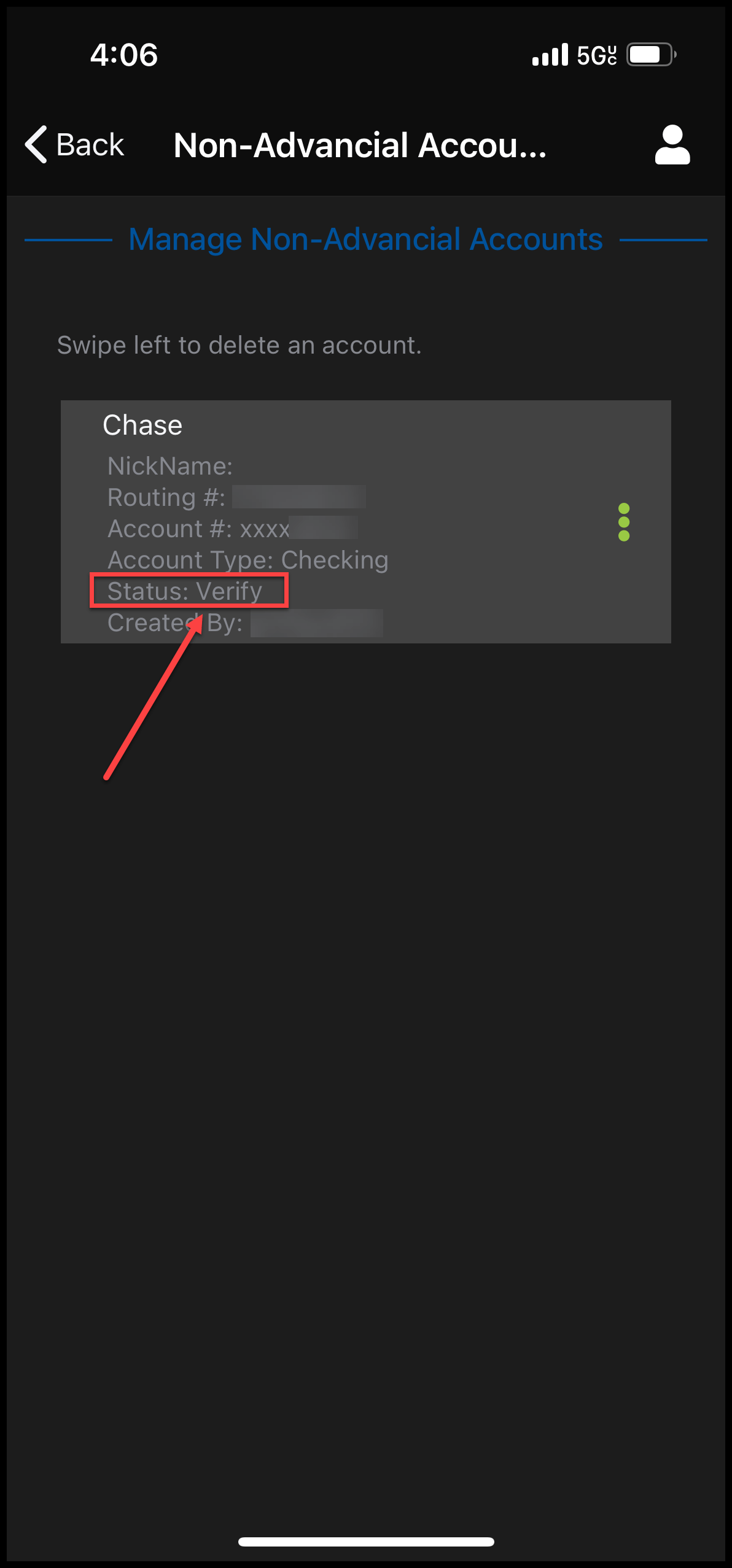
- To add the trial deposits, select "Verify" and type in the trial deposit amounts in the correct format (there will be instructions on the top of the screen)