Update My Contact Information

×
1
- Log in to cuAnywhere® Online Banking
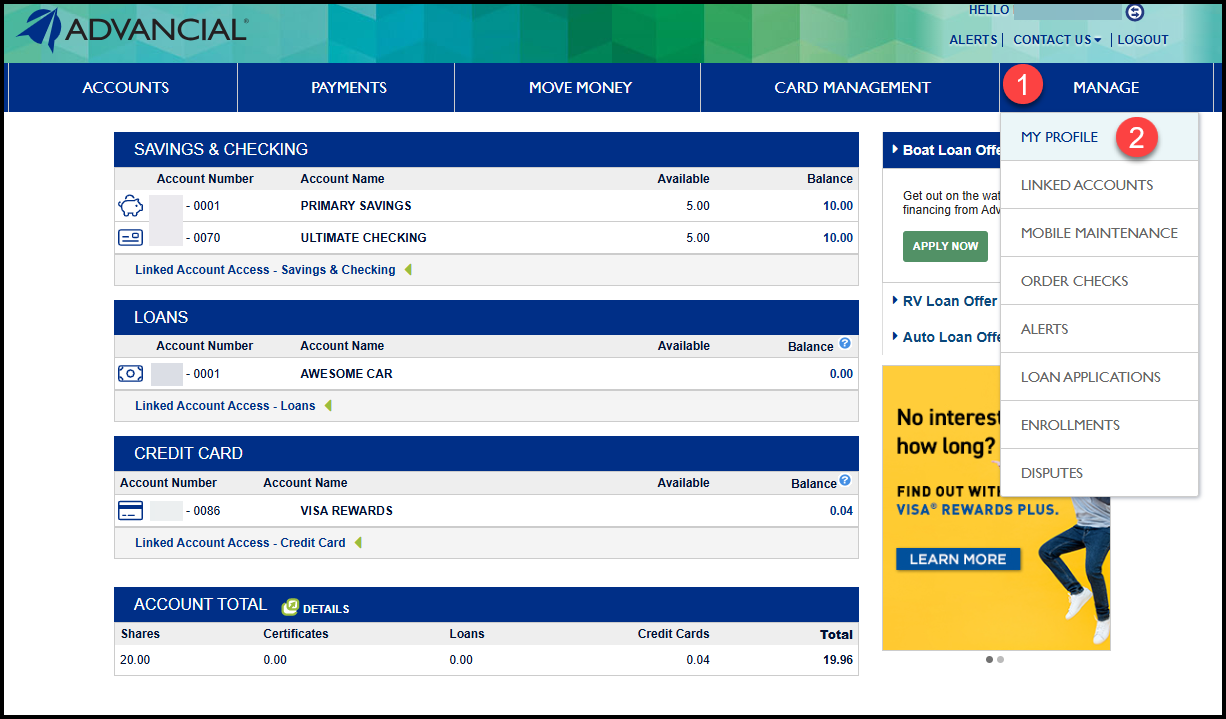
- Navigate to My Profile
- Manage > My Profile
2
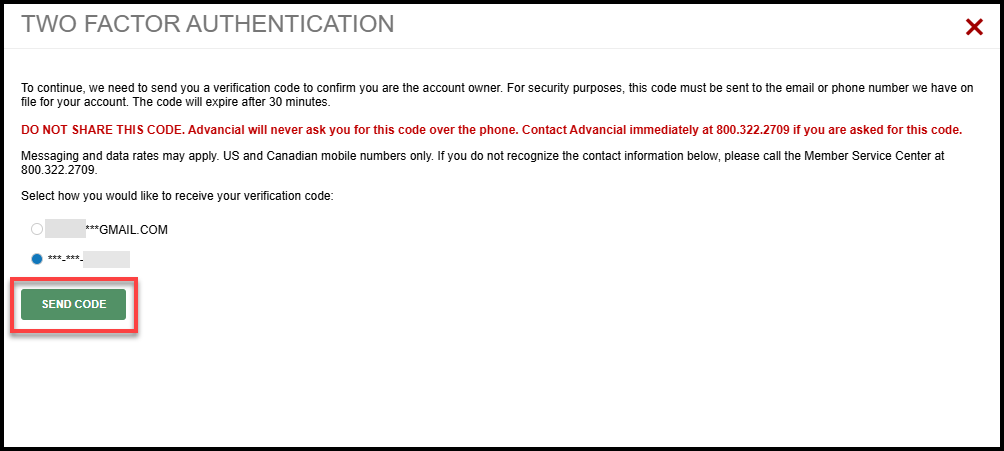
- Complete Two-Factor Authentication
3
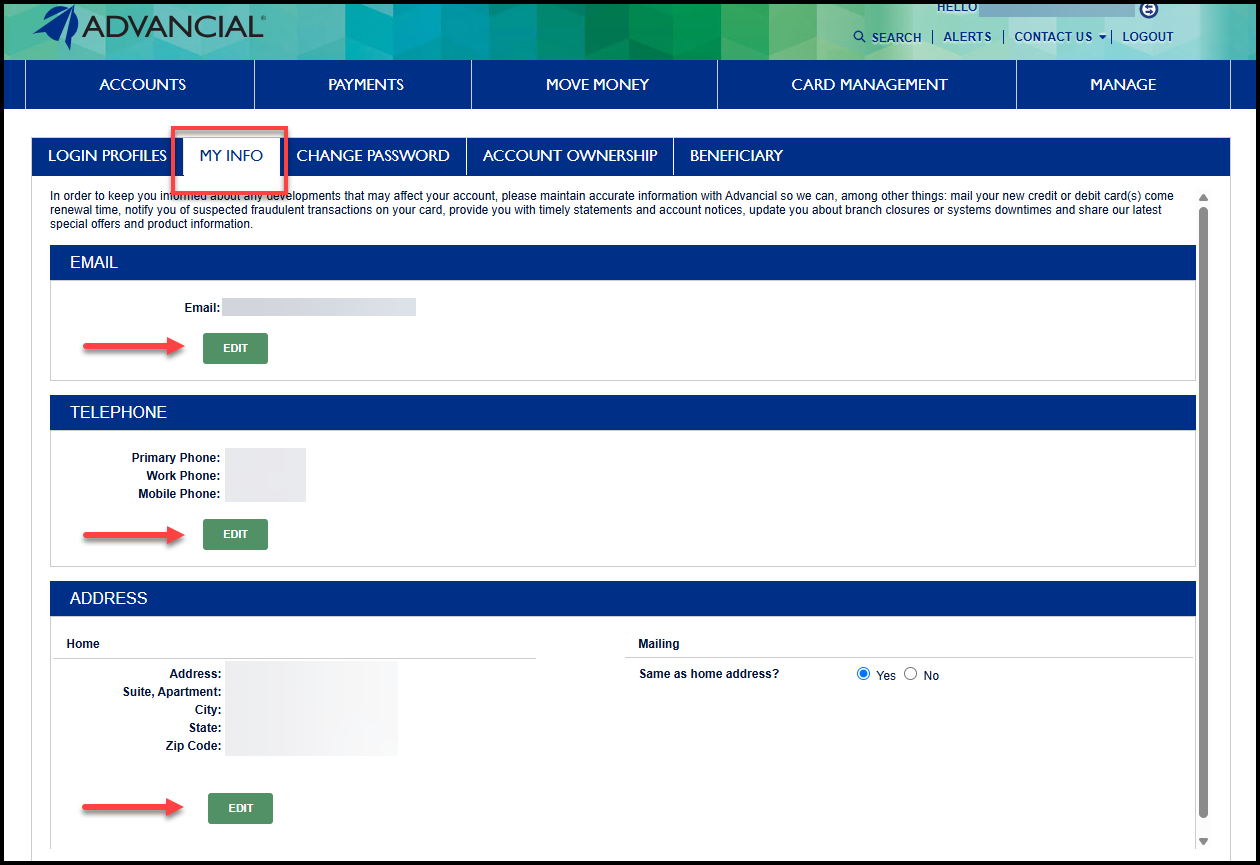
- Select the My Info tab
- Select Edit in the information section you would like to update
4
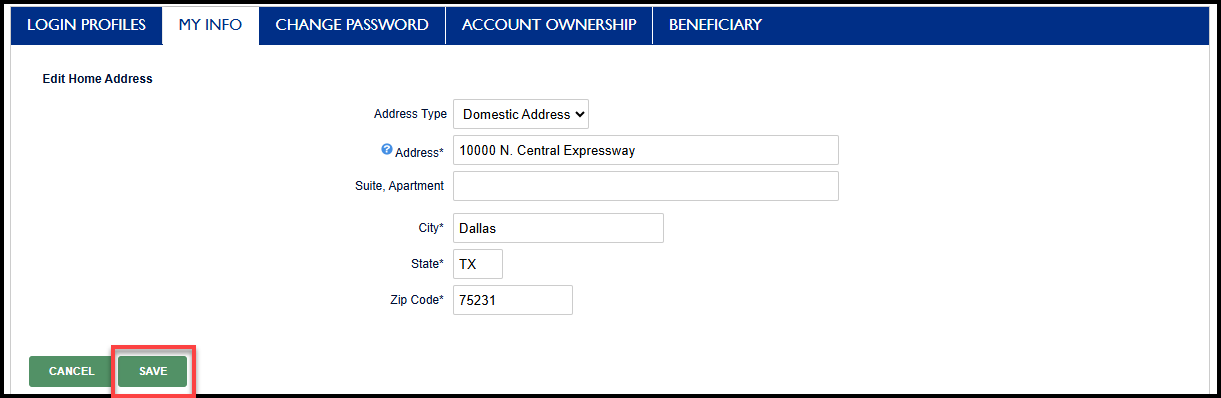
- Enter your updated information
- Select Save to apply your changes
1
- Log in to the Advancial Mobile App
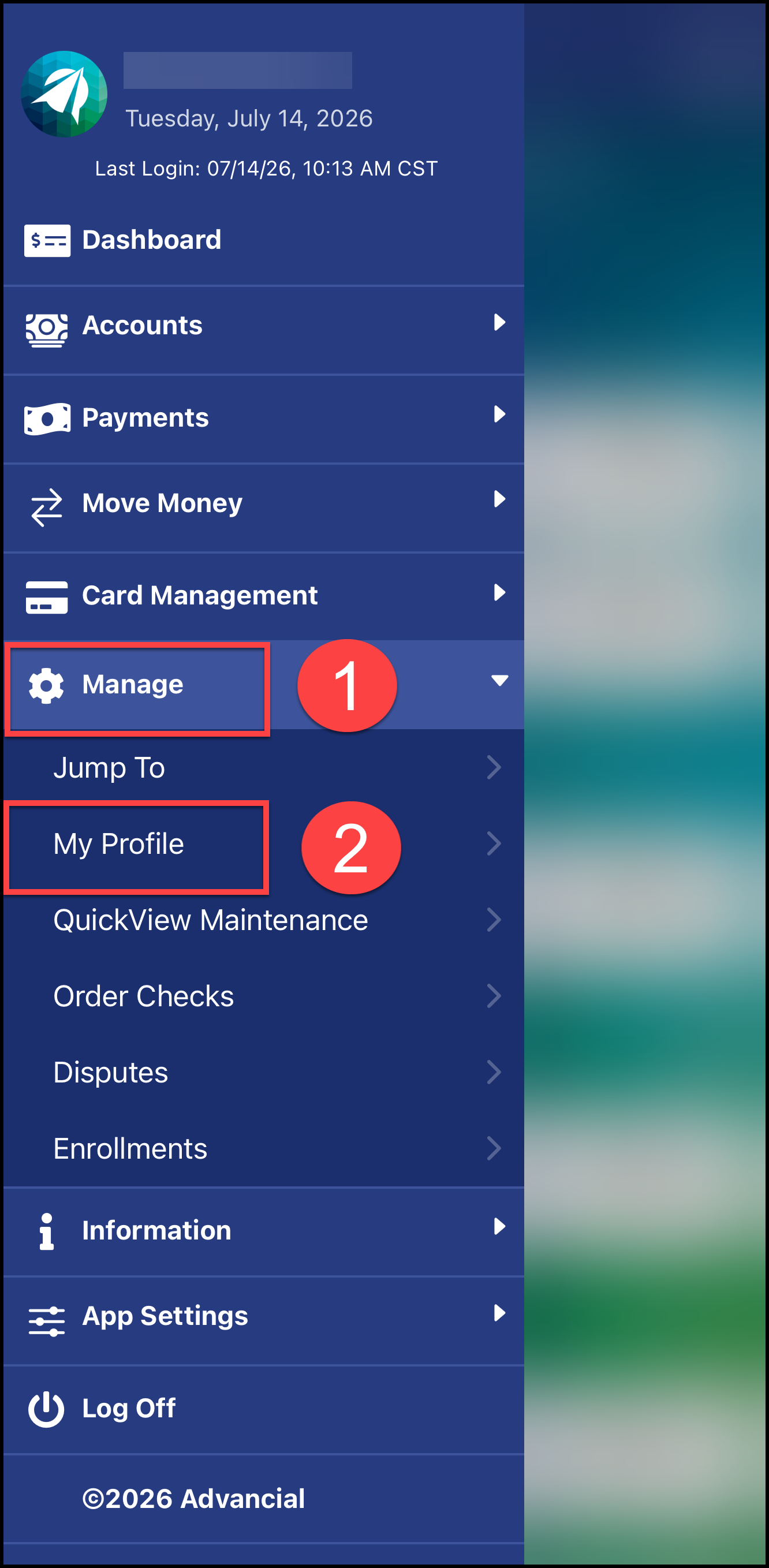
- Navigate to My Profile:
- Manage > My Profile
2
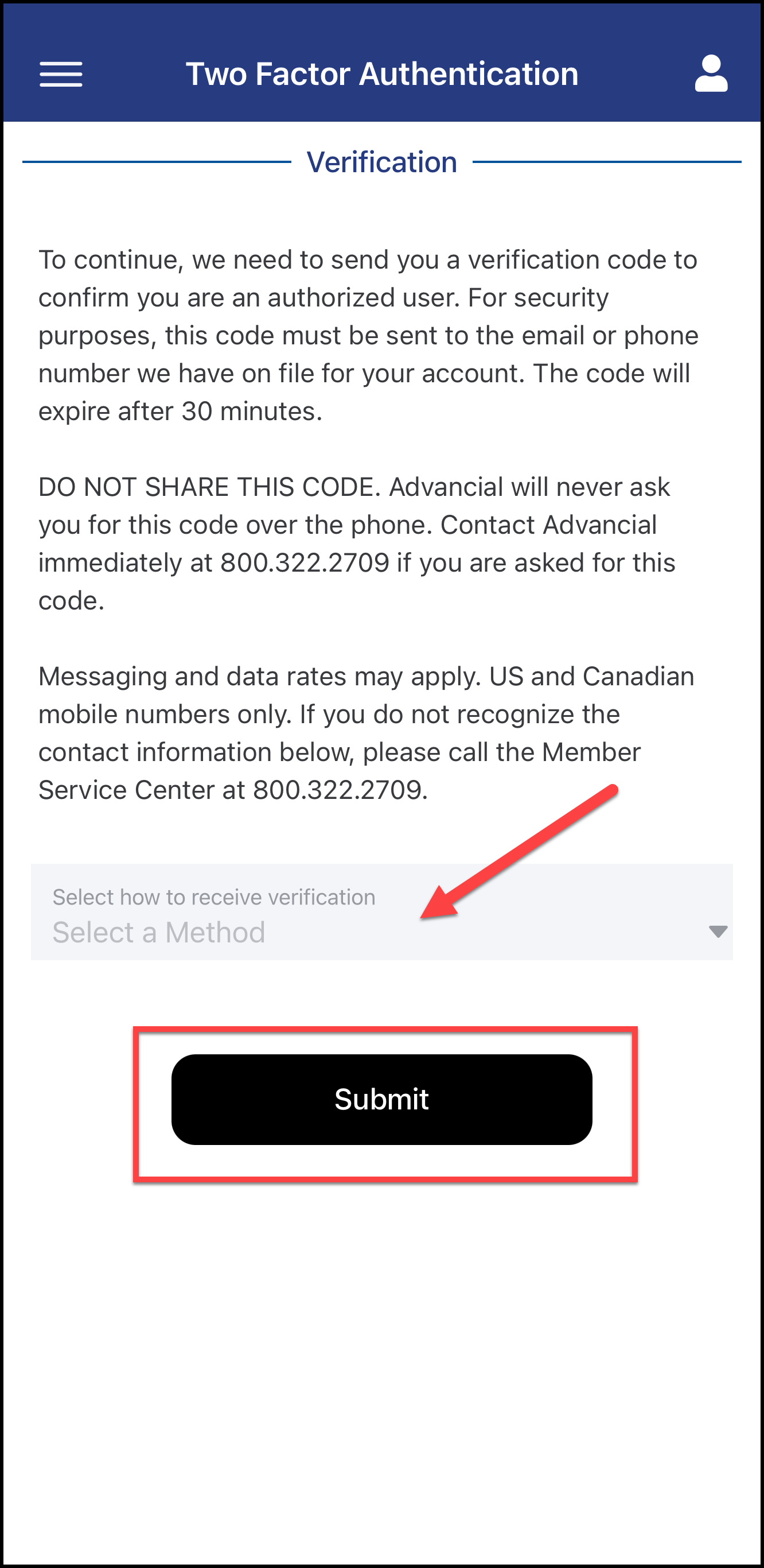
- Complete Two-Factor Authentication
3
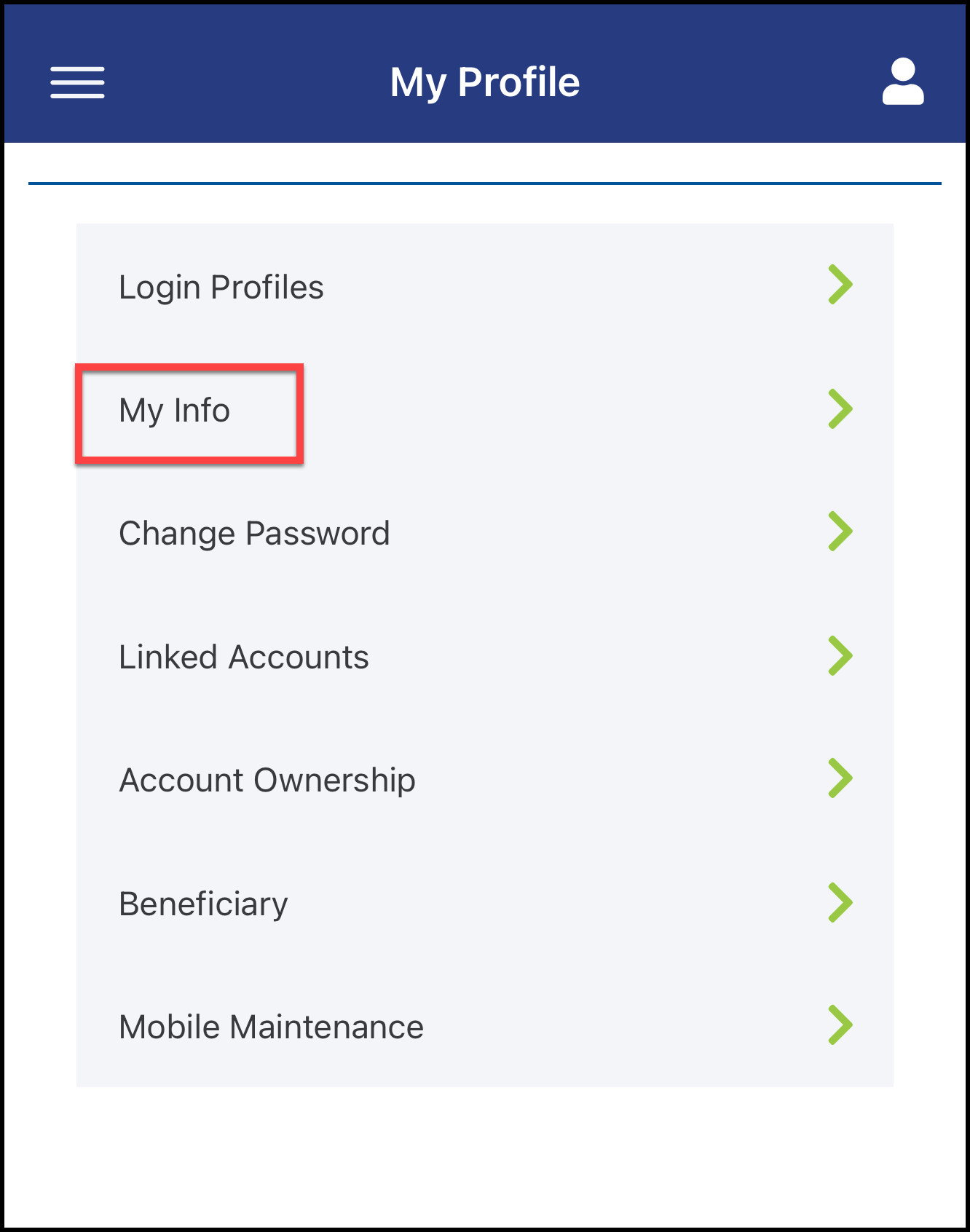
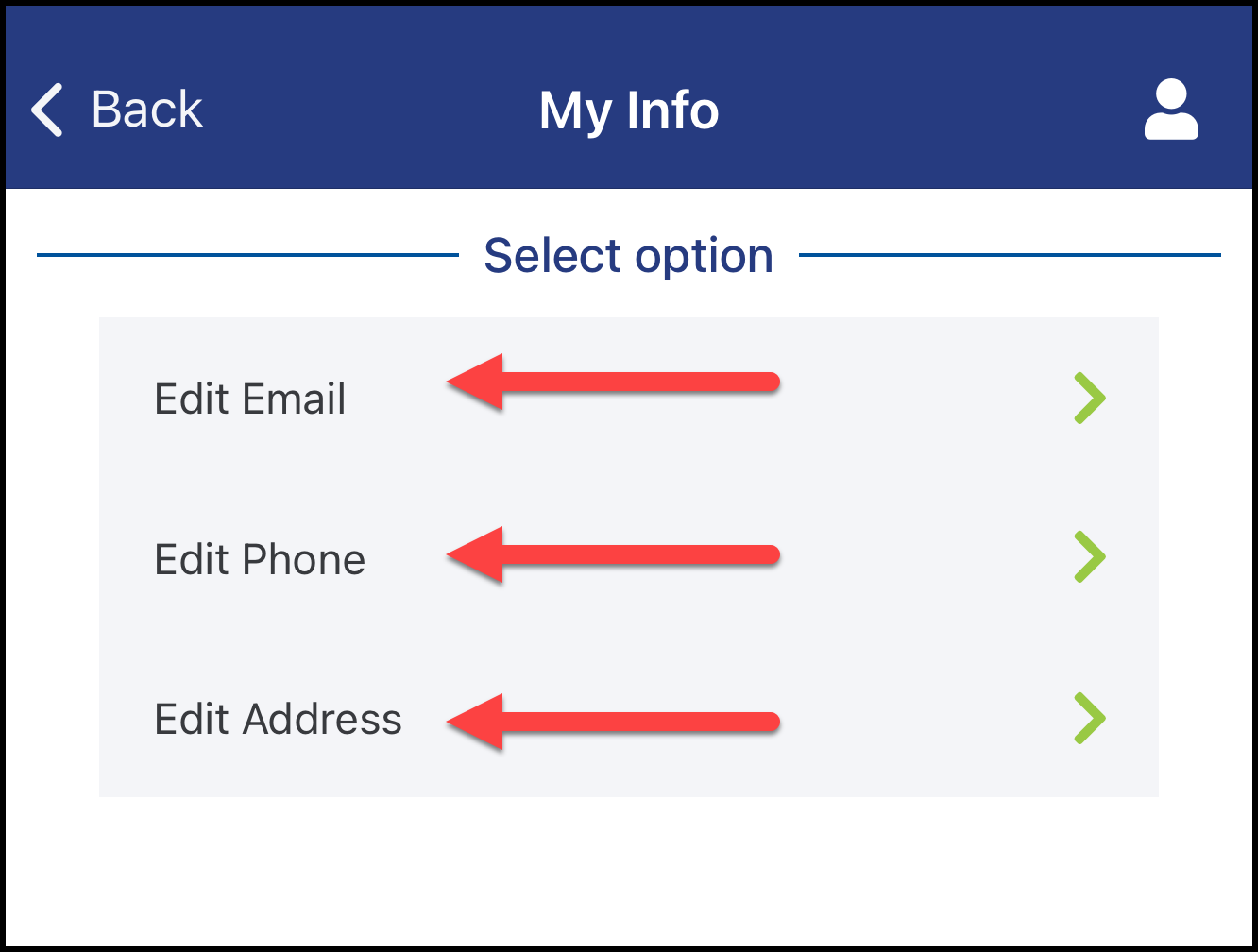
- Select My Info
4
- Select Edit on the information option you would like to update
5
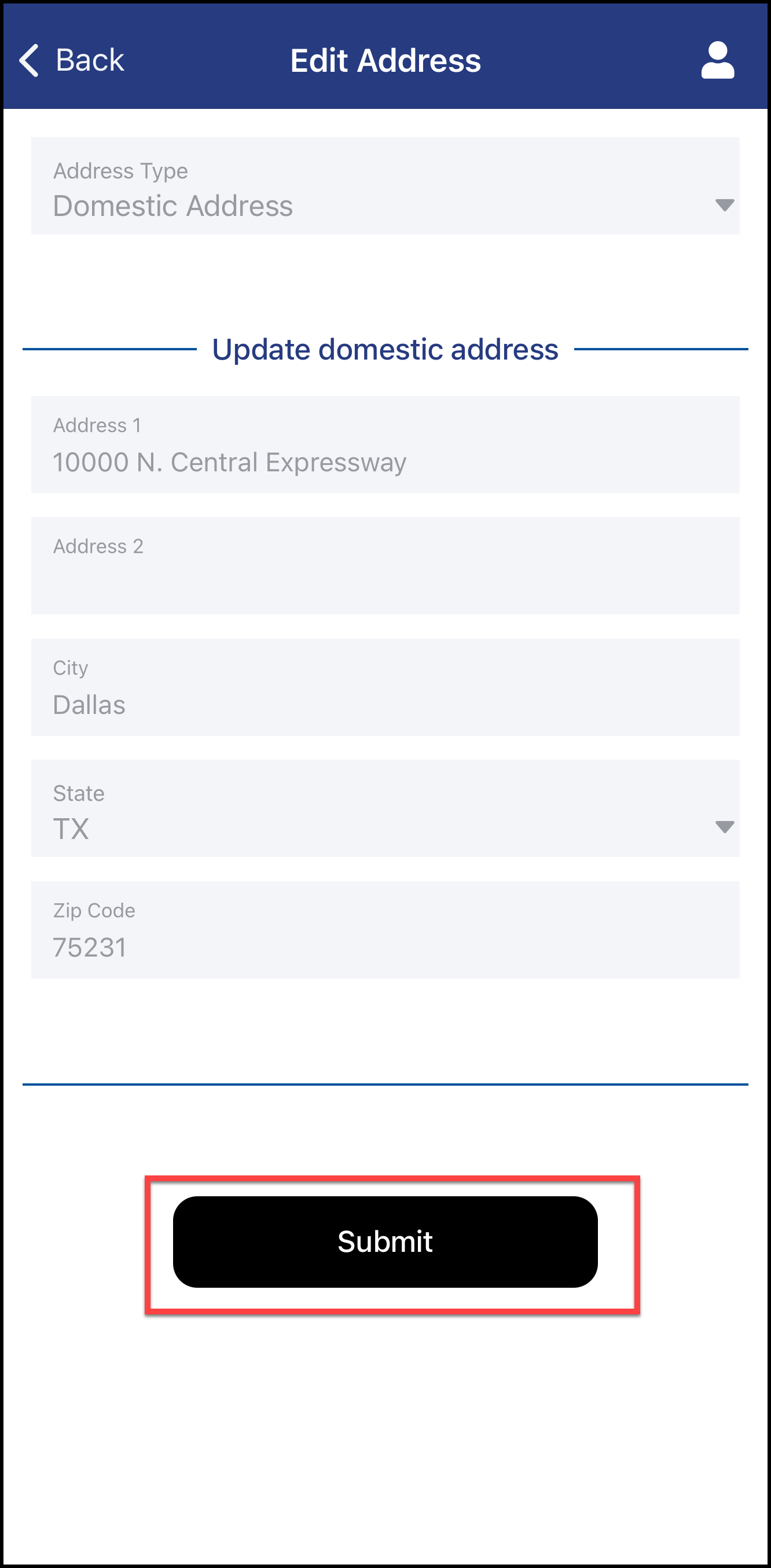
- Enter your updated information
- Select Submit to apply your changes