
×
1
- Log in to the Advancial Mobile App
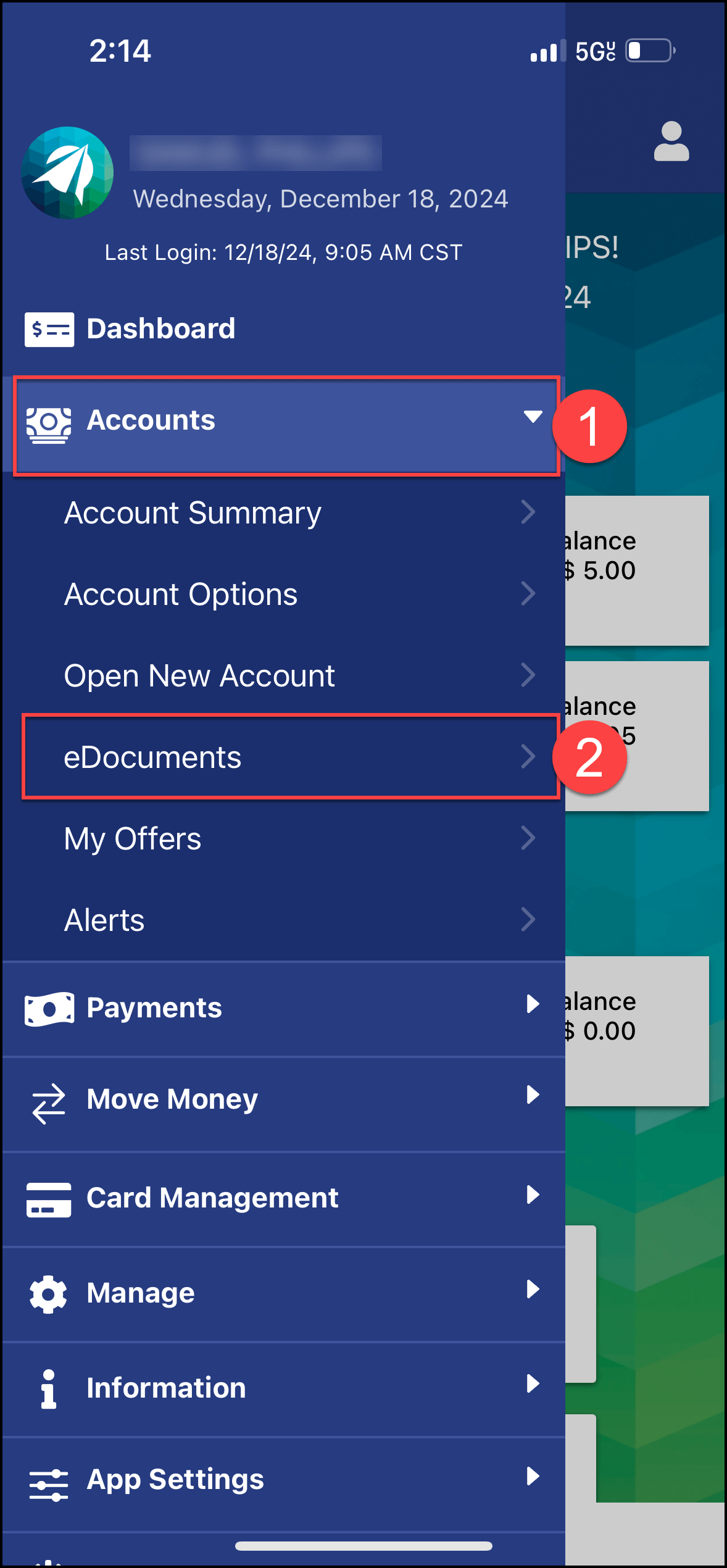
- Navigate to eDocuments:
- Accounts > eDocuments
2
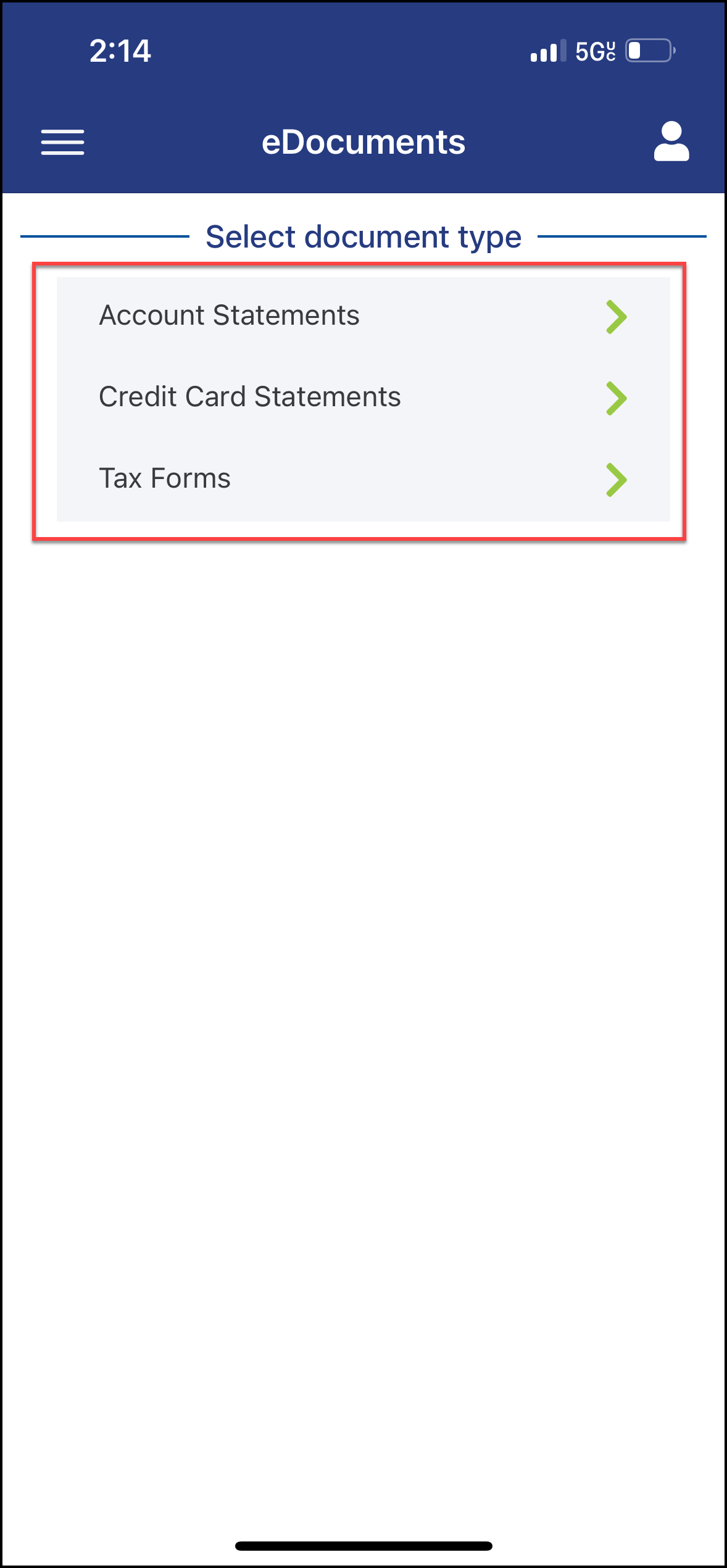
- Select the Document Type
3
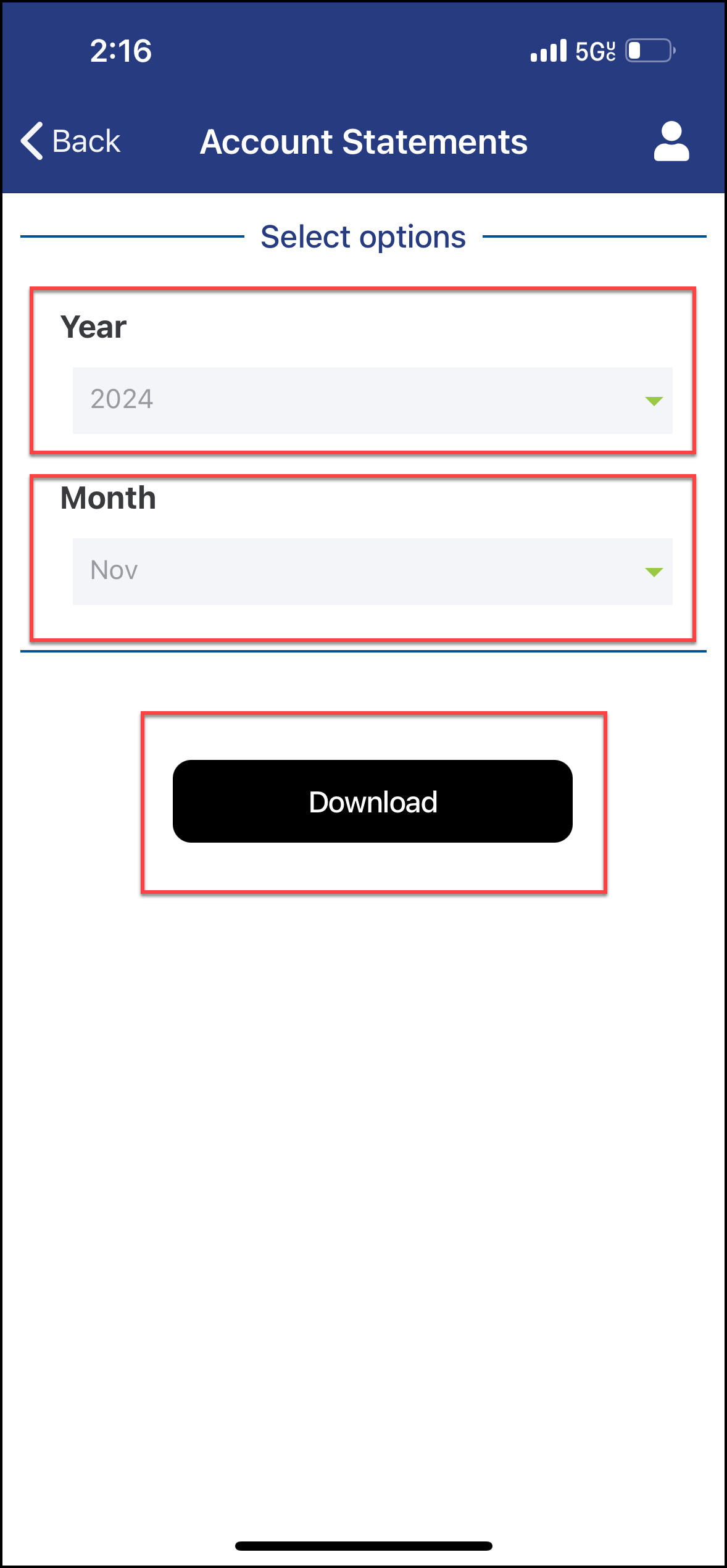
- Select the Year and Month of the statement you want to view
- Select "Download"