Set Up and Manage Automatic Loan Payments

×
1
- Log in to cuAnywhere® Online Banking
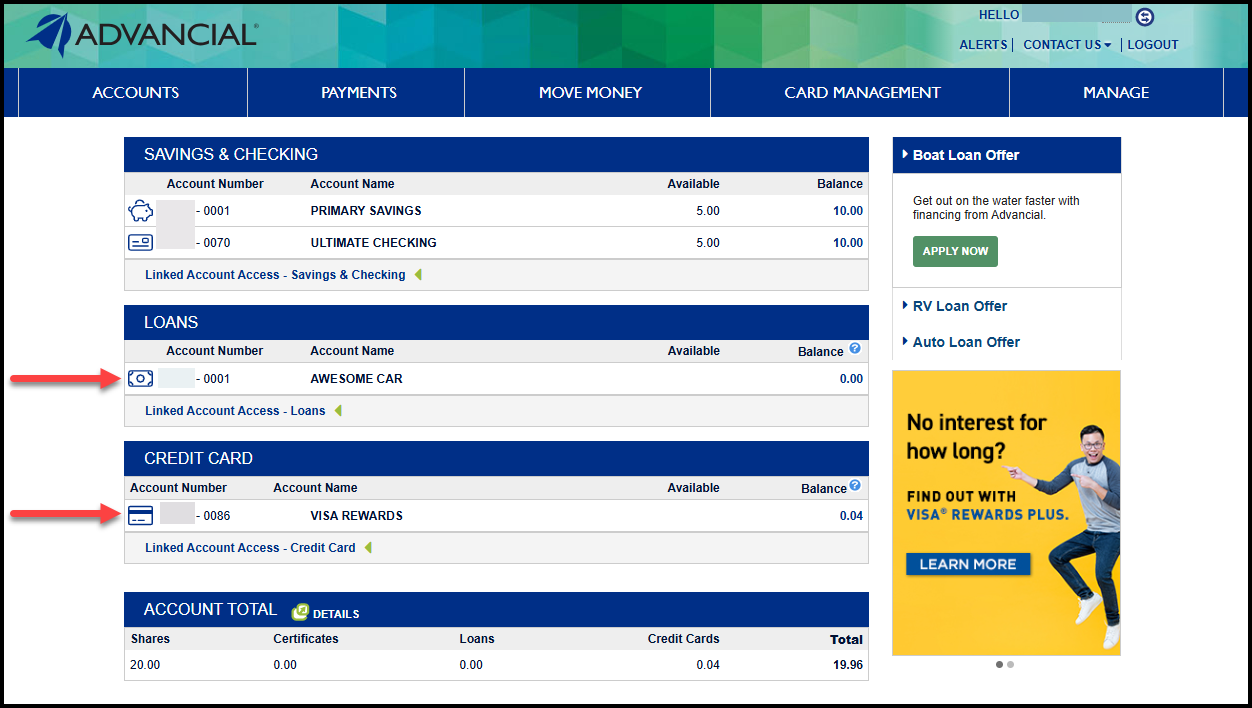
- Select the loan or credit card you would like to set up an automatic payment for
2
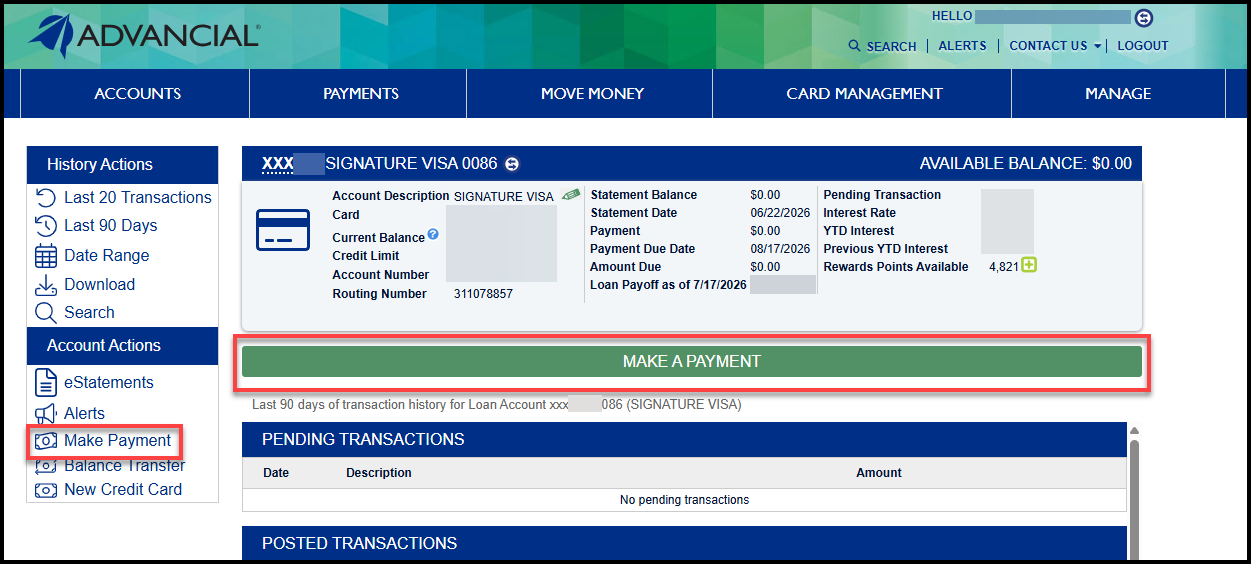
- Select the green Make A Payment button
or - Select the Make Payment option from the left menu
3
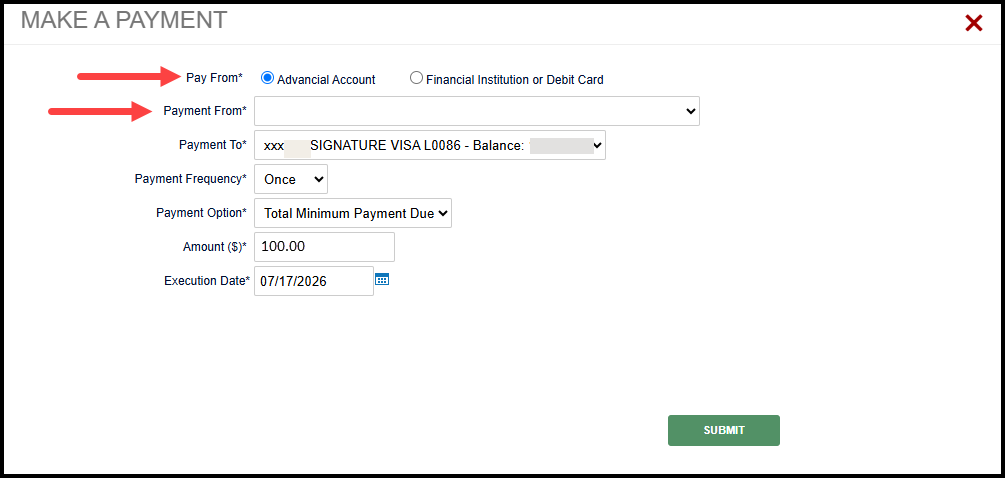
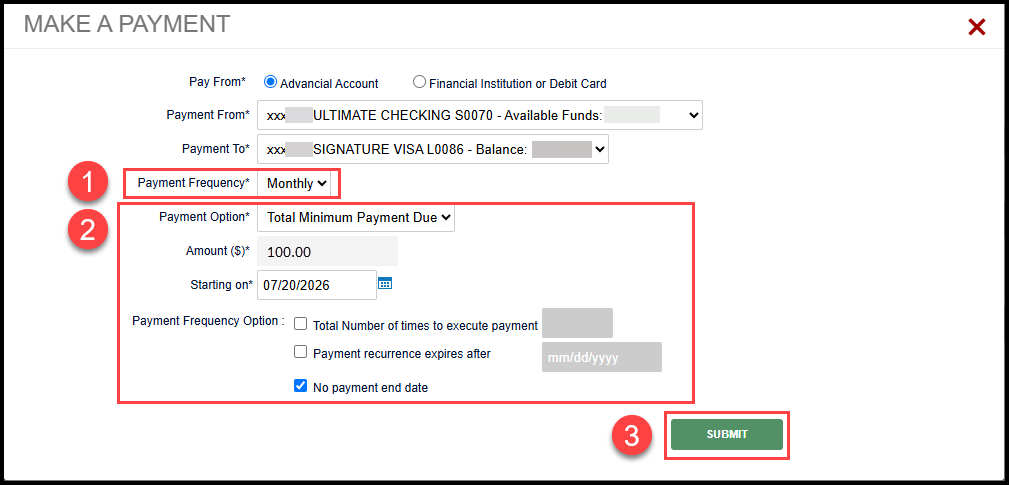
- Select whether you would like to pay from an Advancial Account, or an External Financial Institution or Debit Card
- Use the Payment From drop-down menu to select the account you would like to use
4
- Change Payment Frequency to Monthly
- Review the pre-populated payment details and make any changes, if needed
- Select Submit to save the automatic payment
5
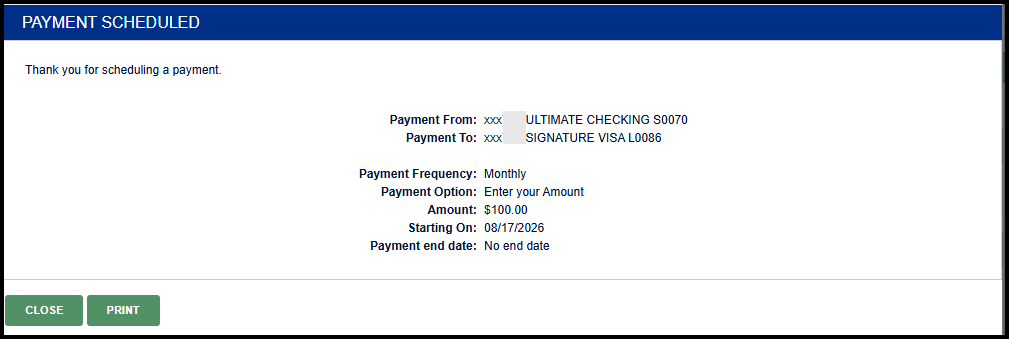
- A confirmation screen appears, indicating your automatic payments were successfully scheduled
6
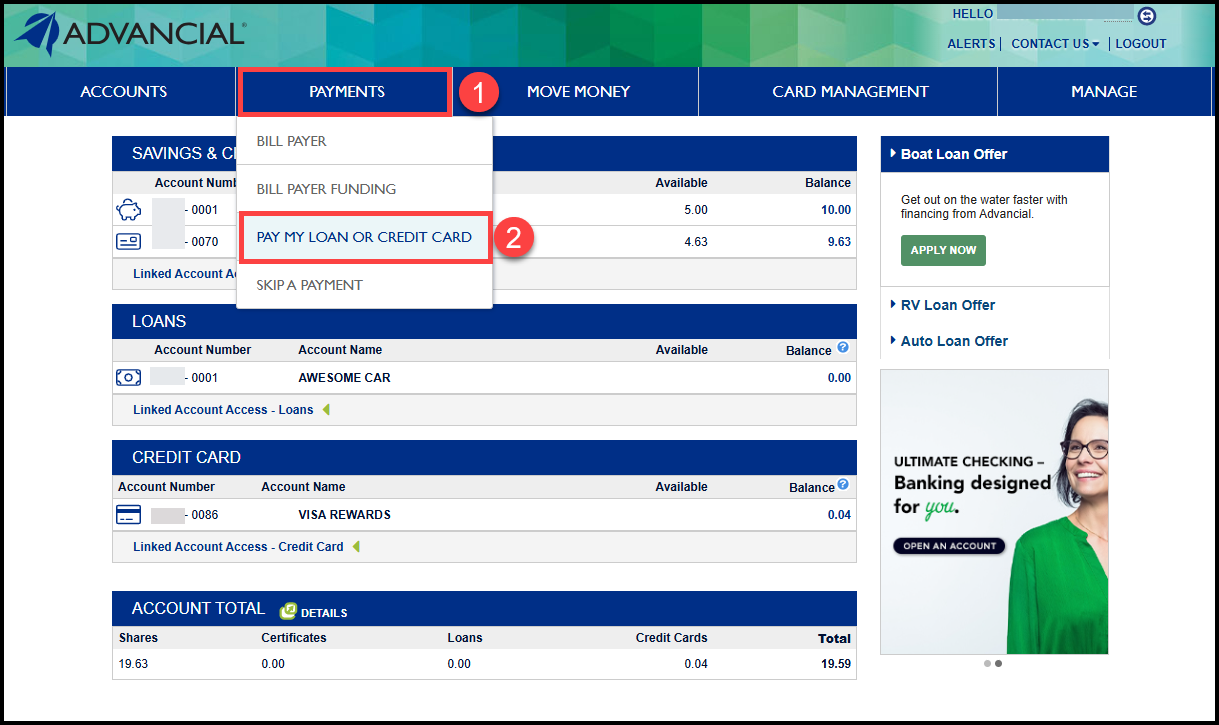
- To manage your saved automatic payments, navigate to Pay My Loan or Credit Card:
- Payments > Pay My Loan or Credit Card
7
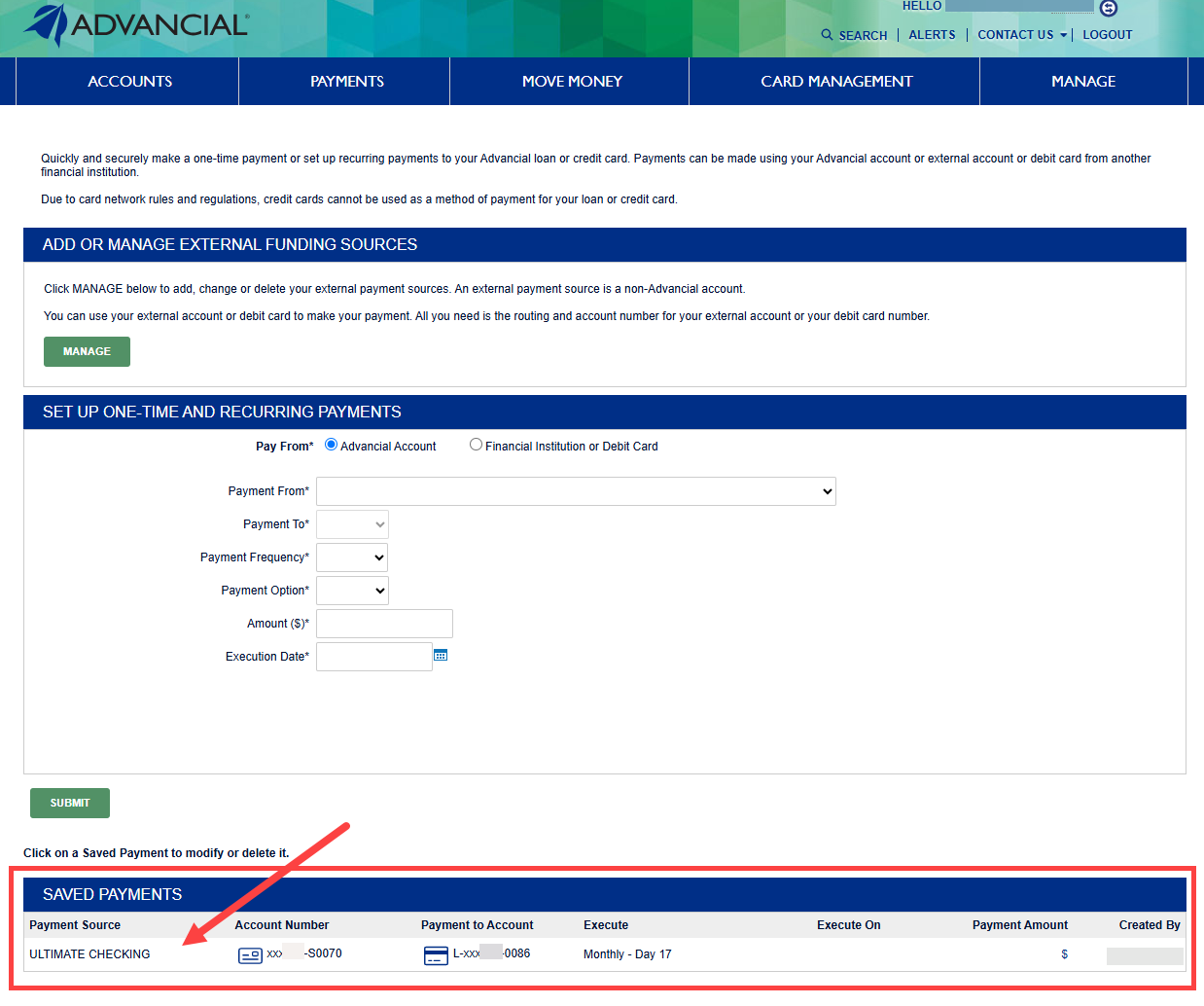
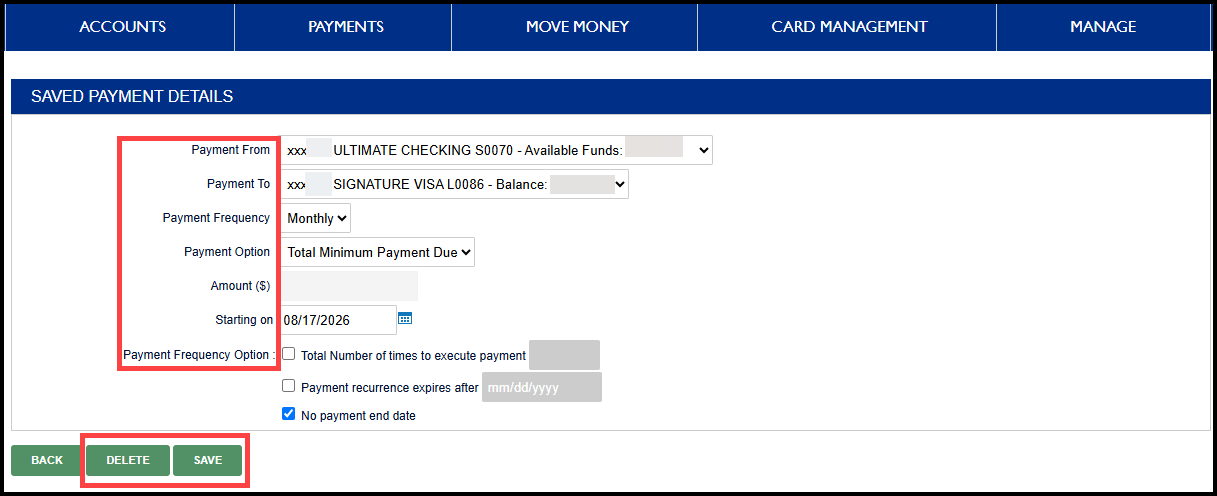
- Your automatic payments will be displayed under Saved Payments
- Select the saved payment to view or modify
Note: A blank Payment Amount indicates the automatic payment is set to Total Minimum Payment Due
8
- Update any of the saved payment details, if needed
- Select Save to apply your changes, or Delete to remove the automatic payment
1
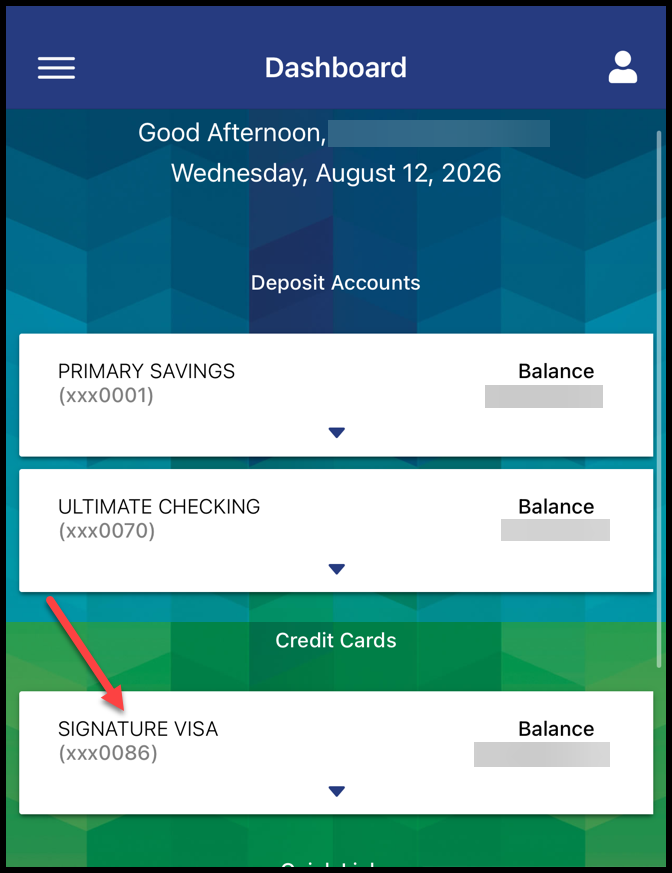
- Log in to the Advancial Mobile App
- Select your loan from the Dashboard
2
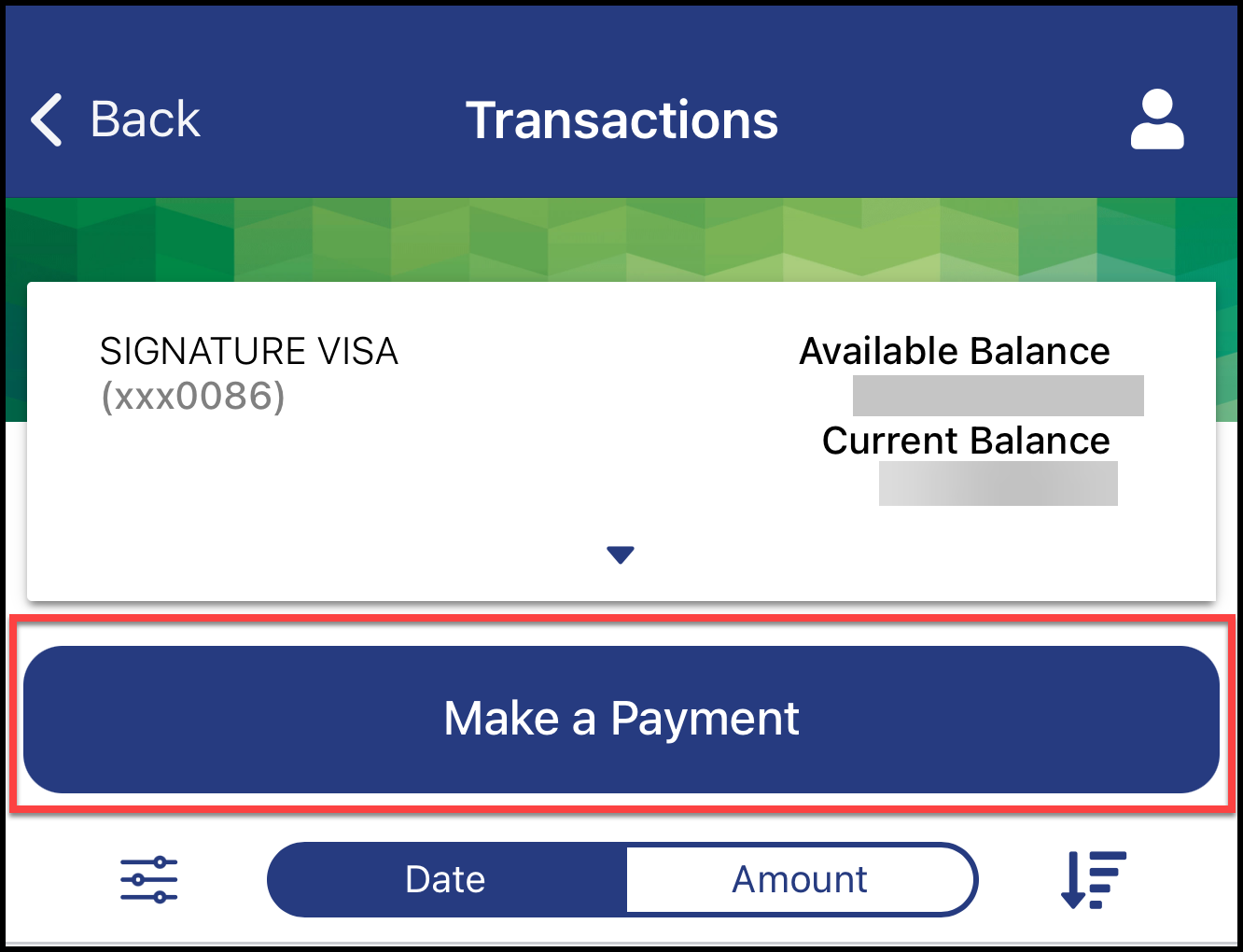
- Select the blue Make a Payment button
3
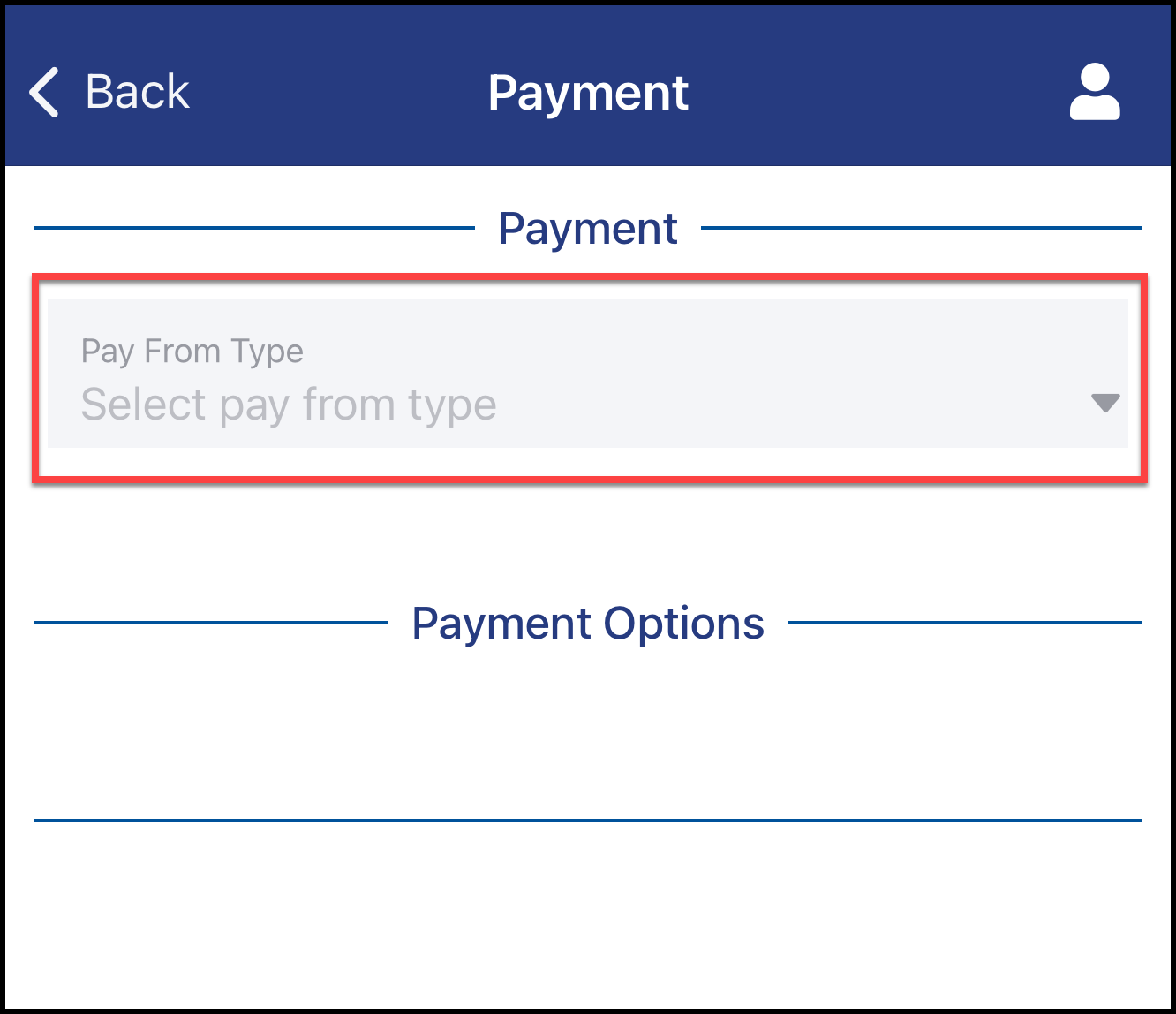
- Select the Pay From Type drop-down menu
- Select an Advancial Account
or - Select an Institution or Debit Card to pay from a linked external financial institution
4
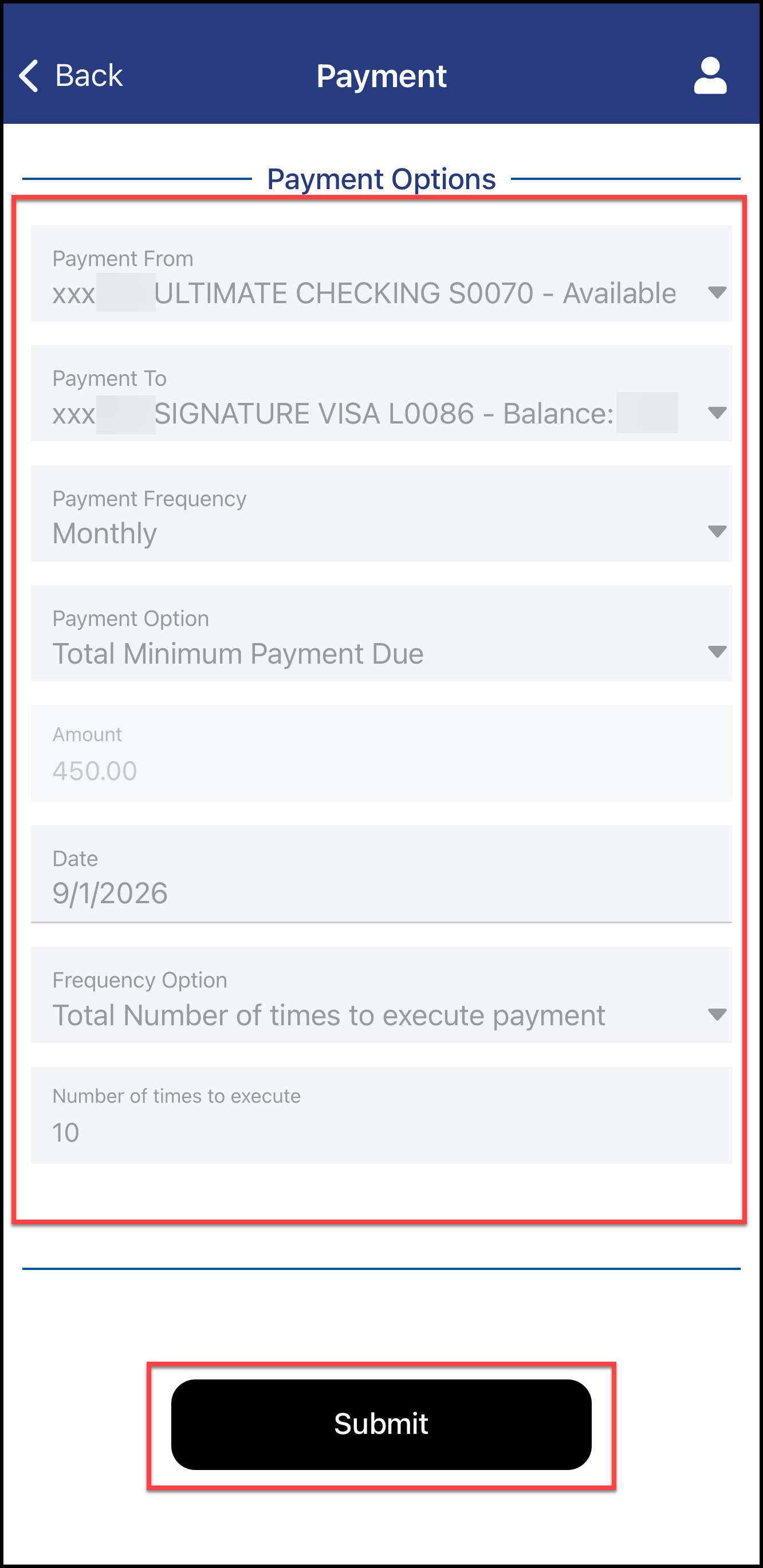
- Select the Payment From account
- Select the Payment To account
- Select Monthly for the Payment Frequency
- Choose your Payment Option, payment Amount, and Execution Date
- Under Frequency Option, choose whether to set the recurring payments by a total number of payments or an end date, then enter the corresponding number or date
- Select Submit
5
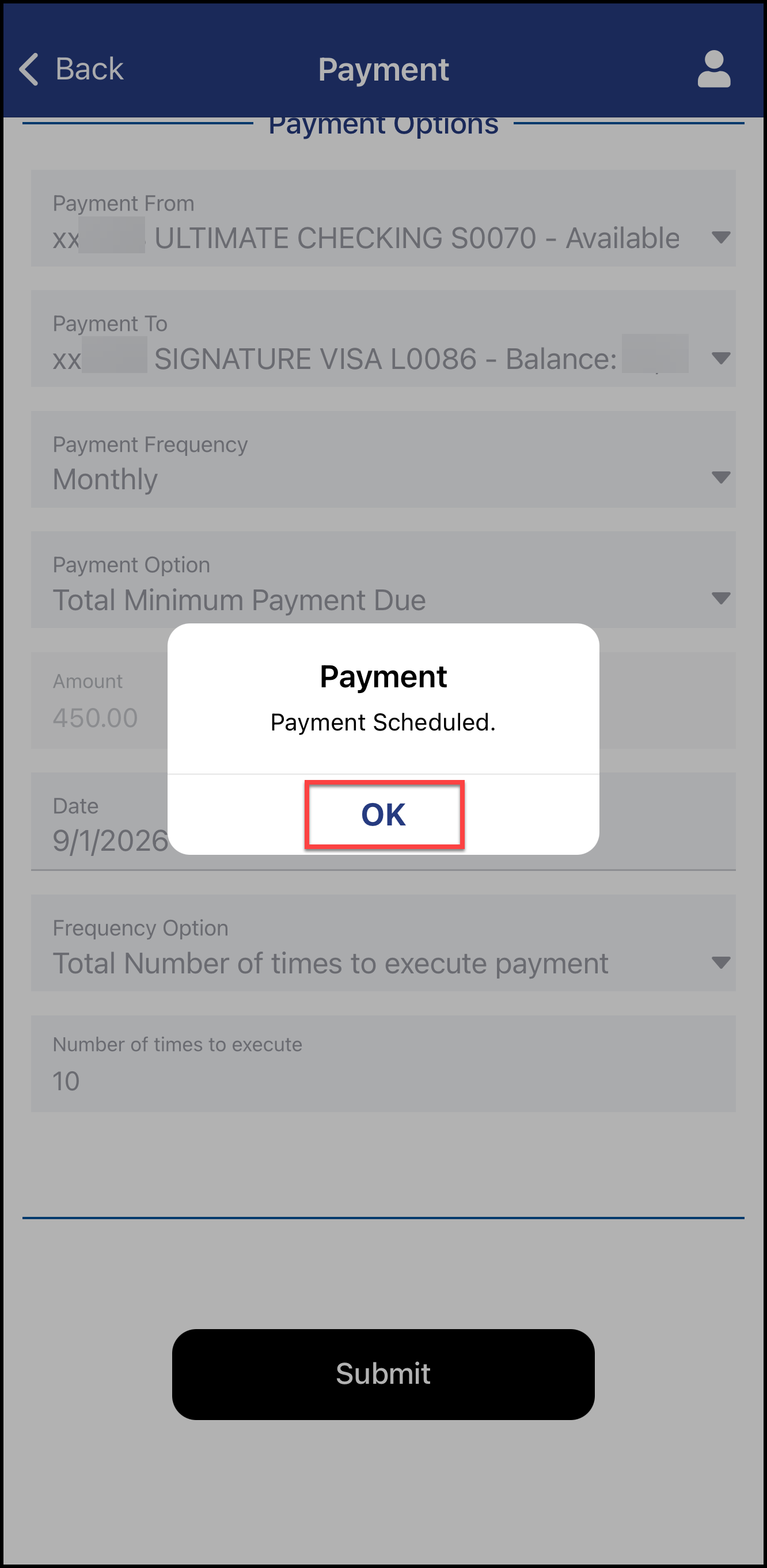
- A confirmation screen will pop up indicating that the payment was successfully submitted
- Select OK to continue
6
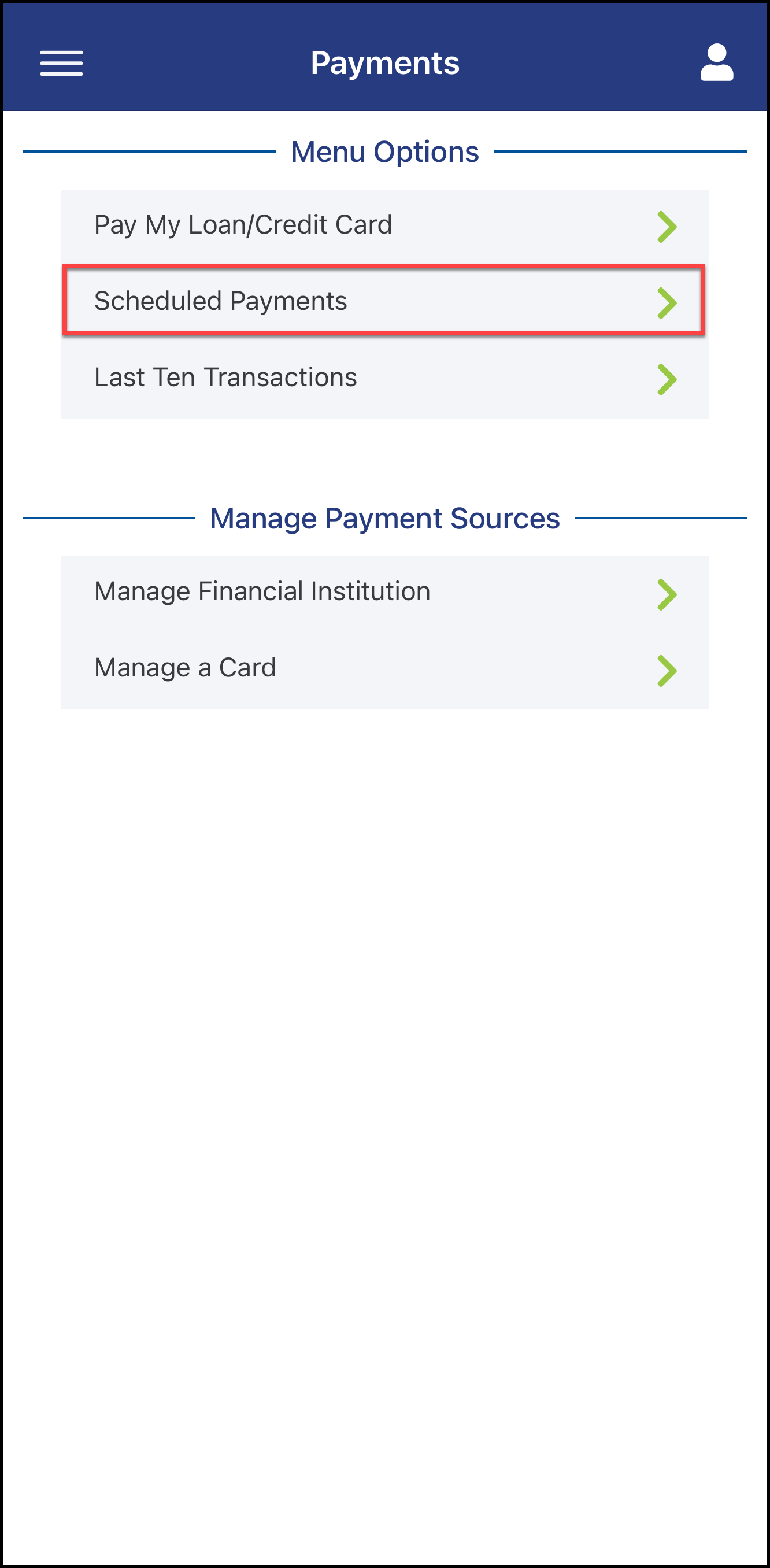
- You will be redirected to the Payments screen
- Select Scheduled Payments to view your scheduled loan payments
Note: You can access this screen at any time by navigating to the Payments tab > Pay My Loan/Credit Card