Set Up Direct Deposit

×
1
- Log in to cuAnywhere® Online Banking
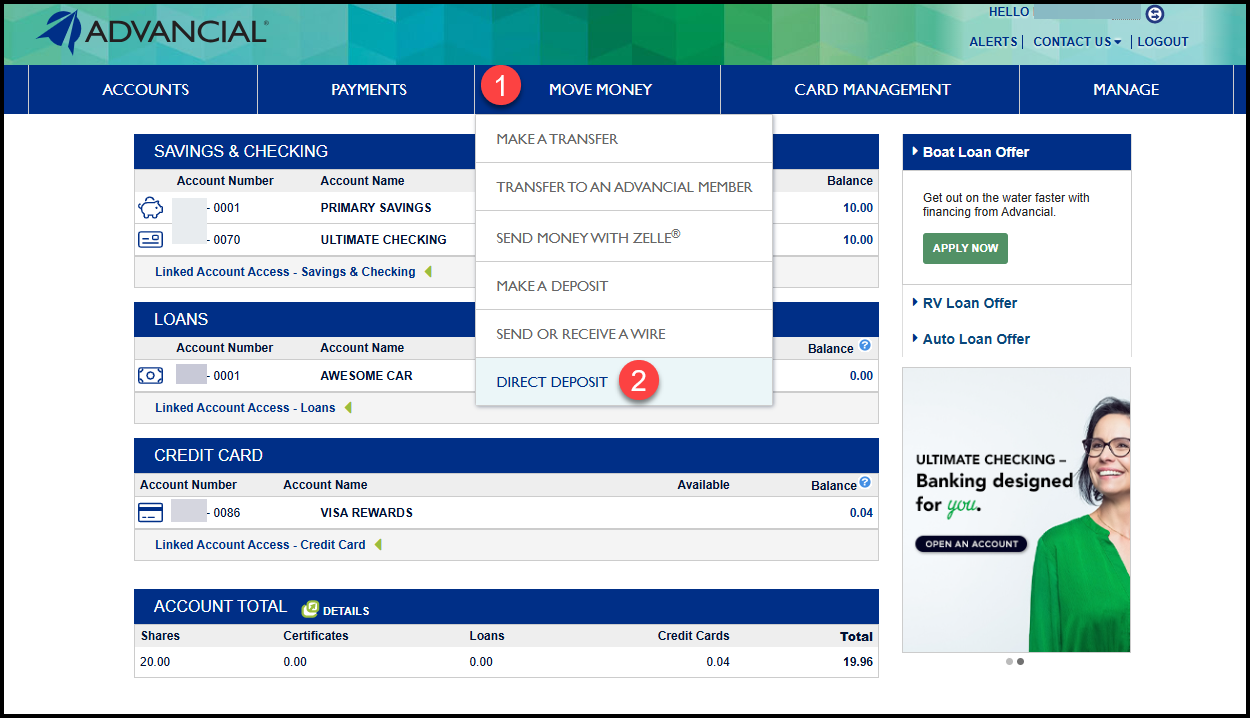
- Navigate to Direct Deposit:
- Move Money > Direct Deposit
2
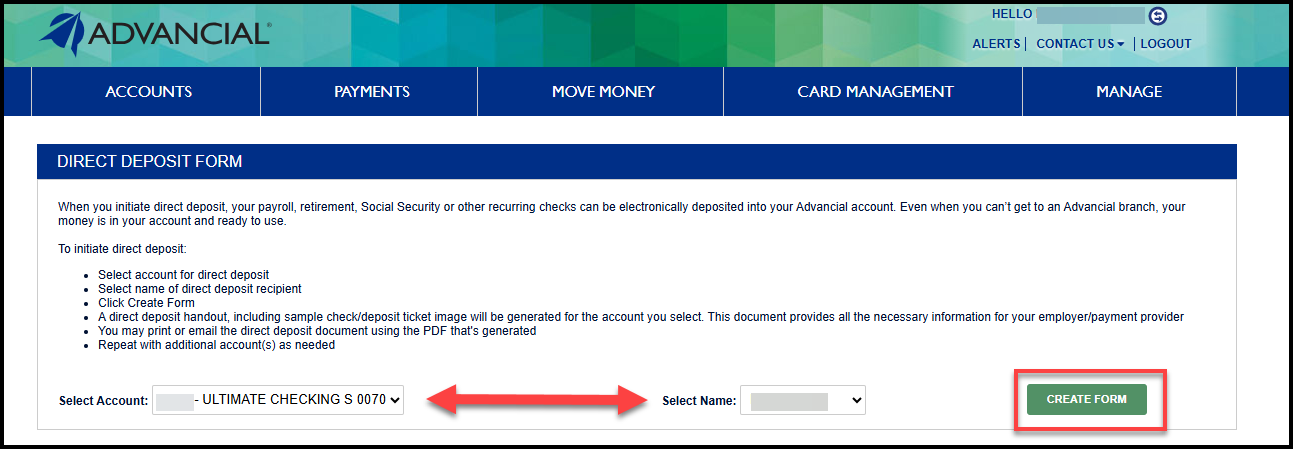
- Select the account for direct deposit
- Select the name to appear on the direct deposit form
- Select Create Form
3
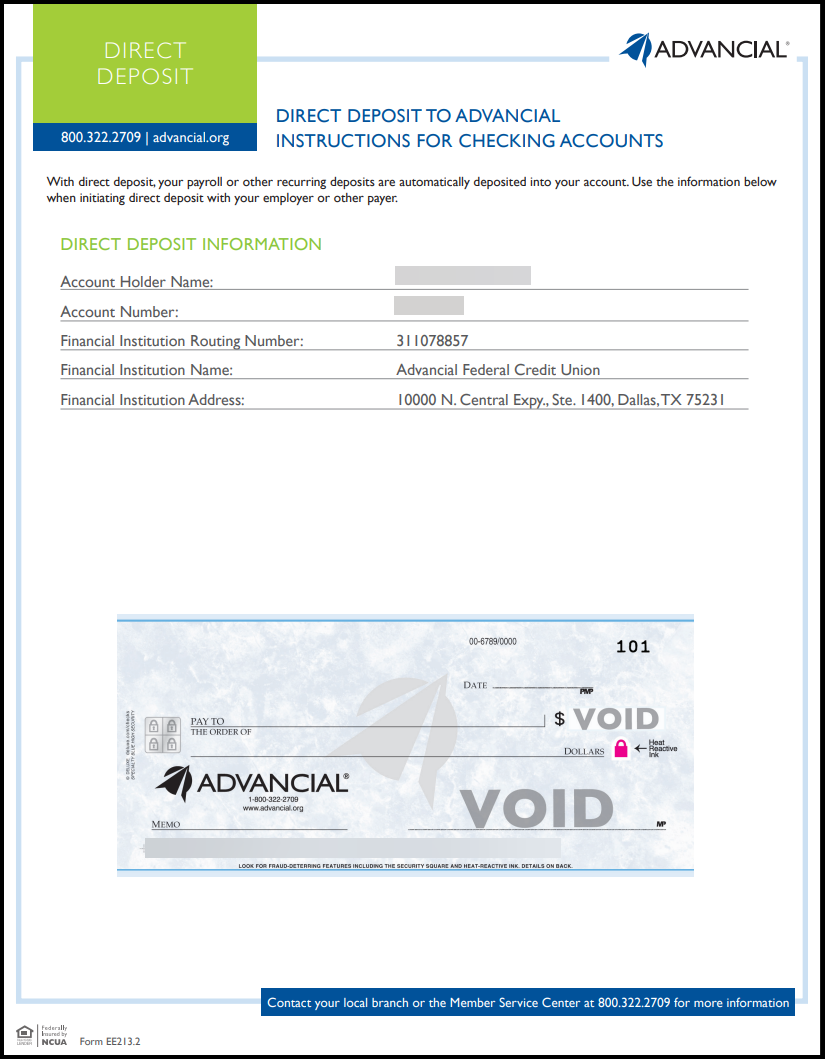
- The direct deposit form will automatically download
- Provide the form to your payment provider to set up direct deposit